
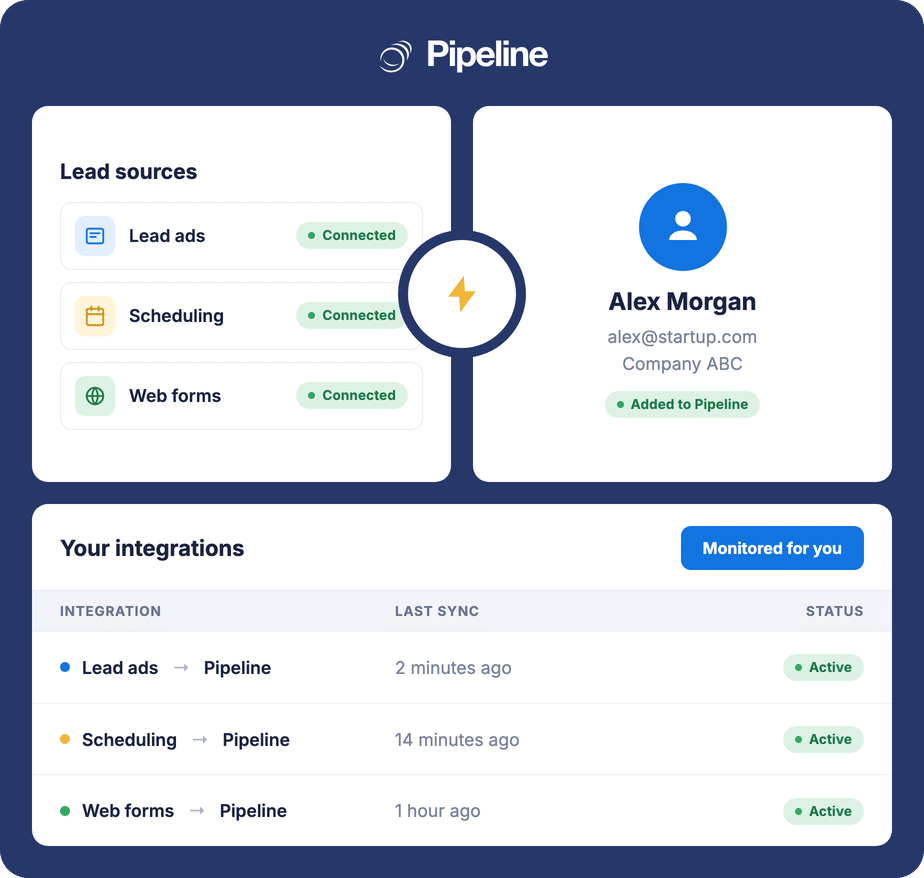
Managed CRM Integration Service
Stop juggling tools. We handle the wiring.
Pipeline Connect is a managed CRM integration service for Pipeline CRM. We connect the tools your team uses every day, Lead Ads, Slack, Zoom, Teams, enrichment, and more, directly to Pipeline CRM. You submit credentials once. Our team builds it, hosts it, monitors it, and fixes it if it breaks. Live in 5 business days. From $99 a month.
✓ No credit card required ✓ Live in 5 business days ✓ Cancel anytime
What you get
You submit credentials once. Our team configures, tests, and deploys every integration end to end.
Lead Ads, Slack, Zoom, Teams, enrichment, and custom integrations. All in one bill.
Up to 5 integrations included. Custom integrations included. Month to month, cancel anytime.
At a Glance
Pipeline Connect is a managed CRM integration service for Pipeline CRM: a done-for-you add-on where our team builds and maintains the connections between Pipeline CRM and your other business tools, across three categories: lead capture (Facebook, LinkedIn, Google, Instagram Lead Ads), notifications and productivity (Slack, Zoom, Microsoft Teams), and data enrichment and specialty (Seamless AI, Lusha, Typeform). Custom integrations are included on every plan. $99/month for up to 5 integrations, $249/month for up to 15. $0 setup, no contracts, cancel anytime. Built for teams of 20 to 200 in construction, manufacturing, logistics, professional services, and financial services.
The CRM is one tool. Your team uses six.
Pipeline CRM is the system of record. Everything else, Lead Ads, Slack, calendar, enrichment, accounting, lives somewhere else and demands manual handoffs. The cost shows up as missed leads, missed alerts, and missed revenue.
Manual copy-paste loses deals
A lead fills out your Facebook form at 11pm Friday. By Monday morning they’ve signed with a competitor.
DIY integrations demand a developer
Zapier works well if someone on your team can build and maintain Zaps. Most teams don’t have that person.
Broken integrations go unnoticed
A token expires, a field changes, leads route to nowhere. Nobody finds out for a week.
From signup to live in 5 business days
Sign up
Talk to sales or start a trial. After you sign up for Pipeline Connect, your rep sends a secure intake link.
Submit credentials
You enter API credentials and tokens for your tools through the secure intake form. That’s the only thing you do.
We provision
Our team builds and tests every integration end to end. Field mapping, deduplication, notification routing, all configured for you.
Data flows
Your tools talk to Pipeline CRM automatically. We watch every connection and fix anything that breaks, so your data keeps flowing.
Everything included, nothing extra to manage
One flat monthly fee covers setup, hosting, monitoring, and ongoing fixes. No Zapier subscription, no freelancer invoices, no in-house developer time, no per-integration setup charges.
- Fully managed setup Our team configures every integration end to end, including field mapping and deduplication keys
- Custom integrations included Most tools with a public API are in scope at no extra charge, within your plan’s integration limit
- Monitoring and maintenance included We watch every connection and handle fixes, so you never have to troubleshoot an integration
- Single bill from Pipeline CRM Pipeline Connect is billed alongside your Pipeline CRM subscription. No separate vendor invoices, no third-party logins
- No Zapier subscription Cancel that line item. Pipeline Connect replaces DIY automation tools for tools we cover
- Custom field mapping Send any field from your tool to any field in Pipeline CRM. Custom mappings on request
- US-based live chat support The Pipeline CRM support team handles integration questions through live chat
- Month to month, no contracts $0 setup fees, cancel anytime. No multi-year commitments
Connect anything your team uses
Pipeline Connect ships with managed integrations across three categories. If your tool isn’t listed, custom integrations are included on every plan.
Lead capture
New ad-form submissions land in Pipeline CRM the moment they come in, with campaign and ad-name attribution attached.
Notifications & productivity
Get the right signal in the right channel with no manual data entry.
- SlackAlerts on stage changes, new leads, and due tasks
- ZoomAuto-log Zoom meetings on the relevant deal or contact
- Microsoft TeamsMeeting logging and deal-stage notifications
Data enrichment & specialty
Cleaner records, faster handoffs, less retyping.
- Seamless AI / LushaVerified email and phone enrichment on contacts
- Typeform / JotFormForm submissions auto-create leads or update contacts
- Industry-specific toolsTripleseat and other vertical platforms on request
Two plans. Flat monthly fee. No setup costs.
Pipeline Connect is a flat-fee add-on to your Pipeline CRM subscription. Both plans include $0 setup fees, custom integrations, monitoring and ongoing maintenance, and US-based live chat support.
Pipeline Connect
Up to 5 integrations included. Month to month, flat fee.
- Up to 5 integrations (any type)
- Custom integrations included
- $0 setup fee
- Live in 5 business days
- Monitored and maintained for you
- US-based live chat support
- Cancel anytime, no contracts
Pipeline Connect Pro
Up to 15 integrations. Priority handling for larger stacks.
- Up to 15 integrations (any type)
- Custom integrations included
- $0 setup fee
- Live in 5 business days (priority handling)
- Monitored and maintained for you
- US-based live chat support
- Cancel anytime, no contracts
Pipeline CRM subscription required (starts at $25/user/month, billed annually). Pipeline Connect does not include the cost of the third-party tools you connect (e.g., Apollo, Lusha, Zoom). You bring your own subscriptions and API keys. Prices in USD.
Pipeline Connect vs DIY
Zapier is a great tool for tinkerers. It puts the setup, maintenance, and debugging burden on you. Hiring a freelancer or a consultancy moves the work off your team but lands a large invoice. Pipeline Connect is the middle path: fully managed, predictable monthly cost, no third-party logins.
Pipeline Connect
- Setup: Done for you in 5 business days
- Maintenance: Pipeline CRM team handles all updates and fixes
- Monitoring: We watch every connection and handle any fixes.
- Cost model: Flat $99/mo for up to 5 integrations. No usage caps.
- When it breaks: We fix it. You may not even notice.
- Subscription: One add-on. No separate Zapier or freelancer bill.
- Custom integrations: Included, no extra cost
Zapier or freelancer
- Setup: You build it (Zapier) or pay setup fees (freelancer)
- Maintenance: You patch field changes and token expirations
- Monitoring: You. Breakage often goes unnoticed for days.
- Cost model: Subscription scales with usage (Zapier) or hourly billing (freelancer)
- When it breaks: You debug. Leads route to nowhere until you fix it.
- Subscription: Separate line items on top of your CRM
- Custom integrations: Custom dev work, scoped and quoted separately
Frequently asked questions
Can’t find what you need? Contact our team.
What is the difference between Pipeline Connect and Pipeline Connect Pro?
Pipeline Connect at $99/month covers up to 5 integrations of any type. Pipeline Connect Pro at $249/month covers up to 15 integrations and gets priority handling during setup. Everything else is identical: $0 setup, 5-business-day provisioning, monitoring and maintenance, custom integrations included, ongoing maintenance, and US-based live chat support. If you run 6 or more integrations or expect to in the next 6 months, Pro is the better economic choice.
How long does setup take?
Pipeline Connect goes live in 5 business days from the moment you submit credentials through the secure intake form. You do not configure anything yourself. Our team handles the full integration setup, field mapping, deduplication, notification routing, and end-to-end testing. Most customers see their first integrations active within a week of signing up. Pipeline Connect Pro customers get priority handling for the same 5-business-day target.
What happens if an integration breaks?
Pipeline Connect monitors every integration for you. If something goes wrong, the Pipeline CRM team handles the fix, and you do not need to troubleshoot anything. This is the key difference from Zapier, where a broken zap can route leads to nowhere for days until somebody asks why their pipeline went dry.
Do I still need a Zapier subscription?
Not for the tools Pipeline Connect covers. If we handle your Lead Ads, Slack, calendar, Zoom, enrichment, and other supported flows, you can cancel the Zaps that did that work. Pipeline Connect replaces Zapier for the integrations we ship. Keep Zapier only for tool-to-tool flows that have nothing to do with Pipeline CRM. If you already have a developer team, our public API is available too: Pipeline Connect is for teams that would rather not spend dev time on integration work.
Which integrations are supported today?
Pipeline Connect covers three categories. Lead capture: Facebook Lead Ads, LinkedIn Lead Gen Forms, Google Ads Lead Forms, Instagram Lead Ads. Notifications and productivity: Slack, Zoom, Microsoft Teams. Data enrichment and specialty: Seamless AI, Lusha, Typeform, JotForm, plus industry-specific tools like Tripleseat on request. See the full integration directory. New integrations are added based on customer demand. Note: Pipeline CRM already has native bi-directional QuickBooks integration and native calendar sync, so those are not part of Pipeline Connect.
What if I need an integration that is not on the list?
Custom integrations are included on every Pipeline Connect plan at no extra cost, for tools with a public API. Just tell us what you need during your sales call or after signing up. We will confirm feasibility within 24 hours. The custom integration counts as one of the integrations in your plan (5 on Pipeline Connect, 15 on Pro). Typical custom builds land within the standard 5-business-day window. Complex bi-directional systems like full ERPs (Sage 100, NetSuite) or billing platforms (Stripe, Zuora) are out of scope for the standard plans and scoped separately.
What is NOT included?
Three things are out of scope. First, complex bi-directional integrations like full ERPs (Sage 100, NetSuite) and billing platforms (Stripe, Zuora) require custom development and a separate scoping conversation. Ask during your sales call and we will provide a custom quote. Second, third-party tool subscriptions are not included in your Pipeline Connect fee. You continue to pay for your own Apollo, Lusha, Zoom, Typeform, and other vendor accounts. Third, you provide the API keys and credentials we use, including any AI model keys (OpenAI, Anthropic, etc.) if an integration relies on them. Pipeline Connect’s monthly fee covers our build, hosting, monitoring, and support work. It does not cover the third-party software you connect to.