
Sales Pipeline
Management
Track every deal from first contact to close. Pipeline CRM gives your entire team a visual, shared pipeline so nothing slips through the cracks. Know exactly where each deal stands, what needs attention today, and how to close more revenue this month.
✓ No credit card required ✓ 14-day free trial ✓ Cancel anytime
Trusted by over 18,000 users globally





At a Glance
Pipeline CRM is a sales pipeline management software that offers visual drag-and-drop deal tracking, customizable stages, and automated reports for small and mid-size sales teams in construction, manufacturing, and professional services, with native QuickBooks Online, Gmail, and Outlook integration. Pipeline CRM Sales Pipeline Management lets sales teams and managers track every deal from first contact to close using a visual, drag-and-drop pipeline. Monitor deal stages in real time, act on automated reports like the Morning Coffee Report, and customize stages to match how your team actually sells. Plans start at $25/user/month (billed annually) with a 14-day free trial. Multi-pipeline support is available on the Develop plan and above. Built for small and mid-size teams in construction, manufacturing, and professional services who need a clear, organized view of their revenue pipeline.
What is sales pipeline management?
Sales pipeline management is the process of tracking, organizing, and optimizing every deal as it moves through defined stages from initial contact to closed sale. It gives sales teams and managers a shared, real-time view of where each opportunity stands, what action to take next, and how likely a deal is to close. Companies with a structured pipeline management process see approximately 15% higher revenue growth than those without one, according to Harvard Business Review research.
Visibility
See every deal, its current stage, and its value in one shared view. Know at a glance which opportunities are advancing and which have stalled.
Forecasting
Predict revenue based on deal-stage data, win probabilities, and historical close rates instead of gut feelings or end-of-quarter guesswork.
Accountability
Assign clear ownership for every deal. Managers see rep activity and deal progression without chasing individual updates.
Unlike a sales funnel, which measures conversion percentages at each stage, a sales pipeline focuses on the individual deals themselves: their value, their next step, and the actions required to move them forward. Effective pipeline management combines a visual deal-tracking system with consistent follow-up processes, real-time reporting, and team-wide accountability. The result is shorter sales cycles, higher win rates, and forecasts your leadership team can trust.
What are the stages of a sales pipeline?
A sales pipeline organizes your deals into defined stages that mirror how your team actually sells. While the exact stages vary by business, most B2B sales pipelines follow six core steps. Pipeline CRM lets you customize these stages to match your process.
Pipeline CRM lets you rename, add, or remove stages to match your sales process. Construction teams might add a “Bid Submitted” stage. Service firms might include “SOW Review.” The key is that every stage has a clear entry criteria and exit action.
Why do sales teams struggle to manage their pipeline?
Sales teams struggle to manage their pipeline because most tools are either too complex to adopt or too simple to provide real visibility. Research shows that sales cycles are running 21% longer than they were just a few years ago, and when your pipeline lives in spreadsheets, email threads, or scattered notes, those longer cycles turn into lost revenue.
No visibility into deal stages
Managers cannot see what is happening across the team’s pipeline without asking each rep for an update. Deals sit in vague stages with no clear next step.
Deals slip through the cracks
Without a systematic follow-up process, promising opportunities go cold. A rep forgets to send a proposal. A warm lead waits two weeks for a callback.
Forecasting is guesswork
When pipeline data is incomplete or outdated, revenue forecasts become unreliable. Leadership makes hiring, inventory, and budget decisions based on gut feelings.
How does Pipeline CRM simplify sales pipeline management?
Pipeline CRM simplifies sales pipeline management through visual tools and automation. No complex setup. No consultant required. Watch the full product demo to see it in action.
Drag-and-drop deal tracking
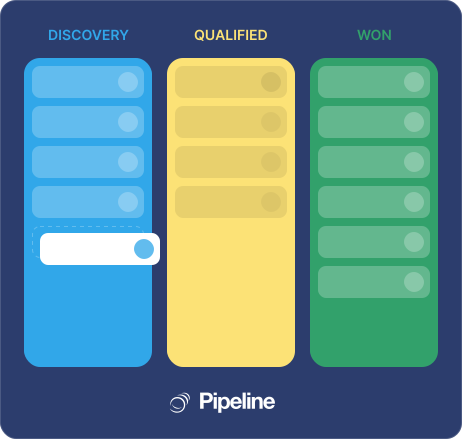
See your entire pipeline at a glance. Drag deals between stages as they progress. Each deal profile stores contacts, notes, emails, tasks, and documents in one place. Your team sees a shared, real-time view so nothing gets lost between handoffs.
- Visual board view with customizable deal stages
- Deal profiles with full activity history
- Stalled deal highlighting for proactive follow-up
- Shared team view with real-time updates
Separate pipelines for every process
Create one pipeline or several, each tailored to a different sales process. Track new business in one pipeline, renewals in another, and partnerships in a third. Define the stages that match how your team actually sells.
- Up to 5 pipelines on the Grow plan
- Custom stages per pipeline
- Independent reporting per pipeline
- Team-level and role-based access
Visual Kanban boards for your pipeline
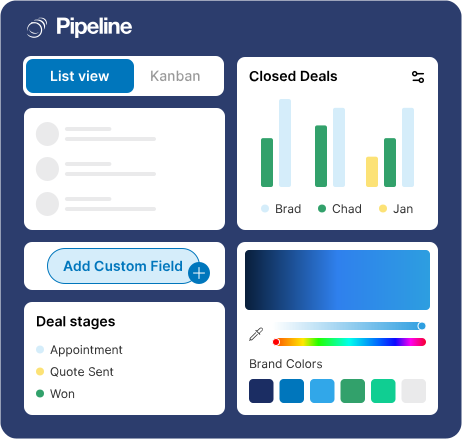
See your entire pipeline as a visual board with deals organized by stage. Drag and drop to update deal stages, edit fields inline, and toggle between Kanban and list views instantly. Keep your team aligned and focused on advancing deals without distractions.
- Edit info and display fields directly on cards
- Collapse stages to reduce visual clutter
- Drag and drop to update deal stages
- Import filters from your favorite list views
Real-time pipeline insights
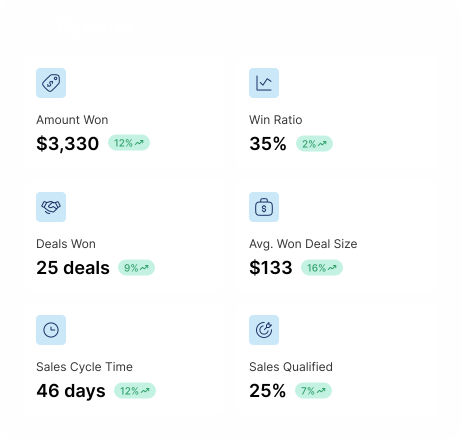
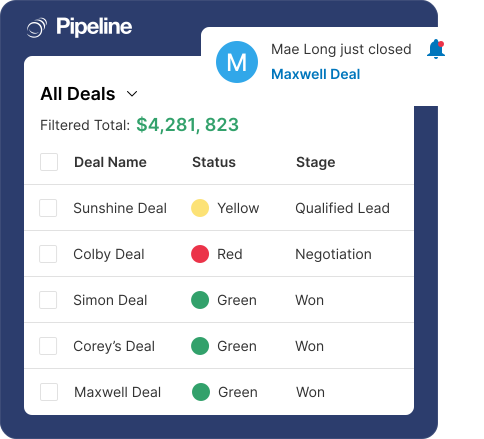
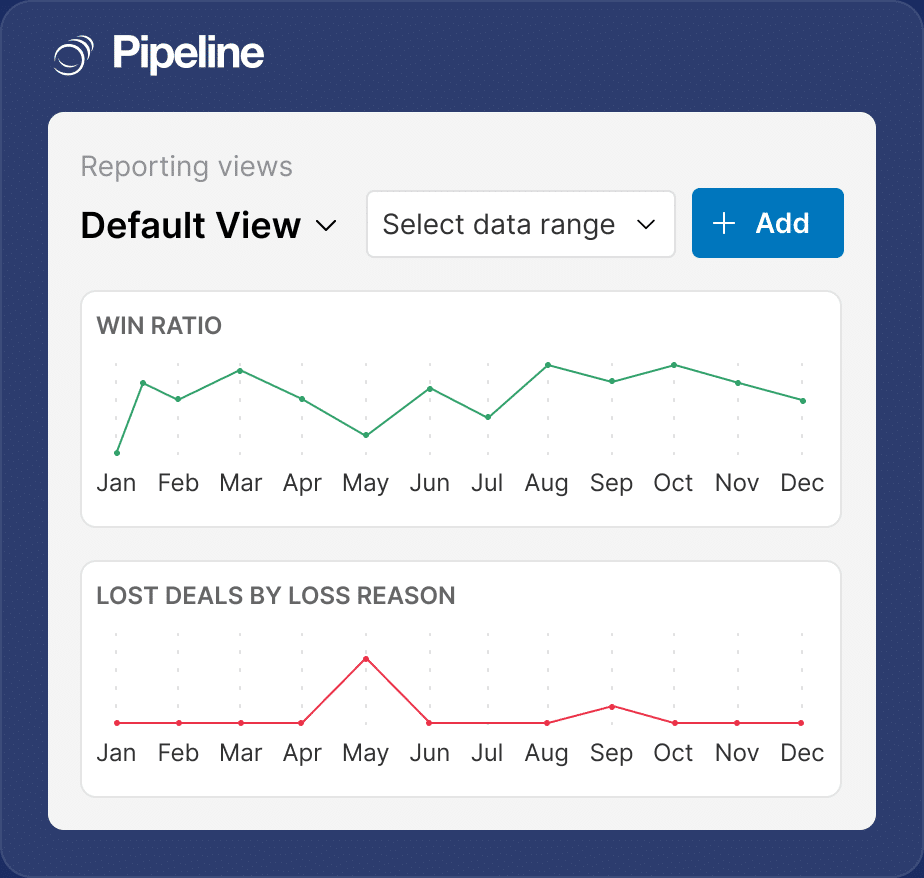
Pipeline CRM’s visual reporting tools surface the numbers that matter: revenue by stage, deal velocity, win rates, and rep performance. Build custom reports, schedule automatic delivery to your inbox, and use the Morning Coffee Report to start each day knowing exactly which deals need attention. Stop digging for data and start making decisions.
- Revenue by stage and expected close date
- Deal velocity and conversion metrics
- Rep performance comparison
- Custom report builder
What pipeline metrics should your sales team track?
The sales teams that manage their pipeline most effectively track a consistent set of metrics. These numbers reveal where deals are stuck, which reps need coaching, and whether your forecast is reliable. Pipeline CRM’s reporting tools surface all of these automatically.
Pipeline Velocity
Measures how fast revenue moves through your pipeline. Higher velocity means more revenue per unit of time. Track weekly to spot slowdowns early.
Pipeline Coverage Ratio
A healthy pipeline holds 3x to 5x your quota. Below 3x, you are likely to miss target. Above 5x, deals may not be properly qualified.
Stage Conversion Rate
Reveals where deals drop off. If conversion drops sharply at “Proposal,” your pricing or proposal process may need attention.
Average Deal Size
Trending deal size up or down signals whether your team is attracting the right customers and selling the full solution.
Win Rate
Your overall win rate benchmarks team effectiveness. Segment by rep, lead source, or industry to find what is working and what is not.
Sales Cycle Length
Long cycles tie up resources and increase risk. Track by pipeline stage to identify which steps slow your team down most.
Which teams get the most from sales pipeline management?
The teams that get the most from sales pipeline management are those with active deal flow, multiple stakeholders, and sales cycles that benefit from clear stage-by-stage tracking. With 94% of B2B buyers conducting online research before a purchase decision, structured pipeline management ensures your team engages each prospect at the right time with the right follow-up.
Construction & Contractors
- Track 50+ active bids across job sites in one view
- Separate bid and change-order pipelines per estimator
- Store blueprints, RFPs, and site photos on every deal
Construction sales teams manage long project cycles, competitive bids, and multiple decision-makers per deal. Estimators need to track dozens of active bids across job sites while keeping general contractors and project owners in the loop. Pipeline CRM’s multi-pipeline view gives each estimator their own workspace. Separate your bid pipeline from your change-order pipeline, and use deal profiles to store blueprints, RFPs, and site photos alongside every opportunity. Learn more about our CRM built for construction sales teams.
Manufacturing & Distribution
- Surface priority deals daily with Morning Coffee Report
- Spot bottlenecks at quoting stage across the team
- Forecast production demand from deal-stage data
Manufacturing and distribution reps handle high-volume deal flow with shorter cycles, repeat customers, and inventory coordination requirements. Speed matters: the first supplier to respond with accurate pricing often wins the order. If your reps handle 100+ deals monthly, the Morning Coffee Report surfaces which ones need attention today. Pipeline CRM’s pipeline view lets managers spot bottlenecks at the quoting stage, identify reps who need support, and forecast production demand based on deal-stage data rather than guesswork.
Professional Services
- Separate pipelines for new business and renewals
- Automate follow-ups when proposals are sent
- Give partners visibility without micromanaging associates
Professional services firms sell on relationships, track proposals through long evaluation periods, and manage both new business and ongoing retainers. Partners and business development leads need visibility into the full pipeline without micromanaging every associate. Use one pipeline for new client acquisition and another for contract renewals, then automate pipeline stage transitions to trigger follow-up emails when proposals are sent or contracts are due for renewal.
How do real teams improve pipeline performance with Pipeline CRM?
Real sales teams across construction, manufacturing, and professional services use Pipeline CRM to shorten sales cycles, increase conversion rates, and gain full visibility into their deal flow.
Faster sales cycles
Rainier Custom Homes, a Pacific Northwest construction company, improved their sales cycle by 53% while maintaining exceptional customer service.
Read the full storyReduction in time to close
Cornerstone Flooring cut their average time-to-close from 42 days to just 24 days after implementing Pipeline CRM’s deal tracking.
Read the full storySales boost + 20% conversion lift
TENMAT, a manufacturer of advanced materials, achieved a 30% increase in sales and a 20% jump in conversion rates.
Read the full storyAward-winning support
What should you look for in pipeline management software?
Not every CRM handles pipeline management the same way. When evaluating tools, focus on the capabilities that directly impact your team’s ability to track, manage, and close deals consistently.
Visual, drag-and-drop pipeline
Your team should see the full pipeline at a glance and move deals between stages with a single drag. If you need to open a spreadsheet to understand your pipeline, the tool is not doing its job.
Customizable stages and fields
Your sales process is unique. The CRM should adapt to how you sell, not force you into a generic template. Look for custom stages, fields, and pipeline rules.
Built-in reporting and forecasting
Revenue by stage, deal velocity, win rates, and rep performance should all be available without a separate analytics tool or complex configuration.
Mobile access
Your reps are not always at a desk. A full-featured mobile app lets them update deals, log calls, and check priorities from the field or between meetings.
Fast setup and adoption
A tool your team won’t use is worse than no tool. Look for a CRM that is intuitive enough to start in days, not months, and does not require a consultant to configure.
Responsive, US-based support
When you have a question or issue, you want a real person who responds quickly. Pipeline CRM offers US-based live chat with a 97.6% satisfaction rate and under 1-minute response time.
Works with your existing tools
Pipeline CRM connects with the tools your team already uses. Sync data, automate workflows, and keep your pipeline in the center of your tech stack.






Frequently Asked Questions
Find the answer to your question here. If you don’t see it, please feel free to contact us.
What is sales pipeline management in a CRM?
Sales pipeline management in a CRM is the process of tracking deals through defined stages, from initial lead to closed sale, using software that gives your team a shared, visual view of every active opportunity. Instead of guessing which deals are progressing and which have stalled, a CRM pipeline organizes your sales process into clear steps like prospecting, qualification, proposal, negotiation, and close.
Pipeline CRM makes this straightforward with drag-and-drop deal stages, automatic activity tracking, and daily summaries through the Morning Coffee Report. If you are tracking deals in spreadsheets, a CRM pipeline gives you real-time visibility, automatic reminders, and reporting that spreadsheets simply cannot match. You can start a free 14-day trial to see how pipeline management works with your team’s actual deals.
How many pipelines can I create in Pipeline CRM?
The number of pipelines you can create in Pipeline CRM depends on your plan. All prices are per user per month, billed annually. The Start plan ($25) includes 1 pipeline, which works well for teams with a single sales process. The Develop plan ($33) supports 2 pipelines, so you can separate new business from renewals or track two distinct product lines. The Grow plan ($49) includes 5 pipelines, giving teams the flexibility to manage new business, renewals, partnerships, upsells, and more in dedicated workspaces.
If your team runs multiple sales processes, the Grow plan provides the most flexibility. You can view Pipeline CRM pricing plans to compare all features across tiers.
What is the best CRM for sales pipeline management?
The best CRM for sales pipeline management depends on your team size, industry, and how you sell. Pipeline CRM is a strong choice for teams of 5 to 200 people, especially in construction, manufacturing, and professional services. It offers a visual drag-and-drop pipeline, multi-pipeline support, built-in reporting, and a daily Morning Coffee Report that tells each rep exactly what needs attention. Pipeline CRM was named Highest User Adoption by G2 for both enterprise and SMB, with users consistently praising its ease of use and fast setup.
If your team is in construction, manufacturing, or professional services, Pipeline CRM is purpose-built for you. Plans start at $25/user/month (billed annually), and you can try Pipeline CRM free for 14 days to evaluate it against your current process. For a broader comparison, you can also compare Pipeline CRM with alternatives to see how it stacks up.
Can I automate my sales pipeline with Pipeline CRM?
Yes, Pipeline CRM lets you automate key parts of your sales pipeline with stage-based triggers and workflow rules. You can set up automations that fire when a deal moves to a new stage: send a follow-up email when a proposal is delivered, assign a task to a manager when a deal reaches negotiation, or update a custom field when a deal closes. This eliminates manual busywork and ensures consistent follow-up across your team.
If your reps spend time on repetitive tasks like sending the same follow-up email after every demo, automations handle that instantly. You can also create email sequences that drip over time based on deal activity. Learn more about how to set up sales pipeline automations in Pipeline CRM.
Does Pipeline CRM offer sales pipeline reporting?
Yes, Pipeline CRM offers comprehensive sales pipeline reporting that covers revenue forecasting, deal velocity, pipeline stage analysis, and individual rep performance. You can build custom reports that show deals by stage, expected close date, deal value, and win probability. The platform also includes the Morning Coffee Report, a daily email that summarizes overdue tasks, upcoming activities, and deals that need attention for each user.
If your team needs to present pipeline health to leadership or forecast quarterly revenue, Pipeline CRM’s built-in reporting and forecasting tools deliver the data without requiring a separate analytics tool. Reports update in real time as deals move through your pipeline.
Is there a free trial for Pipeline CRM’s pipeline management?
Yes, Pipeline CRM offers a 14-day free trial that includes full access to all pipeline management features. No credit card is required to start. During your trial, you can create pipelines, add deals, set up automations, run reports, and invite your team to test the platform with real data.
If you want to evaluate Pipeline CRM before committing, the trial gives you enough time to import your existing deals and see how the pipeline view, Morning Coffee Report, and reporting tools work for your team. Sign up for your free Pipeline CRM trial to get started, or schedule a guided demo if you prefer a walkthrough first. Not ready for a CRM yet? Start with our free sales pipeline template for Excel and Google Sheets to organize your deals today.