
CRM data enrichment, on demand
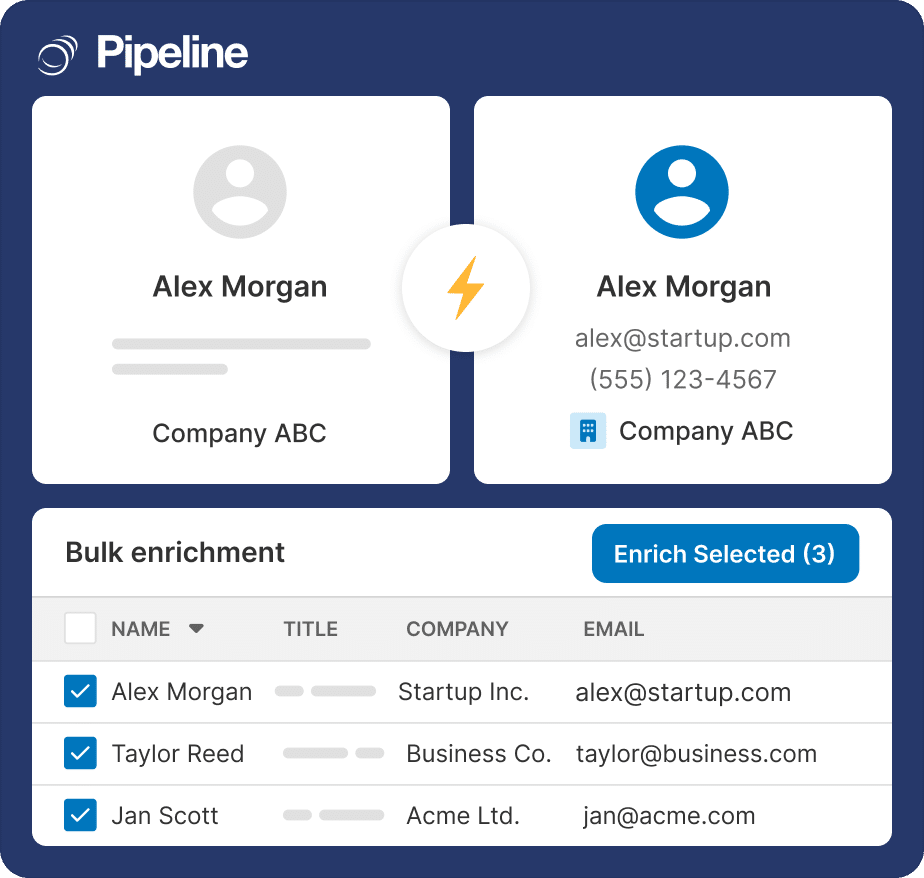
A record with a first name and nothing else is not a lead. Click Enrich Now on any person or company and the missing details fill themselves in, or select a whole list and do it in one pass.
✓ No credit card required ✓ 14-day free trial ✓ Cancel anytime
Trusted by over 18,000 users globally





At a Glance
Data Enrichment is a Pipeline CRM add-on that fills in missing contact and company details on demand. Click Enrich Now on any person or company record, or select multiple records in list view and enrich them in bulk. It returns first and last names, work emails, phone numbers and company details. Monthly credit allowances of 250, 500 or 1,000 start at $19 per month on any plan tier.
Half a record is worse than none
An incomplete contact still counts in your database, still appears in reports, and still cannot be called.
You cannot reach the person
A name and a company with no work email or phone number is a lead in name only. The follow-up never happens because there is nothing to follow up to.
Imported lists arrive half-empty
Every list you import, buy or inherit comes with gaps, and filling them by hand is the job that gets postponed indefinitely.
Enrichment lives in another tool
Exporting to a separate service and importing the results back is slow enough that most records simply never get enriched.
On demand, one record or a thousand
The distinction that matters: enrichment happens when you ask for it, not automatically whenever a record changes.
Click Enrich Now
On any person or company record. Unlike automatic enrichment that only triggers on create or update, on-demand puts you in control of when a credit is spent.
Or select a list
Choose multiple records in list view and enrich them all in one pass – the fast way to clean up an imported list or refresh data that has gone stale.
Details fill themselves in
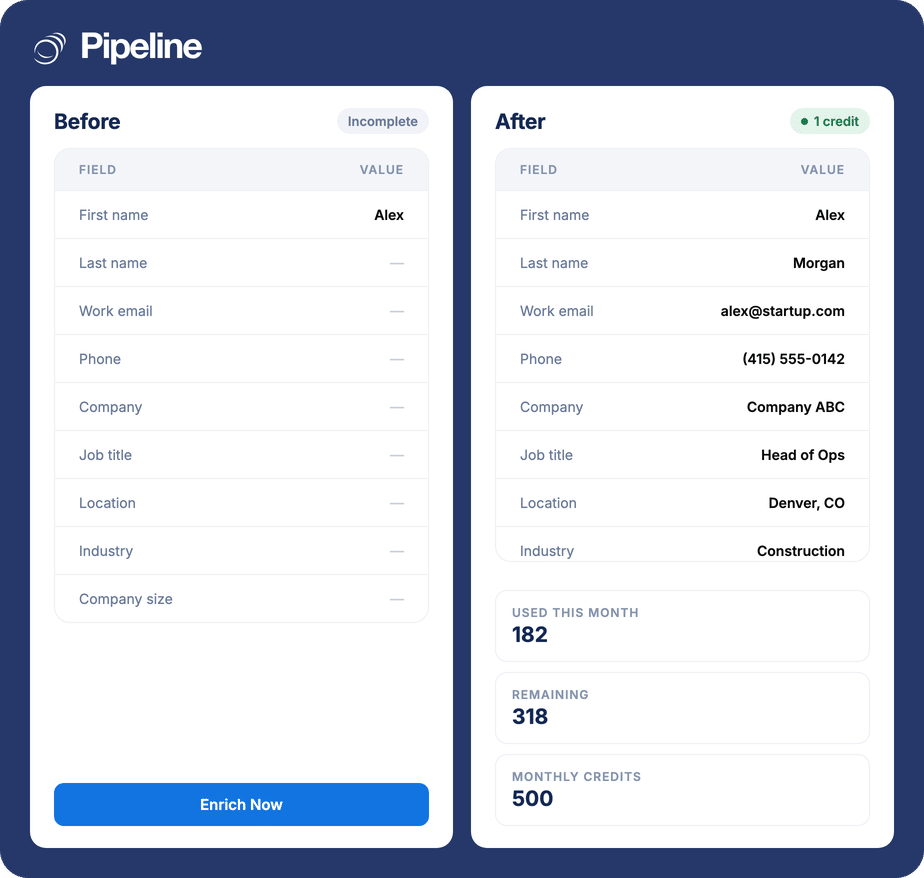
First and last names, work emails, phone numbers and company details appear on the record, mapped to the right fields, with company records created automatically where needed.
Enrich a record end to end
An interactive tour of on-demand enrichment, no signup required.
Anyone working a list they did not build
Enrichment earns its credits where records arrive incomplete and in volume.
Teams importing lists
Bulk enrichment from list view turns a purchased or inherited list into something a rep can actually work.
Outbound and prospecting teams
The work email and direct number are the whole job. Without them the rest of the record is trivia.
Anyone with an ageing database
People change jobs. Refreshing stale records in bulk is cheaper than discovering it one bounced email at a time.
What data enrichment covers
Included in the add-on, whichever credit tier you choose.
Single-record enrichment
Click Enrich Now on any person or company record.
Bulk enrichment from list view
Select multiple records and enrich them in one pass.
Names and work emails
First names, last names and work email addresses.
Phone numbers
Direct contact numbers where available.
Company details
Company information attached to the person’s record.
Automatic company creation
Company records are created where they do not already exist.
Smart field mapping
Returned data lands in the right fields rather than a notes blob.
Admin dashboard
See how the allowance is being used across the team.
Granular access controls
Decide who on the team can spend credits.
On-demand, not automatic
Enrichment runs when you ask, so credits are spent deliberately.
Credits, not seats
Choose a monthly credit allowance to match your volume. A flat monthly fee on top of your subscription, available on any plan tier.
250 enrichments a month, about $0.076 each.
500 enrichments a month, about $0.074 each.
1,000 enrichments a month, about $0.069 each.
Flat monthly fees, not per user. Added on top of your subscription and billed together with it. See the pricing page for plans and the other add-ons.
The gap between a name and a conversation
Most CRM databases are not short of records. They are short of the two or three fields per record that make a record actionable – the work email, the direct number, the company. Enrichment is the difference between a database you report on and a database you can sell from.
Data enrichment questions
Can’t find what you need? Contact our team.
How much does data enrichment cost?
It is a flat monthly add-on with a credit allowance you choose: 250 credits for $19 a month, 500 for $37, or 1,000 for $69. That works out at roughly $0.076, $0.074 and $0.069 per enrichment respectively.
The fee is flat rather than per user, it is available on any plan tier, and you can add or cancel the add-on at any time.
What is a credit?
One enrichment of one record. Clicking Enrich Now on a person or company spends a credit and returns whatever details are available for it.
You choose a monthly allowance of 250, 500 or 1,000 credits based on how much enriching you expect to do, and an admin dashboard shows how the allowance is being used across the team.
What details does it fill in?
First names, last names, work emails, phone numbers and company details, mapped into the right fields on the record rather than dumped into a note.
Where a person’s company does not already exist in your CRM, the company record is created automatically.
Can I enrich a whole imported list at once?
Yes. Select multiple records in list view and enrich them in a single pass. That is the intended use for cleaning up an imported list or refreshing data that has gone stale.
Each record enriched spends one credit, so a bulk run of 300 records uses 300 credits.
How do I enrich CRM data automatically?
The honest answer is that Pipeline CRM enrichment is on demand rather than automatic, and that is deliberate. Systems that enrich automatically on every create or update spend your allowance on records you may never work.
What removes the manual effort is bulk: select a whole list and enrich it in one pass, rather than enriching records one at a time. You get the no-typing outcome without paying for enrichment of records nobody asked for.
Who on my team can spend credits?
That is controlled. Granular access controls determine who can run enrichment, and the admin dashboard shows what has been used.
For a shared monthly allowance, being able to limit who spends it is usually the difference between the budget lasting the month and not.
Do I need this if I already have Email Validation?
They do opposite jobs. Enrichment adds details that are missing; validation stops bad ones being saved in the first place.
Both are flat monthly add-ons available on any plan tier, and either works on its own. Teams working imported lists usually end up wanting both.