

CRM data migration
CRM migration
✓ No credit card required ✓ 14-day free trial ✓ Cancel anytime
Pipeline CRM imports your existing records from a spreadsheet. Companies, people and deals move across from a CSV or Excel file that you prepare and upload yourself, so you control what comes over and when.
What you can import
You can import from a CSV (comma-separated value) file, or from an Excel file with an .XLS or .XLSX extension.
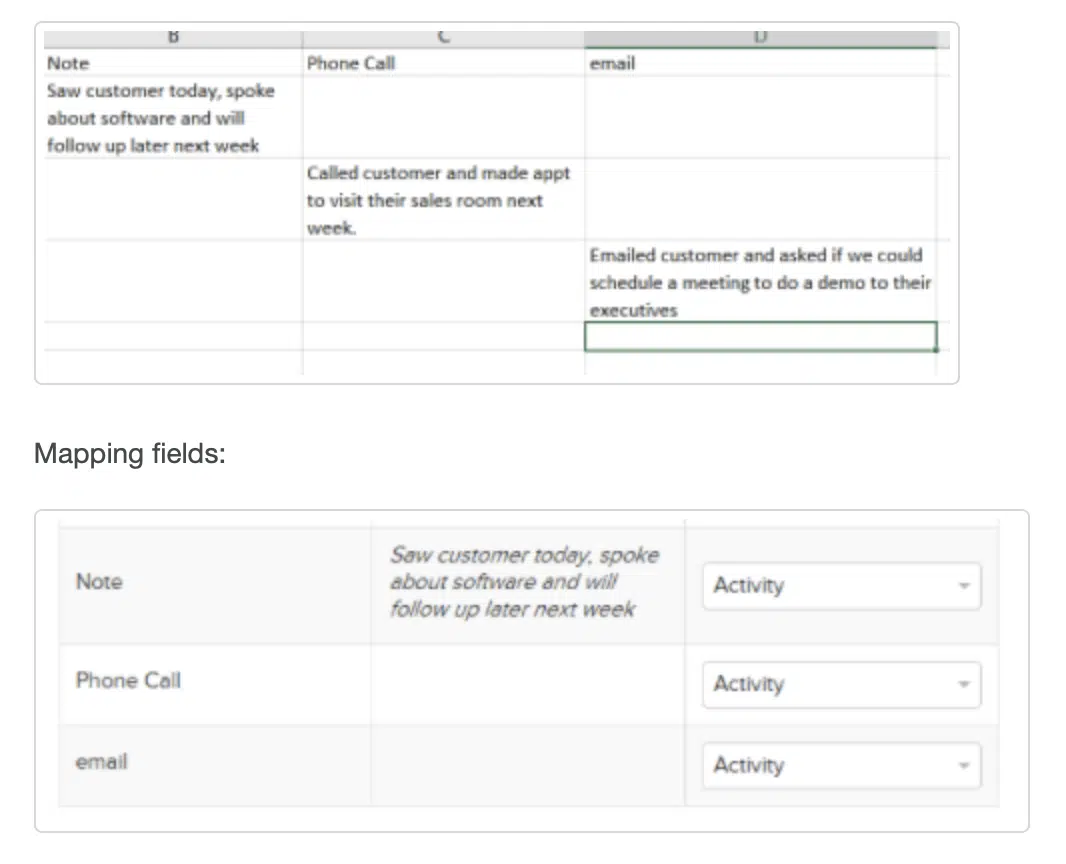
Companies, people and deals each import as their own file. Activities import too, using the Activity field during the mapping step. The timestamp is the date and time of the import, so if you want an activity filed under a particular category, match your column header to an existing activity category.
Before you import
Two things are worth settling first, because both are much harder to undo afterwards.
Check your fields. Look over the list of system fields. If your spreadsheet has a column Pipeline does not have a home for, create that custom field before you import, so your data maps to it rather than being dropped. Only an admin can create custom fields.
Import in order. If you have companies, people and deals to bring across, import them in this order:
- Companies
- People
- Deals
If you have no company custom fields, you can go straight to the people import. A people file that carries company name, work phone, work address, city, state and postal code will create those companies in the Companies tab as it goes.
Watch it done
A short walkthrough of importing companies, people and deals from a spreadsheet.
How to run the import
The help centre walks through each step:
- Export your data from another application
- Download example CSV templates
- Prepare your CSV or Excel file: people
- Prepare your CSV or Excel file: companies
- Prepare your CSV or Excel file: deals
- Import your CSV or Excel file
A standard migration completes in 3 business days or less, with US-based live chat support available throughout.
Trying it first
You can do all of this inside a 14-day free trial, with no credit card required. Start a trial, prepare your file, and import it to see your own data in Pipeline before you decide.
A Data Processing Agreement is available if your business needs one in place before you move data across.