
CRM forms that create the lead for you
Build a form without touching code, embed it or share the link, and every submission lands as a contact and a deal with your fields already mapped. No separate form tool, no export, no re-typing.
✓ No credit card required ✓ 14-day free trial ✓ Cancel anytime
Trusted by over 18,000 users globally





At a Glance
Pipeline CRM includes a no-code lead form builder. Build a form from a template or from scratch, embed it in your site or use a hosted link, and map each form field to a CRM field. On submission it creates the contact, the company and the deal, assigns the lead by round robin, and reports performance in a built-in analytics dashboard.
The gap between a form and the CRM is where leads die
Most teams already have forms. The problem is what happens in the ten minutes after somebody submits one.
The submission lands in an inbox
A notification email is not a record. Someone has to read it and re-type the details into the CRM, and on a busy day that queue gets deep.
You pay twice for the same lead
A standalone form tool plus the connector that syncs it is a second subscription and a second thing that breaks, for data that was always meant to end up in the CRM.
Nobody owns the new lead
Without automatic assignment, a form fill sits unclaimed until someone notices it, which is usually after the prospect has contacted somebody else.
From form field to deal record
The build is three steps and none of them involve a developer or a second subscription.
Build the form
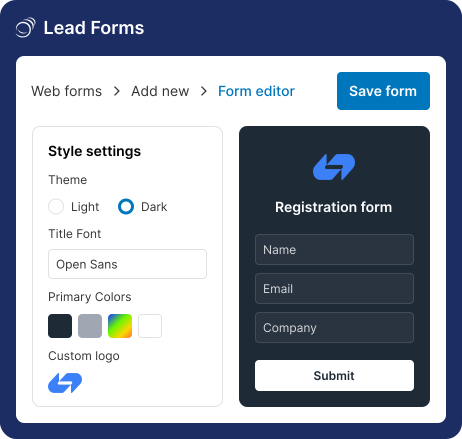
Start from a pre-built template or from scratch. Add and edit any field, adjust the labels, and set the formatting and logo so it matches your brand.
Map fields to CRM fields
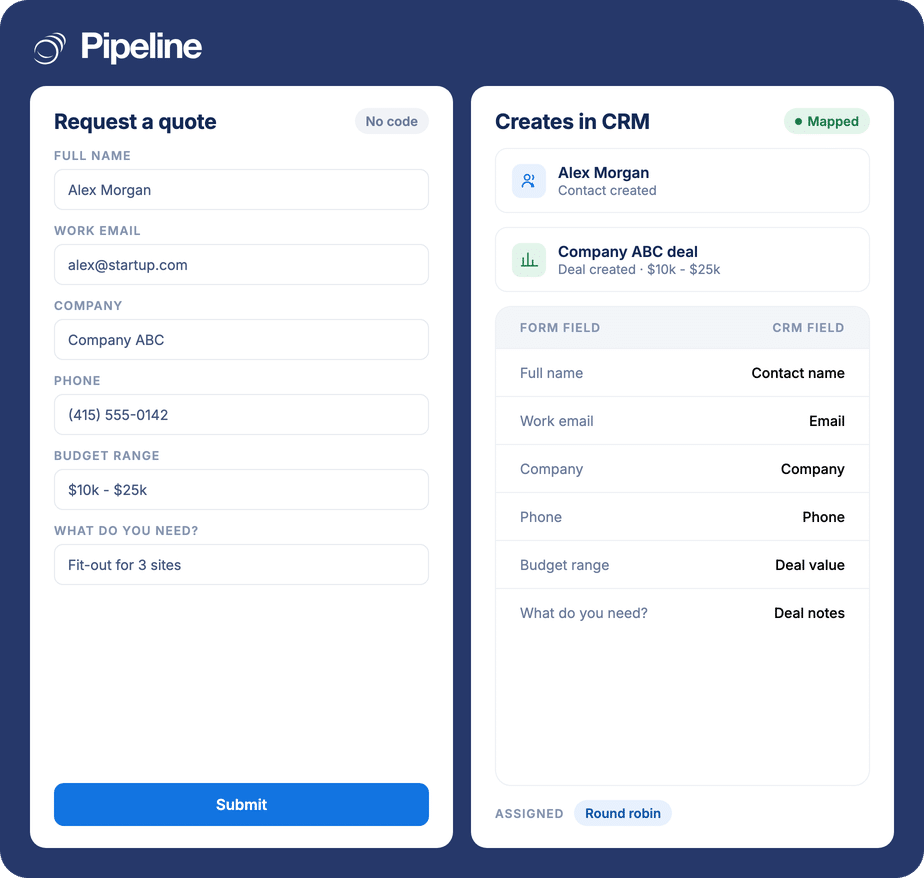
Connect each form field to any CRM field with flexible mapping, so a budget question becomes deal value and a company question becomes the company record.
Publish it and let it run
Embed it in your website or launch it as a standalone page with an auto-generated link. Submissions create the contact, company and deal, and round-robin assignment gives the lead an owner.
Build a form end to end
An interactive tour of the form builder, no signup required.
Teams whose leads arrive in writing
Forms matter most where the first contact is inbound and the details are structured enough to act on.
Quote and estimate requests
A quote request already contains the deal value, the scope and the company. Mapping those into the deal saves re-typing every one.
Teams running campaigns
A standalone hosted page per campaign means you can launch without waiting on a web developer, and see which one performed.
Anyone sharing inbound across reps
Round-robin assignment settles who owns a new lead before anyone has to ask.
What the form builder covers
Everything below is part of Pipeline CRM rather than a separate form subscription.
No-code builder
Build and publish a form without writing any code.
Templates or from scratch
Start from a pre-built template or an empty form.
Any field, any label
Add and edit fields and adjust their labels to suit the ask.
Flexible CRM field mapping
Connect any form field to any CRM field.
Creates contact, company and deal
A submission generates the deal with its connected contact and company, not just a notification.
Embed or hosted link
Embed in your website with code, or use an auto-generated link as a standalone landing page.
Formatting and branding
Set the look and add your logo so the form matches the site.
Round-robin assignment
Auto-assign incoming leads across the team.
Analytics dashboard
Built-in reporting on how each form is performing.
First-party capture
The data comes from your own form rather than a third-party list.
A form that files itself
The value is not the form. Any tool can render four inputs and a button. The value is that the submission arrives already mapped to the right fields, attached to the right company, and assigned to a real person – so the first human action on a new lead is following up, not data entry.
Lead form questions
Can’t find what you need? Contact our team.
How do I connect lead forms to my CRM?
With Pipeline CRM’s own forms there is nothing to connect. The builder is part of the CRM, so a form you create already writes into it – you map each form field to a CRM field as you build, and that is the integration.
That is the practical difference from using a standalone form tool, where the form and the CRM are two products and a connector in between has to keep them in step.
What happens when someone submits a form?
The submission creates the records rather than just notifying you. You get the contact, the connected company, and a deal populated from the fields you mapped.
Round-robin assignment then gives the lead an owner, so there is no window where a new enquiry is sitting unclaimed.
Do I need a developer to add a form to my website?
No. You can embed a form in your site with the generated code, or skip your website entirely and use the auto-generated link as a standalone page.
The hosted-link route is what makes a campaign launchable the same day, without waiting on whoever owns the website.
Can I map form fields to my own custom CRM fields?
Yes. Any form field can be connected to any CRM field with flexible mapping, including the custom fields you have created.
So a question like “roughly what budget do you have?” can populate deal value, and “which site?” can populate a custom field you use for routing.
Can I see how a form is performing?
Yes. There is a built-in analytics dashboard for monitoring form performance, so you can compare forms rather than guess which campaign page is working.
Because the submissions become deals, you can also follow the same leads through pipeline reporting to see what they were eventually worth.
How are new leads assigned to reps?
Incoming leads can be auto-assigned with round-robin distribution, which spreads them across the team in turn.
That settles ownership at the moment of capture instead of leaving it to whoever happens to look at the queue first.
Can I brand the form to match my site?
Yes. Formatting and logo options let you set the form’s appearance so it does not look like a bolted-on third-party widget.
You can also start from a pre-built template and adjust it, rather than designing every form from scratch.