
AI-native Sales CRM
Sales pipeline software you can just talk to
Pipeline gives you the depth of a serious CRM without the setup and reporting work that usually takes a specialist, and a person still signs off on the changes that matter.
- 14-day free trial, no credit card required
- Over 18,000 users globally, since 2006
- 37 native integrations, plus any tool we build and run for you
- Copilot builds your pipelines, fields and reports
- GDPR compliant, and your permissions are the ceiling
No credit card required · 14-day free trial · Cancel anytime
Auto mode shown. In Strict mode Copilot asks before every change.
Trusted by over 18,000 users globally





Pipeline CRM (formerly PipelineDeals) is sales pipeline software for small and mid-size B2B teams: deals move through stages you define on a drag-and-drop board, every record takes unlimited custom fields, and reporting forecasts by stage using weighted deal values. Copilot, the built-in AI assistant, does the parts that used to need a specialist: describe the outcome in plain language and it builds the pipelines, fields, automations, reports and dashboards to match, strictly inside the permissions you already have. Alongside that it includes email sync with tracking, an AI email assistant, document generation and eSignature, lead forms, native iOS and Android apps with a business card scanner, and a native QuickBooks Online integration. Integrations can be built and maintained for you through Pipeline Connect. Pipeline CRM has done one job since 2006. Pricing starts at $25 per user per month (billed annually), with US-based live chat support, a 14-day free trial, and over 18,000 users.
Meet Copilot
Describe the outcome. Copilot builds it.
Pipeline bends around the way your team sells: your stages, your fields, your automations. That flexibility used to come with a price, because somebody had to know which admin screen to open. Copilot turns that into a conversation. It does the building; you keep the judgment.
One paragraph in“We install commercial flooring. Set up a pipeline from enquiry to site visit, estimate, revision and won, add the fields we need for job site and square footage, and start the kickoff tasks when a deal is won.”
What it built
- 1 pipeline, 5 stageseach with a win probability for the forecast
- 14 custom fieldsgrouped, with their dropdown options
- 1 task templatekickoff, site visit, estimate sent, with day offsets
- 1 automationtrigger: stage changes to Won, apply the template
One request, four objects, no admin screens. A person still reviews a structural change before the team relies on it.
You stay in control
An assistant with a hand on the brake
Copilot does work that used to need real product knowledge. That is worth having guardrails around, so the controls came first rather than last.
Try the difference
You type“Delete the 4 stages we stopped using and add a Site visit stage”
Change applied
4 stages removed, Site visit added after Estimate sent.
In Auto, Copilot makes the change and tells you what it did.
Waiting for you
Remove 4 stages and add Site visit?
ConfirmCancel
Deletion blocked by your admin
In Strict, nothing is created, updated or deleted until you confirm in the chat. Looking things up never asks.
Where Copilot can reach
Never wider than your own access, whatever you ask it for.
Auto or Strict, per person
The mode is a per-user setting and it follows you across devices, so someone new to the account can stay in Strict while the rest of the team works in Auto.
Admin controls for the whole account
An admin can switch Copilot on or off per user, enforce Strict mode account wide, and block record deletion entirely. A deletion block overrides whatever mode a user is in.
Your permissions are the ceiling
Copilot works strictly within the permissions each person already has. It is never available to read-only or SuperShare users.
A person reviews what matters
Structural changes can have effects elsewhere that are not obvious at the moment you make them, so treat them like any other important CRM change and have someone review before you rely on it. There is no undo.
Pipeline Connect
The integration nobody else will build for you
Every CRM in this category hands you a list of connectors and wishes you luck. The work that actually breaks a rollout is the part nobody sells: mapping your fields, matching your duplicate rules, and noticing at 6am when a sync stopped. Pipeline Connect is us doing that work, as a service, for a flat monthly fee.
Two ways to get an integration live
| Doing it yourself | Pipeline Connect | |
|---|---|---|
| Who builds it | You, or a contractor | We do |
| When it breaks | It fails quietly | We are monitoring it |
| What it costs | Per task, per run | Flat monthly fee |
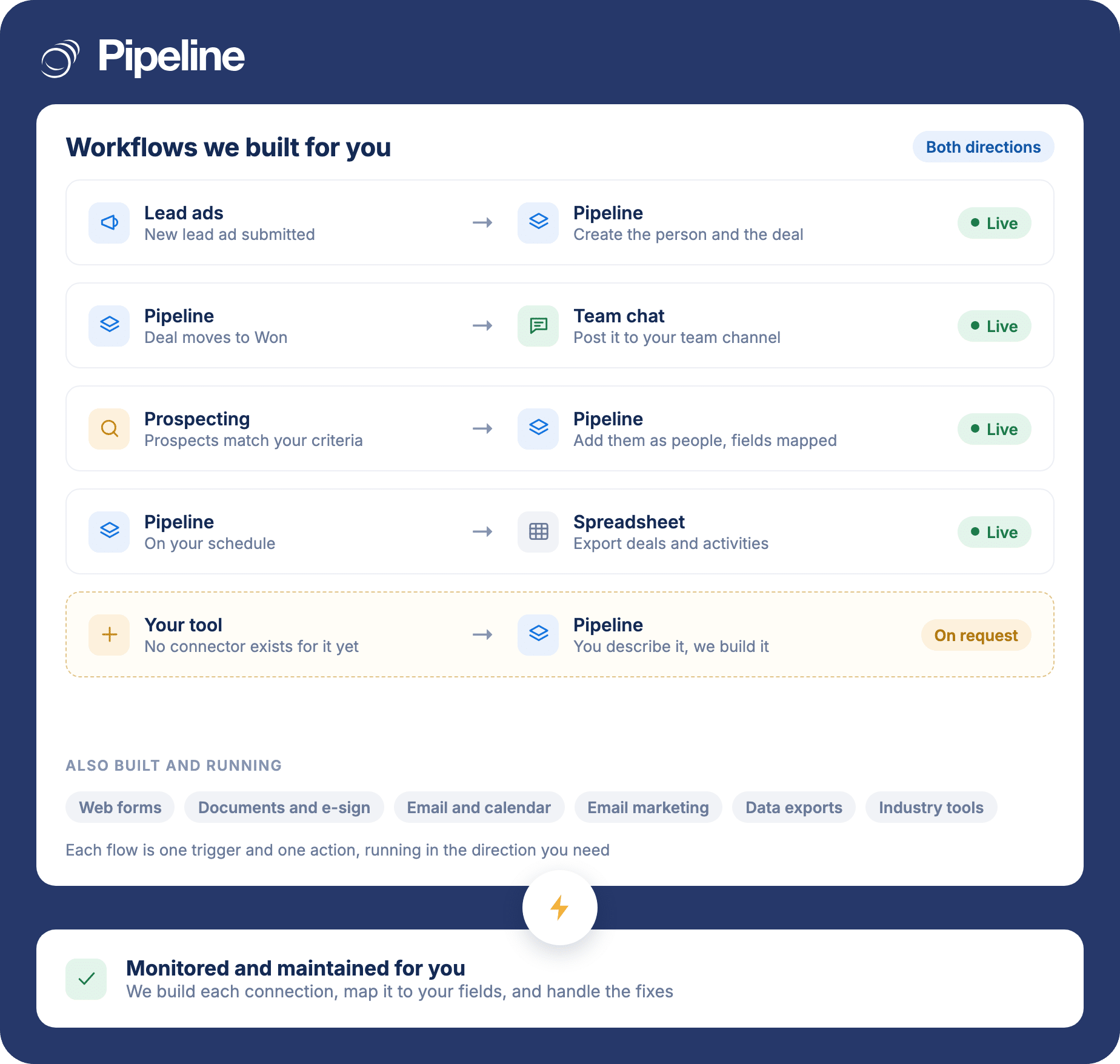
From $99 a month for up to five integrations. No setup fee, no contract. Buying this as a project normally means an integrator and a statement of work.
Integrations
Connects to the tools your team already runs
Sixty-four integrations are live today, and the list is not the limit. If the tool you need has an API, Pipeline Connect builds that connection for you and monitors it afterwards, including tools with no off-the-shelf connector. So the question is not whether we support it. It is what you want it to do.
Anything elseif the tool has an API, Pipeline Connect builds that connection and monitors it for you
























The product underneath
Depth that survives the demo
An assistant is only as good as the product it is driving. This is what Copilot is operating, and what your team uses directly the rest of the time.
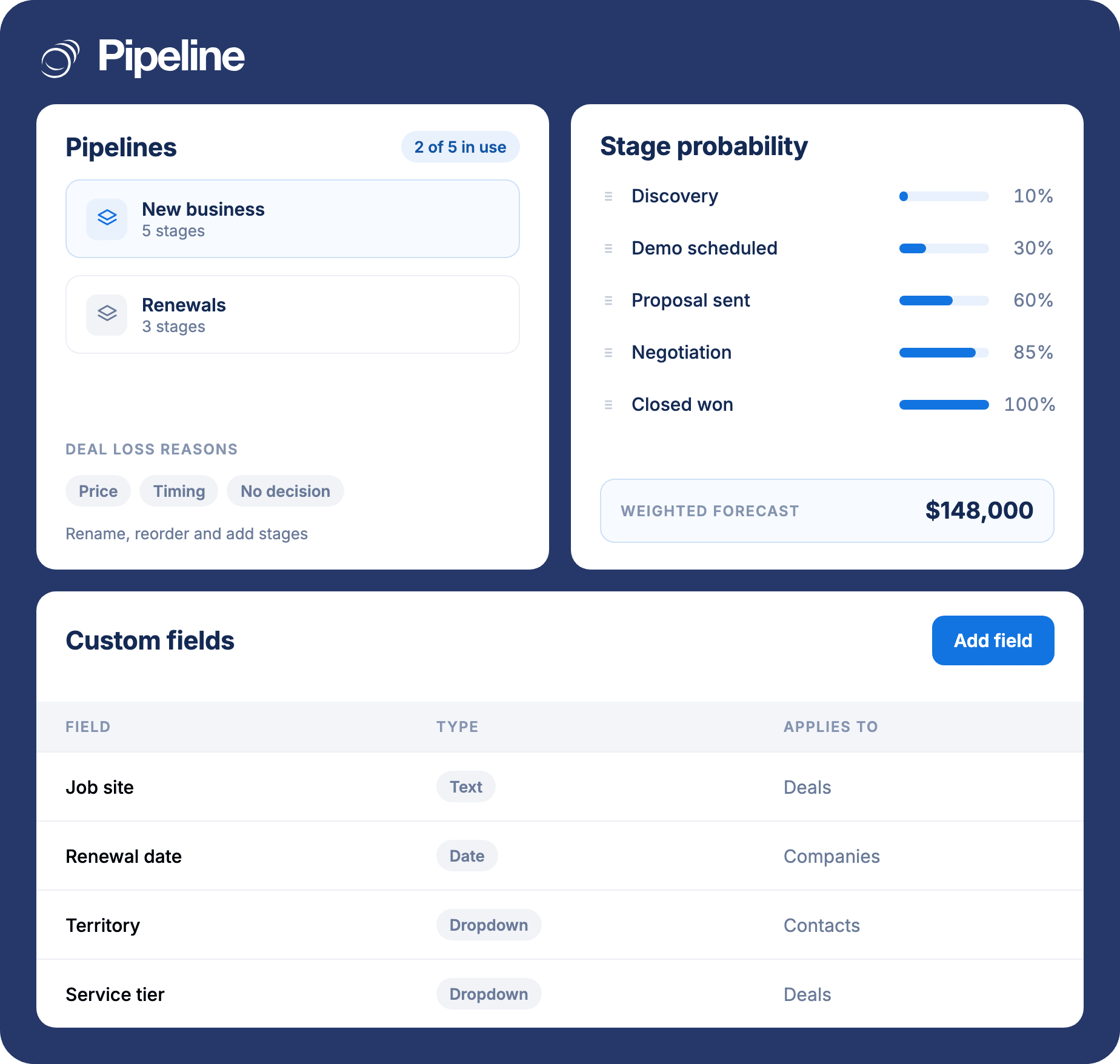
Your pipeline, your stages, your forecast
Rename, reorder and add stages, assign the win probability each one feeds into the weighted forecast, and run up to five separate pipelines so a twelve-month capital sale is not averaged into a two-week repeat order.
- Unlimited custom fields on every record
- Weighted forecasting by stage
- Deal statuses and loss reasons you define
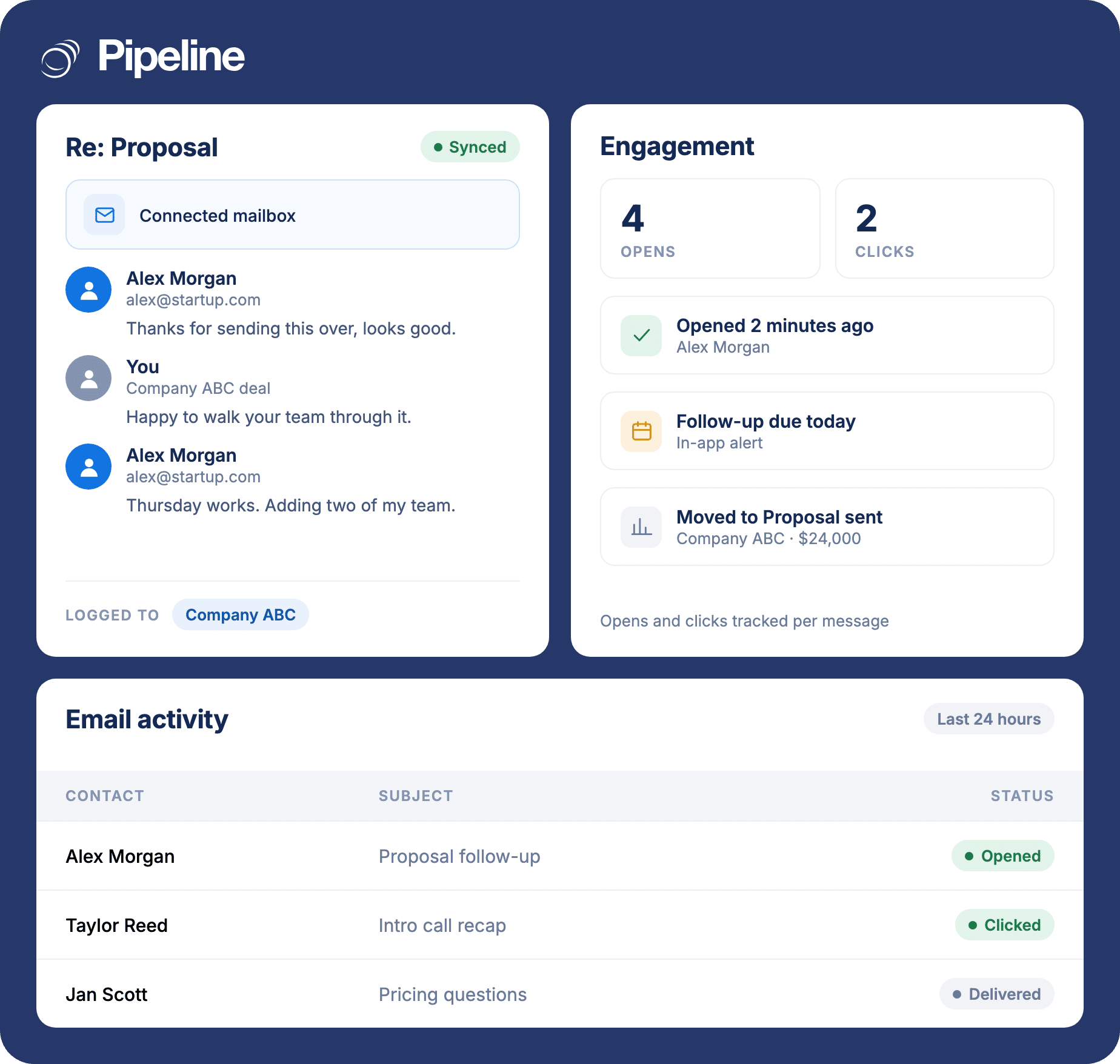
Every customer email, on the right deal
Connect your mailbox and the whole thread is logged against the contact and the deal without anyone copying anything. Opens and clicks are tracked per message, so a follow-up is prompted by behaviour rather than by memory.
- Works with the mailbox your team already uses
- Opens, clicks and in-app alerts
- An AI email assistant for the writing
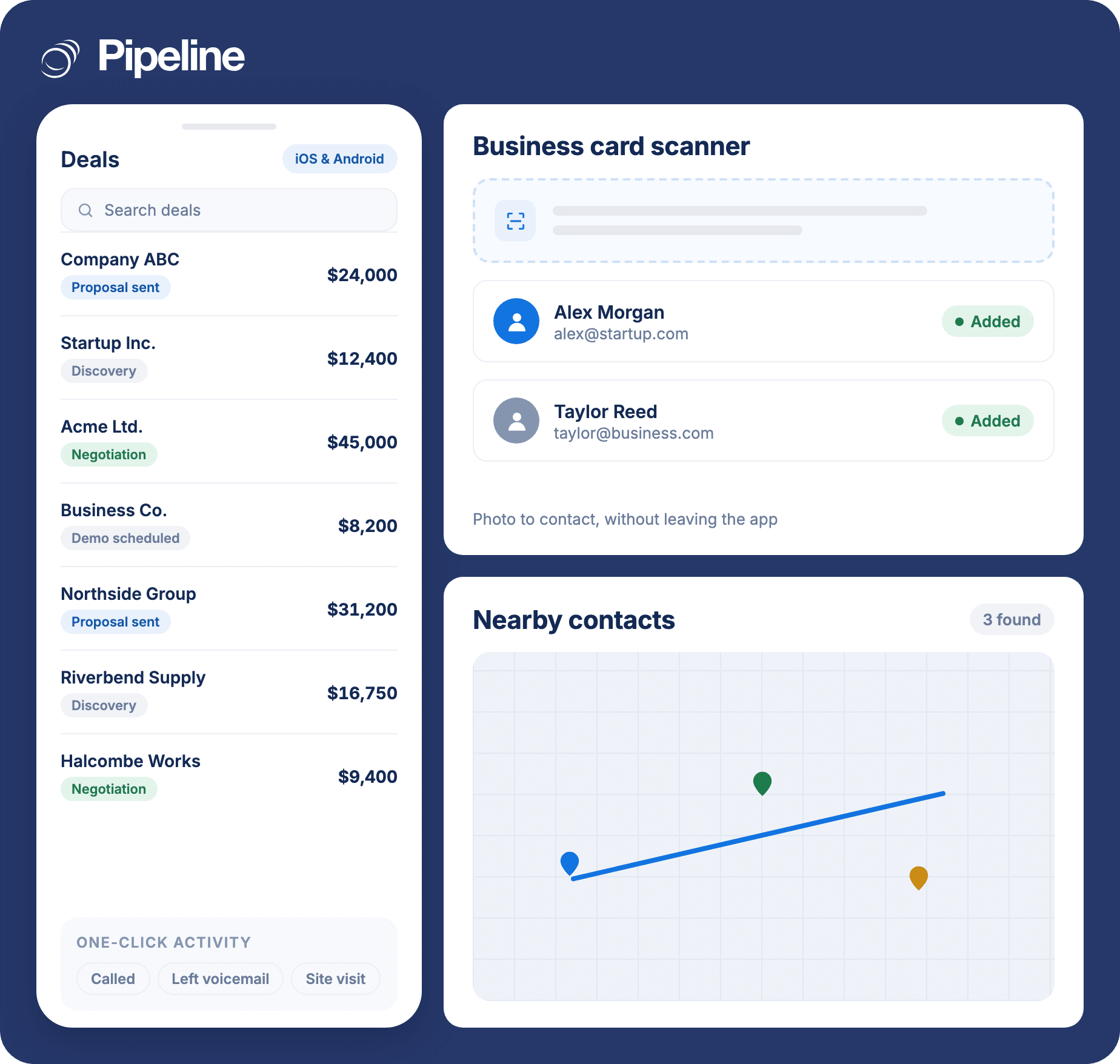
Built for people who sell away from a desk
Native iOS and Android apps with a business card scanner, so a site visit is a contact and a logged activity before the drive home rather than a note to type up on Friday.
- Business card photo to CRM contact
- Nearby contacts and route planning
- One-click activity logging
Also included
Why it’s different
Four things that are structurally different here
One product since 2006
Built as a sales pipeline tool in 2006 and never pivoted into marketing suites or service desks. Twenty years of changes went into the same job rather than into a platform strategy.
The AI configures the CRM, not just the copy
Most CRM AI writes email drafts or summarises a record. Copilot builds the pipelines, fields, automations, reports and dashboards themselves.
Integrations as a service, not a list
Pipeline Connect means somebody builds and maintains the connection for you. That is normally an enterprise-tier or systems-integrator purchase.
No admin role required
A five-person team can be configured in an afternoon. No certification, no partner, no implementation phase to budget for separately.
Overview
What is sales pipeline management?
Sales pipeline management means tracking every open opportunity through the defined stages of your sales process, so you can see what is live, what has stalled, and what is realistically going to close this quarter. The stages are yours: a contractor might run enquiry, site visit, estimate sent, revision, won, while a distributor runs samples sent, quote issued, first order, ongoing account. Software helps when it makes that sequence visible and cheap to update, and gets in the way when it asks for fields nobody uses.
In Pipeline CRM the pipeline is a board. Each deal carries its value, its stage and its next step, and dragging it to the next column is the whole update. Stages take probability percentages that feed a weighted forecast, and you can run several pipelines at once, which matters because averaging a twelve-month capital sale into the same pipeline as a two-week repeat order produces a forecast nobody believes.
- Stages you define: Rename, reorder, add and delete stages, and assign the probability each one feeds into the weighted forecast.
- Nothing hidden behind admin rights: Field and stage changes are a settings screen, or a sentence to Copilot, not a statement of work.
- Reporting on what stalled: Win rate, sales activity, loss reasons, and every deal that has gone quiet, without building a report from scratch.
- Several pipelines at once: Up to five separate pipelines on the Grow plan, each with its own stages, fields and reports.
Track record
Twenty years, one job
Named Highest User Adoption by G2 for both enterprise and SMB. Support is US-based live chat, staffed by people who use the product.
CustomerThe Pipeline CRM team’s knowledge, attentiveness, and ability to work with my habits were and are outstanding. They took control of onboarding our agencies with flawless execution.
Charles Beemus, SVP Sales Operations, Choice Financial Group
Getting started
Getting your data and your team in
Pipeline Connect
The managed add-on: we build the integrations you need and keep them monitored, including custom ones with no existing connector.
Explore the managed integration serviceOnboarding services
A Customer Success manager works through kickoff, pipeline configuration, data import and team training with you. Packages start at $750.
Compare onboarding service packagesAcademy and knowledge base
Self-serve guides and interactive courses if you would rather set it up yourself, which most small teams do.
Browse the CRM guides libraryExplore Pipeline CRM
Resources
Learn the pipeline discipline, not just the software
Guides and reference for the practice itself, written for teams doing the selling rather than for CRM administrators.
Frequently Asked Questions
The questions we get asked most often. If yours is not here, live chat is staffed by people who use the product.
What is Pipeline CRM used for?
Pipeline CRM is used for sales pipeline management: tracking every open deal through the stages of your sales process, forecasting what will close, and keeping the customer history that sits behind those deals. Teams typically move to it from spreadsheets, or from a larger CRM whose reps stopped updating it.
What can Copilot actually do?
Copilot configures and runs the CRM from plain-language requests. It builds pipelines and stages with win probabilities, custom fields and field groups, tags, teams, task templates and automations. It builds reports, dashboards and saved list views when you ask a question. And it handles everyday records: creating and updating deals, companies and people, logging notes and tasks, and generating documents from your templates. It works only inside the permissions you already have.
What will Copilot not do?
Copilot works inside Pipeline and does not send email or run outreach, which a separate AI email assistant handles. It does not read uploaded files, set up integrations, or work in the Projects area, and it works with the current state of your records rather than their history. It also cannot judge what structure is right for your business, so a person should review any structural change before you rely on it. There is no undo, which is why Strict mode and the admin deletion block exist.
Is Pipeline CRM the same as PipelineDeals?
Yes. Pipeline CRM is the same product and the same company, renamed from PipelineDeals in 2020. It was founded in 2006 and was acquired by saas.group in 2022. Existing PipelineDeals accounts became Pipeline CRM accounts, and the login is at app.pipelinecrm.com.
How much does Pipeline CRM cost?
Pipeline CRM starts at $25 per user per month (billed annually), with three plans and a 14-day free trial that does not need a credit card. Data Enrichment and Email Validation are premium add-ons rather than plan features, and Onboarding Services and the Pipeline Connect managed integration service are priced separately.
What is the difference between a CRM and sales pipeline software?
Sales pipeline software is the part of a CRM that tracks open opportunities through stages, so in practice the difference is emphasis rather than category. A broad CRM suite also carries marketing automation, service desks and support ticketing, which widens the setup and the price. Pipeline CRM stays on the pipeline, contacts and reporting, and connects to the specialist tools you already use for the rest.
Does Pipeline CRM connect to the tools we already use?
Yes. There is a native QuickBooks Online integration, email and calendar sync, lead capture, forms, phone and SMS, and an open API. If the tool you need is not on the list, Pipeline Connect is a managed add-on where we build the integration and keep it monitored for you rather than leaving you to maintain it.
How long does it take to get a team running?
Most small teams are configured in an afternoon, and Copilot shortens that further by building the pipelines, fields and automations from a description of how you sell. None of it requires an administrator, a certification or a partner. Larger rollouts, or ones that need data imported from another CRM, usually take a Customer Success manager and an onboarding package.