
Sales Team
Management
Stop guessing what your reps are doing. Pipeline CRM gives sales managers a single dashboard for activity tracking, goal management, team permissions, and gamification. Coach your team with data, not hunches, and know exactly where you stand against quota every day.
✓ No credit card required ✓ 14-day free trial ✓ Cancel anytime
Trusted by over 18,000 users globally





At a Glance
Pipeline CRM is a sales team management CRM that offers real-time activity tracking, goal-setting with live leaderboards, and role-based access control for sales managers leading small and mid-size teams, with native Gmail and Outlook integration. Pipeline CRM Sales Team Management gives sales leaders real-time visibility into rep activity, deal progress, and goal attainment from a single dashboard. Use the Activity Scoreboard to track calls, emails, and meetings across your team. Set individual and team goals with live leaderboards. Run Challenges to gamify performance and drive healthy competition. Control data access with role-based permissions and team visibility rules. Available on all plans starting at $25/user/month (billed annually) with a 14-day free trial. Built for sales managers at small and mid-size companies in construction, manufacturing, and professional services.
What is sales team management?
Sales team management is the practice of organizing, monitoring, and coaching a group of sales representatives to consistently meet revenue targets. It covers goal setting, activity tracking, process enforcement, performance coaching, and access control. Research from Vantage Point Performance and the Sales Management Association shows that companies with a structured sales management process achieve 28% higher revenue growth than those without one.
Visibility
Know exactly what every rep did today, this week, and this month. See call volume, email sends, meetings held, and deal movement without asking for individual updates.
Accountability
Set clear expectations and measure against them. When goals are visible and progress is tracked in real time, reps hold themselves accountable before you have to intervene.
Adoption
A CRM your team won’t use is worse than no CRM at all. Effective sales team management requires tools that are simple enough for every rep to adopt and intuitive enough for managers to enforce.
Effective sales team management is not about micromanaging reps. It’s about giving managers the data they need to coach proactively, enforce consistent processes, and create an environment where top performers thrive. Pipeline CRM is built for this: daily activity visibility, process guardrails through required fields and automations, motivational tools like Challenges and Goals, and reporting that turns raw data into coaching conversations.
What does a sales manager’s day look like with Pipeline CRM?
Great sales management starts with the right morning routine. Pipeline CRM structures your day around data, not guesswork. This workflow takes less than 15 minutes and replaces the hour-long pipeline review where you go around the room asking each rep for an update.
Everything is already logged. Your reps don’t have to self-report, and you don’t have to chase updates. Open Pipeline CRM, see the numbers, and coach where it matters.
Why do sales managers struggle to manage their teams effectively?
Most CRM tools are built for reps, not managers. The manager’s perspective is an afterthought. Salesforce research shows that high-performing sales teams are 2.3x more likely to use CRM analytics for coaching, yet most mid-market CRMs bury those analytics behind enterprise pricing. When managers lack real-time visibility, they revert to spreadsheets, one-on-ones, and gut feelings.
No real-time visibility into rep activity
You shouldn’t have to send a Slack message to find out if a rep made their calls today. Without an activity dashboard, managers are blind to daily execution and can’t coach until it’s too late.
CRM adoption stays low
You paid for licenses, but half your team still works from spreadsheets. A CRM that reps don’t use is a sunk cost, not a sales tool.
No process enforcement across the team
Every rep follows their own process. Some skip stages, others never update deal values, and your data becomes unreliable for forecasting or coaching.
How does Pipeline CRM help you manage your sales team?
Pipeline CRM helps you manage your sales team through four integrated capabilities: activity visibility, goal management, admin controls, and team reporting. Each one maps to a pain point sales managers face daily. Watch the full product demo to see it in action.
See what your team is doing in real time
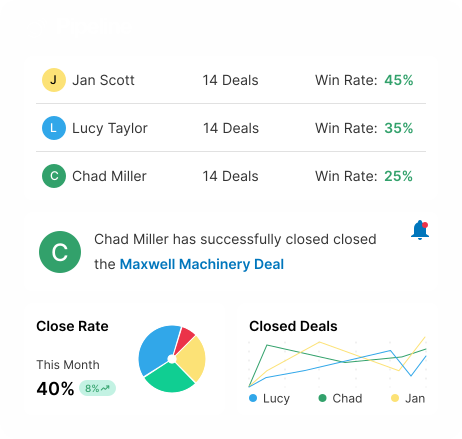
The Activity Scoreboard shows calls, emails, meetings, and deal updates across all reps in a single view. Auto activity logging means reps don’t need to manually enter data. Filter by rep, date range, or activity type to zero in on what matters.
- Activity Scoreboard with team-wide view
- Auto-logged calls, emails, and meetings
- Activity Report with customizable filters and CSV export
- Performance Pulse for weekly and monthly trend analysis
Set goals, run challenges, celebrate wins
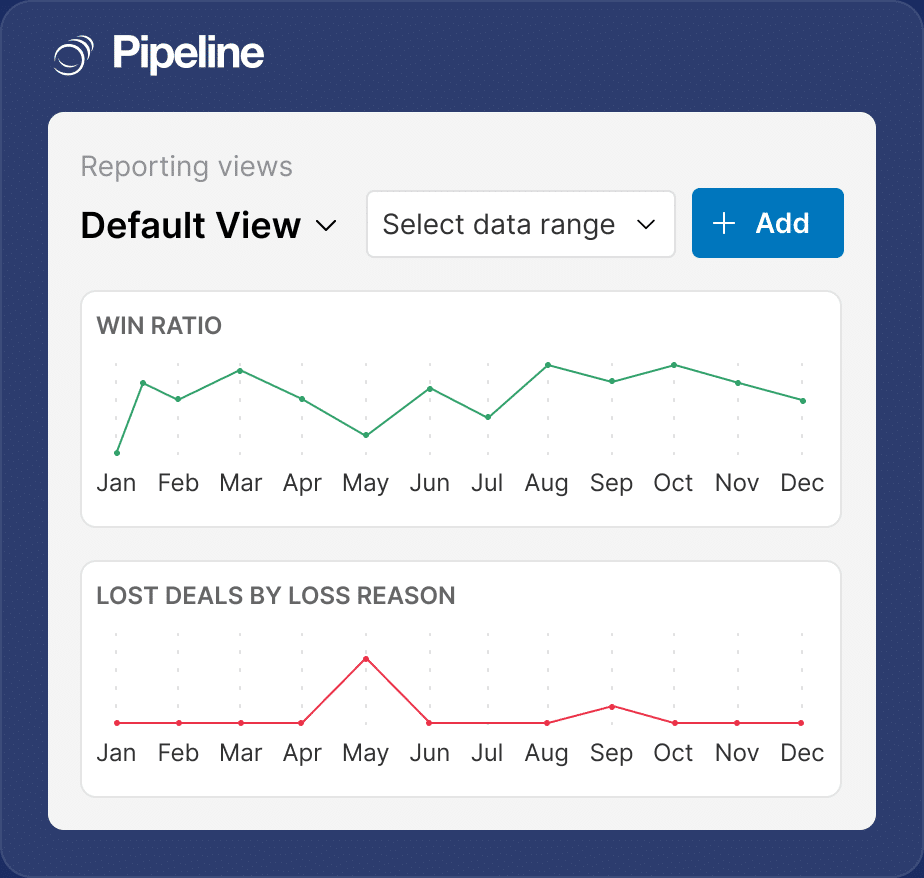
The Goal Dashboard lets you set revenue, activity, and deal-count targets for individuals and teams. Challenges add a gamification layer: launch a 24-hour call blitz or a weekly close competition with a live leaderboard. Built on proven motivational psychology: progress visibility, social comparison, and short feedback loops.
- Individual and team goal tracking with live progress
- Challenges with leaderboards, medals, and diamonds
- Multi-activity and recurring goals
- Morning Coffee Report for daily priorities
Control access, enforce process, protect your data
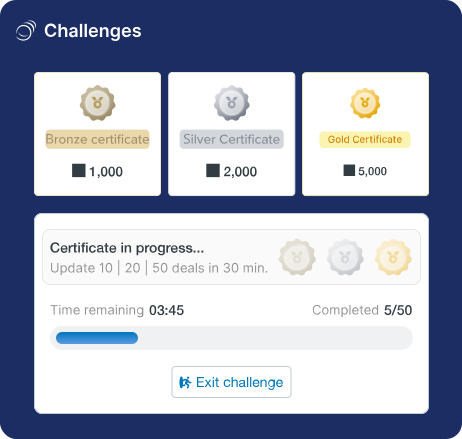
User Roles and Custom Permissions let you define exactly what each person can see and do. Teams with Visibility Rules segment data so reps only see their own accounts or their region’s deals. SSO and MFA protect access. Required Fields, Locked Fields, and Conditional Fields enforce data entry standards without manager intervention.
- 4 User Roles with granular Custom Permissions
- Teams with configurable Visibility Rules
- SSO and MFA for secure access
- Required, Locked, and Conditional Fields
Know exactly where your team stands
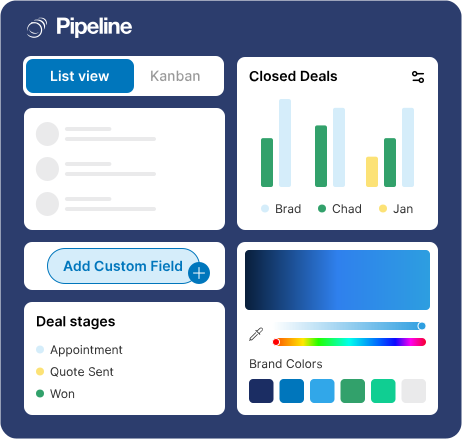
Pipeline CRM’s reporting tools surface rep-level performance, deal progression, and activity trends without a separate analytics tool. The Activity Report breaks down output by rep. Hindsight reveals pipeline changes over the last six months. Deal Intelligence fields give you the data you need for 1:1 coaching conversations.
- Activity Report by rep, team, and date range
- Hindsight: compare pipeline to any date in the last 6 months
- Deal Intelligence Fields (days in stage, hours to first activity)
- Custom report builder with scheduled delivery
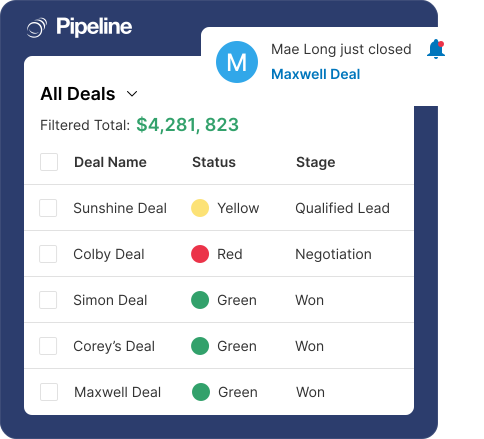
What team performance metrics should every sales manager track?
The best sales managers don’t wait until the end of the quarter to check performance. They track a consistent set of team metrics weekly that reveal coaching opportunities, adoption gaps, and forecast risks. Pipeline CRM surfaces all of these automatically through the Activity Report, Goals Dashboard, and Hindsight.
Activity Volume per Rep
Establishes a baseline. If a rep’s activity drops 30% week-over-week, you know before their pipeline goes cold.
Win Rate by Rep
Identifies who is closing and who needs coaching. A rep with high activity but a low win rate likely has a qualification or presentation problem.
Quota Attainment
Your north star. Track at individual, team, and company level. Pipeline CRM’s Goal Dashboard visualizes this in real time.
Activity-to-Deal Ratio
Measures rep efficiency. High activity with low deal creation signals qualification problems that coaching can fix.
Rep Ramp Time
New hire effectiveness. If ramp time is too long, your onboarding process or CRM complexity may be the bottleneck.
Pipeline Coverage per Rep
Each rep should carry 3x to 4x their quota in pipeline. Below 3x, they are likely to miss target. Above 5x, deals may not be qualified.
How do sales managers in different industries use Pipeline CRM?
The specific challenges of managing a sales team differ by industry, but the core need is the same: visibility, accountability, and adoption. Here is how sales managers in three of Pipeline CRM’s strongest verticals use the platform to run their teams.
Construction & Contractors
- Track estimator activity across 50+ active bids in one view
- Use Challenges to hit weekly bid submission targets
- Set visibility rules so each estimator sees only their region’s deals
Construction sales managers oversee estimators who are out on job sites, not sitting at a desk. Pipeline CRM’s Activity Scoreboard shows who submitted bids, followed up on RFPs, and logged site visit notes. Teams with Visibility Rules ensure your Southeast estimators don’t see Northwest deals, keeping focus on their territory. Challenges gamify bid submission during peak season. Learn more about our CRM built for construction sales teams.
Manufacturing & Distribution
- Morning Coffee Report surfaces priority follow-ups for every rep
- Goals Dashboard tracks monthly order volume by territory
- Required Fields ensure reps enter product codes and quantities on every deal
Manufacturing sales managers deal with high-volume, fast-cycle sales. A single rep may handle 100+ active deals monthly. The Morning Coffee Report tells each rep exactly what needs attention today, reducing the manager’s need to chase updates. Goals Dashboard tracks monthly order volume targets by territory. Required and Conditional Fields enforce data entry standards so product codes, quantities, and pricing are always captured. No more incomplete records.
Professional Services
- Separate pipelines for new business and renewals with per-team reporting
- Performance Pulse shows engagement trends for junior associates
- Automations enforce proposal follow-up cadence across the team
Professional services managers balance business development across partners, directors, and associates. Performance Pulse reveals whether junior team members are maintaining engagement with their prospects or letting deals stall. Automations trigger follow-up sequences when proposals are sent, removing the need for managers to manually check whether reps followed up. Per-team reporting gives partners visibility into their practice area without seeing the full firm’s pipeline.
How do real sales managers improve team performance with Pipeline CRM?
Sales managers across construction, manufacturing, and professional services use Pipeline CRM to build teams that consistently hit quota. Here are three examples of what structured team management looks like in practice.
End-user adoption rate
The Garland Company’s sales teams achieved a 90% adoption rate after implementing Pipeline CRM, dramatically improving their sales process and team-wide visibility.
Read the full storyEfficiency increase + 30% team growth
WLS Companies expanded their sales team by 30% and doubled efficiency after implementing Pipeline CRM as the backbone for team coordination and performance tracking.
Read the full storyBoost in revenue-generating partnerships
GlobalTranz’s agent recruiting team achieved a 63% boost in partnerships with revenue-generating agents after implementing Pipeline CRM for team-wide pipeline tracking.
Read the full storyAward-winning support
What should you look for in sales team management software?
Not every CRM is built to support the manager. When evaluating tools for managing your sales team, look beyond basic deal tracking. Focus on the admin and oversight features that help you coach, enforce process, and motivate your team consistently.
Real-time activity dashboards
You should see every rep’s calls, emails, and meetings without asking. If you need to export data to a spreadsheet to understand team activity, the tool isn’t doing its job.
Goal tracking with gamification
Static quotas aren’t enough. Look for a CRM that lets you set dynamic goals, run short-term challenges, and celebrate wins publicly. Gamification boosts adoption and performance.
Role-based access and permissions
Your VP of Sales needs a different view than your BDR. The CRM should let you control who sees what data, who can edit fields, and who can export contacts.
Process enforcement at the field level
Required fields, conditional logic, and locked fields prevent reps from skipping critical data entry. This is how you keep your pipeline data clean without constant oversight.
Built-in coaching tools
Win/loss analysis, activity trends, and rep-level reporting should be built into the CRM, not a separate BI tool. If you need Tableau to coach your team, you’re overpaying.
US-based live chat support
When a new hire needs help at 2pm on a Tuesday, you want a real person who responds in under a minute. Pipeline CRM offers US-based live chat with a 97.6% satisfaction rate.
Works with your existing tools
Pipeline CRM connects with the tools your team already uses. Sync email, calendar, and accounting data to keep your CRM at the center of your tech stack.






Frequently Asked Questions
Find the answer to your question here. If you don’t see it, please feel free to contact us.
What is sales team management software?
Sales team management software is a category of CRM tool that gives sales managers real-time visibility into rep activity, goal attainment, and process compliance. Unlike basic deal-tracking CRMs that focus on the individual rep, sales team management software is built for the person running the team: it surfaces activity dashboards, goal progress, role-based access controls, and coaching insights from one screen.
Pipeline CRM includes an Activity Scoreboard for tracking calls, emails, and meetings across your team, a Goals Dashboard with individual and team targets, Challenges for gamified sales contests, and role-based permissions that control what each rep can see and do. These features are available on all plans starting at $25/user/month (billed annually). Start a free 14-day trial to see how it works with your team’s actual data.
How does Pipeline CRM help sales managers track rep activity?
Pipeline CRM tracks rep activity automatically through the Activity Scoreboard, which displays calls, emails, meetings, and deal updates in a single team-wide view. Activities are auto-logged through email, calendar, and call integrations, so reps don’t need to manually enter data.
The Activity Report provides a full audit trail with filtering by user, category, and date range, plus CSV export for deeper analysis. For trend data, Performance Pulse (available on Develop and Grow plans) shows activity patterns across weeks and months. The Morning Coffee Report delivers a daily summary to each user’s inbox, surfacing overdue tasks and stalled deals so managers don’t have to manually check in with every rep.
Can I set goals and run sales contests in Pipeline CRM?
Yes. Pipeline CRM’s Goals Dashboard lets you set revenue, deal count, and activity targets for individuals, teams, or the entire company. Goals can be one-time or recurring (weekly, monthly, quarterly), and multi-activity goals let you combine calls, emails, and meetings into a single target.
Challenges add a gamification layer: launch timed competitions (30 minutes, one day, or one week) where reps earn diamonds and medals based on activity. A live leaderboard drives friendly competition. Goals and Challenges are available on all plans. Compare plans to see the full feature breakdown.
How do I control which data my reps can see?
Pipeline CRM offers layered access controls. Teams with Visibility Rules let you segment data: set each team to see only their own records, their team’s records, or the full organization’s records. Unlimited teams are available on the Grow plan ($49/user/month, billed annually).
User Roles (Team Member, Team Leader, Executive, SuperShare) define what each person can do: edit, delete, export, or view in read-only mode. Custom Permissions add granular toggles. On the Grow plan, Advanced Visibility extends these controls to individual custom fields. SSO and MFA protect login access across your organization.
Does Pipeline CRM work for managing remote sales teams?
Yes. Pipeline CRM’s Activity Scoreboard and Morning Coffee Report work regardless of where your reps are located. Managers see the same real-time data whether the team is in one office or distributed across time zones. All activity, deal updates, and goal progress sync automatically.
The mobile CRM app keeps field reps connected with full deal access, activity logging, and task management from their phone. For distributed teams, Pipeline CRM’s US-based live chat support (under 1-minute response time) means anyone on your team can get help immediately during business hours.
Is there a free trial for Pipeline CRM’s team management features?
Yes, Pipeline CRM offers a 14-day free trial that includes full access to all team management features: Activity Scoreboard, Goals Dashboard, Challenges, User Roles, Teams with Visibility Rules, and more. No credit card is required to start.
We recommend inviting your whole team during the trial so you can test activity tracking, goal setting, and permissions with real data. Sign up for your free Pipeline CRM trial to get started, or schedule a guided demo if you’d prefer a walkthrough with our team first.