
The 10 best sales CRMs of 2026
A ranked guide to the sales CRM platforms small and mid-sized sales teams actually use, evaluated on sales-specific features, G2 support ratings, pricing transparency, and fit for 5 to 50 reps.

At a glance: The best sales CRM software in 2026 depends on team size, sales motion, and existing tooling. Pipedrive leads for visual-pipeline teams that want broad integrations. Pipeline CRM wins for small and mid-sized sales teams that want pipeline-first simplicity with the highest G2-rated support (9.2/10), starting at $25 per user per month (billed annually). HubSpot fits teams that need sales and marketing unified. Salesforce dominates enterprise. Close is built for phone-heavy inside sales. Pricing across the top 10 ranges from $9 per user per month for entry tools to $175+ per user per month for enterprise.
The 10 best sales CRM software platforms at a glance
The following table ranks the top sales CRM platforms for 2026 based on sales-specific features, G2 ratings, pricing transparency, and fit for small and mid-sized sales teams of 5 to 50 reps. Each CRM is matched to a specific use case so readers can filter by fit rather than an arbitrary overall ranking.
| Rank | CRM | Best For | Starting Price | G2 Rating | Sales-Focused? |
|---|---|---|---|---|---|
| 1 | Pipedrive | Visual-pipeline teams needing broad integrations | $14/user/mo (Lite, billed annually) | 4.3/5 (2,000+ reviews) | Yes (native) |
| 2 | Pipeline CRM | SMB sales teams wanting pipeline-first simplicity | $25/user/mo (Start, billed annually) | 4.4/5 (933 reviews) | Yes (native) |
| 3 | HubSpot Sales Hub | Teams needing sales + marketing unified | Free tier / $20/seat/mo (Starter) | 4.4/5 (11,000+ reviews) | Partial (platform sales hub) |
| 4 | Salesforce Sales Cloud | Enterprise needing deep customization | $25/user/mo (Starter Suite) | 4.4/5 (23,000+ reviews) | Yes (native) |
| 5 | Zoho CRM | Budget teams in the Zoho ecosystem | $14/user/mo (Standard) | 4.1/5 (2,700+ reviews) | Yes (native) |
| 6 | Close | High-volume inside sales and calling | $35/user/mo (Essentials, billed annually) | 4.7/5 (1,000+ reviews) | Yes (native) |
| 7 | Monday CRM | CRM inside a work-OS platform | $12/seat/mo (Basic, 3-seat minimum) | 4.7/5 (900+ reviews) | Partial (work-OS module) |
| 8 | Freshsales | AI lead scoring and built-in outreach | Free tier / $9/user/mo (Growth) | 4.5/5 (1,200+ reviews) | Yes (native) |
| 9 | Copper | Google Workspace-native teams | $9/user/mo (Starter, no Sales Opps) | 4.5/5 (1,100+ reviews) | Yes (Google-only) |
| 10 | Nutshell | Very small teams (1-3 reps) at entry pricing | $13/user/mo (Foundation) | 4.3/5 (1,400+ reviews) | Yes (native) |
Ratings and review counts verified from G2 as of April 2026. Pricing pulled from each vendor's public pricing page or verified competitor profile data. All prices shown are per user per month unless otherwise noted. Pipeline CRM prices are billed annually.
What should sales teams look for in a sales CRM?
Sales teams looking for a sales CRM should evaluate seven specific criteria that determine whether reps will actually use the tool every day. Unlike a generic contact database, a sales CRM has to make reps faster at closing deals, give managers real pipeline visibility, and integrate with the tools reps already live inside (email, calendar, phone). Skipping these dimensions is why sales teams abandon CRMs within 12 months and revert to spreadsheets.
- Pipeline visualization clarity. A sales CRM should make the state of every deal visible in seconds. Kanban pipelines, drag-drop stages, weighted forecasting, and deal aging indicators separate a usable sales CRM from a fancy contact list.
- Deal and contact customization depth. Every sales team has its own stages, qualification criteria, and required fields by stage. A sales CRM should support unlimited custom fields, conditional logic, and stage-gated required fields without forcing you to hire a dedicated admin.
- Sales-specific automation (not marketing blast). Stage-change triggers, task auto-creation, follow-up sequences, and activity reminders drive rep consistency. Marketing email automation is a different capability: make sure the CRM you pick matches the workflow you actually run.
- Reporting and forecasting. Weighted pipeline forecasts, win-rate trends by rep and source, activity leaderboards, and deal velocity reports are the difference between a CRM that informs the weekly sales meeting and one that gets ignored.
- Mobile app for field reps. Sales reps take calls from the road and update deals between meetings. A slow or read-only mobile app kills adoption. Look for offline edit, quick-log activity, map views for route planning, and a business card scanner for events.
- Integration ecosystem. At minimum: email two-way sync (Gmail and Outlook), calendar, calling (native or Aircall/RingCentral), DocuSign, QuickBooks or your accounting system, and Zapier. A sales CRM that only integrates with a narrow stack forces expensive workarounds.
- Support responsiveness and pricing transparency. When something breaks mid-quarter, support speed matters. Verify the support channels (live chat vs ticket-only), hours, and whether phone support is an extra fee. On pricing: transparent per-user tiers with no onboarding surprises beat "request a quote" every time for SMB teams.
The 10 sales CRMs below are ranked by how well they deliver on these seven criteria for small and mid-sized sales teams of 5 to 50 reps, not by overall feature count.
What are the best sales CRM software platforms in 2026?
The best sales CRM software platforms in 2026 split into three camps: sales-native platforms built around visual pipelines (Pipedrive, Pipeline CRM, Close, Nutshell), unified suites that bundle sales with marketing or service (HubSpot, Salesforce, Zoho, Freshsales), and work-OS platforms that layer CRM onto a broader workspace (Monday, Copper for Gmail-native teams). The right choice depends on team size, sales motion, and the tools you already use. Here are the 10 best options, ranked by fit for SMB sales teams.
1. Pipedrive: Best for visual-pipeline teams needing broad integrations

Overview: Pipedrive is the category-leading sales CRM for visual-pipeline management. Built by salespeople for salespeople, it popularized the drag-and-drop kanban pipeline that most modern sales CRMs now copy. With more than 100,000 customers globally, it has the broadest brand recognition of any sales-native CRM and the largest third-party integration marketplace in the SMB segment.
Why it made the list
Pipedrive earns the #1 slot because it wins on the dimensions most SMB sales teams prioritize first: pipeline clarity, onboarding speed, and integration breadth. Reviewers consistently highlight the intuitive drag-and-drop interface and the 400+ integrations (including native connections to most major tools). If your team wants a sales-native CRM with strong brand momentum and the widest ecosystem, Pipedrive is the default starting point.
Key features for sales teams
- Visual drag-and-drop pipeline with customizable stages
- Activity-based selling workflow (tasks, calls, meetings attached to deals)
- AI sales assistant for deal suggestions and report creation
- 400+ integrations including QuickBooks, Slack, Zoom, DocuSign, and Zapier
- Mobile app with offline access and call logging
- Lead scoring and routing (on Premium and above)
Pricing
Pipedrive restructured to four tiers in early 2026: Lite $14/user/month, Growth $39/user/month, Premium (most popular) $59/user/month, and Ultimate $79/user/month (all billed annually). Add-ons like LeadBooster ($32.50/mo), Projects ($6.67/mo), Campaigns ($13.33/mo), and Web Visitors ($41/mo) are priced per company but add up quickly if you need them.
G2 rating
4.3/5 stars based on 2,000+ verified reviews. Support score: 8.3/10. Frequently praised for the pipeline UI and integrations; criticized for support responsiveness (6x more complaints than the top-rated competitor in this set) and pricing that escalates at higher tiers.
Best for
Small and mid-sized sales teams (5 to 50 reps) that prioritize a clean visual pipeline and want the largest pool of third-party integrations. Particularly strong for teams already familiar with Pipedrive's interface from prior companies.
Not great for
Teams that call support often or that need the best-in-class customer service experience: Pipedrive trails the leaders on support responsiveness. Also weaker for teams that want transparent all-in pricing without add-ons, since several common features (lead forms, e-signatures on Premium-only, web visitor tracking) require paid add-ons or higher tiers.
Dig deeper: our Pipedrive vs Pipeline CRM side-by-side comparison breaks down pricing at 5, 10, and 25 seats, feature parity, and the G2 support-score gap. For the wider field, see the CRMs small businesses switch to from Pipedrive.
2. Pipeline CRM: Best for sales teams that want pipeline-first CRM without platform bloat

Overview: Pipeline CRM is a sales CRM that offers visual pipeline tracking, deal management, and account-based reporting for small and mid-size B2B sales teams of 5 to 50 reps, with native QuickBooks Online, Gmail, and Outlook integration. It has powered sales teams for nearly two decades with a focus on what actually matters for closing deals: a clean visual pipeline, responsive support, and no feature bloat. Over 18,000 users run their pipelines on Pipeline CRM, and it scores 9.2/10 for quality of support on G2, the highest rating of any CRM in this listicle and well above the category average of 8.3.
Why it made the list
Pipeline CRM earns the #2 slot on a simple thesis: teams that already know they want a sales-focused CRM (not a platform, not a work OS, not a marketing suite) consistently get more value from Pipeline CRM than from any tool in this list. The 9.2/10 support score is the largest gap to any competitor here. Pricing is transparent at $25, $33, and $49 per user per month (all billed annually), with no mandatory onboarding fees and no add-ons hidden behind "contact sales." For small and mid-sized sales teams that prioritize responsive humans over feature density, Pipeline CRM is the credible sales-CRM answer.
Key features for sales teams
- Visual pipeline with custom deal stages and weighted forecasting
- Multi-contact deal management (link multiple stakeholders to one opportunity)
- Email two-way sync with Gmail and Outlook, plus in-app email tracking
- Mobile app with offline edit, Map Views for field reps, and a business card scanner
- Morning Coffee Report: daily deal digest delivered to inbox before the workday starts
- eSign included on the Grow plan (no DocuSign add-on required for basic signatures)
- US-based live chat support included on every plan, no extra fee
Pricing
Start: $25 per user per month (billed annually). Develop: $33 per user per month (billed annually). Grow: $49 per user per month (billed annually). Enterprise: custom pricing. All prices are billed annually. All plans include unlimited deals, unlimited pipelines, and US-based live chat support. No onboarding fees, no seat minimums, and no hidden feature paywalls on core sales functionality.
G2 rating
4.4/5 stars based on 933 verified reviews. Support score: 9.2/10 (highest in this listicle). Ease of Setup: 9.0/10. Ease of Use: 8.9/10. Strongest support and setup scores of any CRM in this set.
Best for
Sales teams of 5 to 50 reps that want a sales-focused CRM and value responsive support over feature density. Particularly strong for teams in construction, manufacturing, distribution, transportation and logistics, and professional services where deals have multiple stakeholders and long cycles. Teams migrating away from spreadsheets or from over-complicated platforms like Salesforce consistently call Pipeline CRM "the CRM reps actually use."
Not great for
Marketing-led teams that need deep email campaign automation, landing-page builders, or full lifecycle marketing tools in the same platform. For that use case, HubSpot is a better fit. Also not ideal for teams already standardized on monday.com for project management and ops who want CRM inside the same work OS.
3. HubSpot Sales Hub: Best for teams needing sales and marketing on one platform
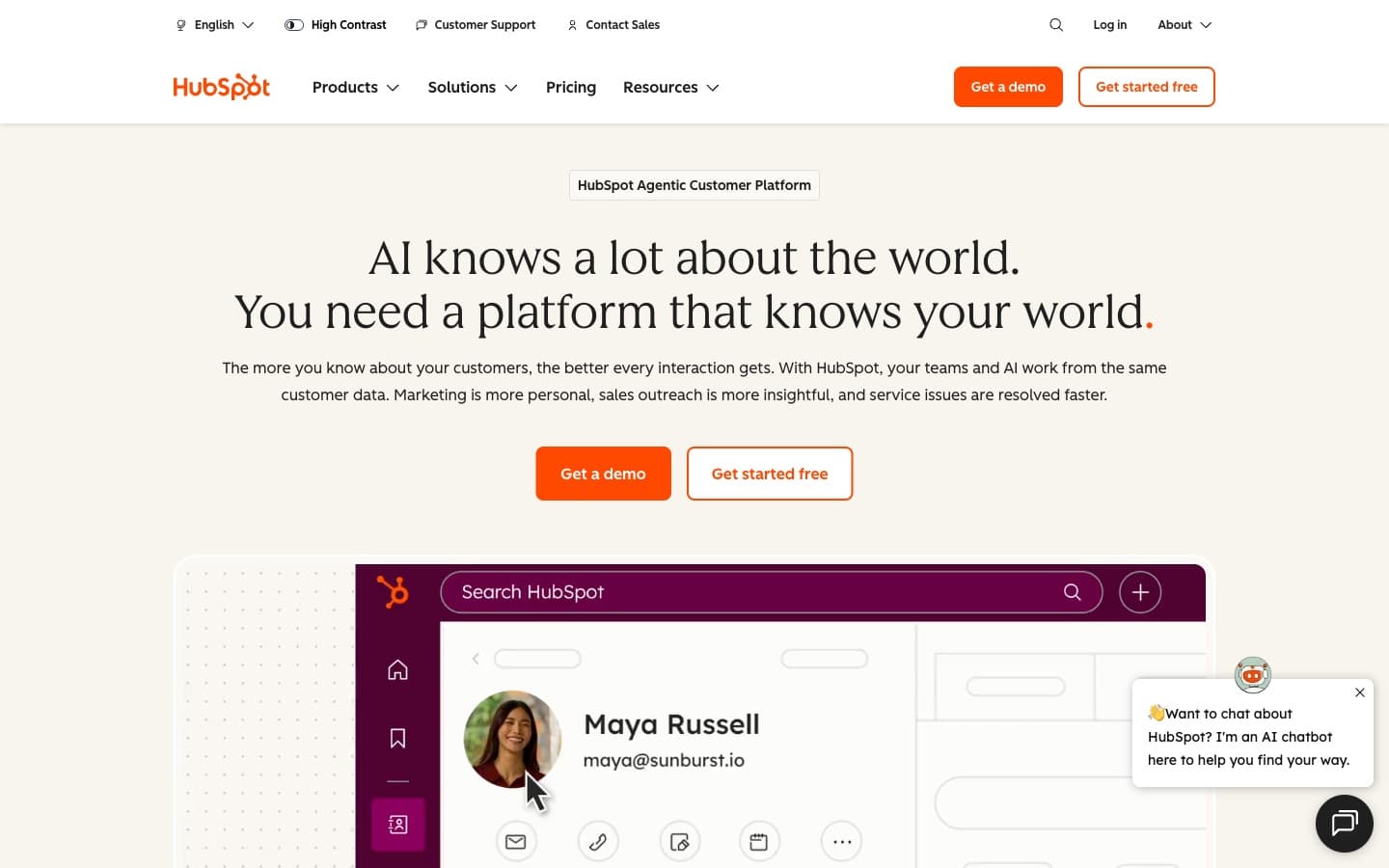
Overview: HubSpot Sales Hub is the sales module inside HubSpot's unified customer platform, which also includes Marketing Hub, Service Hub, and CMS Hub. It offers a genuinely free CRM tier that attracts SMBs at the start of their stack, with a clear land-and-expand path to paid Sales Hub tiers as teams grow. The free tier and the unified contact record across sales, marketing, and service are the two reasons HubSpot has the largest brand recognition in SMB CRM.
Why it made the list
HubSpot's thesis is simple: if your team runs both marketing and sales, having them in one platform removes friction no standalone CRM can match. Leads flow from marketing campaigns into the CRM with full context; sales reps see every email open, page view, and form fill. For teams where a single contact record matters more than sales-feature depth, HubSpot is the clearest answer. The free CRM tier (limited to 2 paid users on Sales Hub) also makes it a low-risk starting point for teams unsure about committing to paid tools.
Key features for sales teams
- Free CRM tier with unlimited contacts and 2 free Sales Hub users
- Unified contact record across marketing, sales, and service hubs
- Email templates, sequences, and open/click tracking
- Meeting scheduler with calendar sync
- Pipeline view with deal forecasting
- AI-powered predictive lead scoring (Enterprise tier)
- Extensive app marketplace with 1,600+ integrations
Pricing
Free CRM: $0, up to 2 paid sales users. Sales Hub Starter: approximately $20 per seat per month billed annually (roughly $15 on longer commitments). Sales Hub Professional: $90 per seat per month with a mandatory $1,500 onboarding fee. Sales Hub Enterprise: $150 per seat per month with a mandatory $3,500 onboarding fee. The jump from Starter to Professional is steep, and the onboarding fees add substantially to first-year total cost of ownership for small teams.
G2 rating
4.4/5 stars based on 11,000+ verified reviews. Praised for the free tier, the marketing-sales alignment, and the app marketplace. Criticized for the pricing jump at the Professional tier and for customization limits that push teams into higher paid tiers faster than expected.
Best for
Teams where marketing generates a meaningful portion of pipeline and where sales reps benefit from seeing the full marketing touch history on every contact. Also strong for very small teams (1-2 reps) happy to stay on the free tier with basic sales features, and for teams that run inbound-heavy sales motions tied to content and paid media.
Not great for
Pure outbound sales teams that do not need marketing hub integration: they pay for platform breadth they never use. Also not ideal for cost-conscious small teams that would be pushed from Starter to Professional to unlock needed features, since the $90 seat price plus onboarding fees outpace most sales-native alternatives.
Dig deeper: see our full HubSpot Sales Hub vs Pipeline CRM breakdown for total cost of ownership at every tier, including onboarding fees and seat-price escalation.
4. Salesforce Sales Cloud: Best for enterprises needing deep customization

Overview: Salesforce Sales Cloud is the enterprise CRM standard and the category-defining platform that set the bar for what a CRM can do. Its strengths are well-known: deep customization, industry-leading analytics, and the broadest integration marketplace (AppExchange) of any enterprise CRM. Its tradeoffs are equally well-known: cost, complexity, and the need for dedicated administrator expertise.
Why it made the list
At 200 or more seats with dedicated Salesforce admins, Salesforce Sales Cloud is the most capable CRM on the market. Territory management, multi-entity reporting, custom objects, approval workflows, and sandbox environments are genuinely best-in-class. No other platform in this list scales to the same organizational complexity. For enterprise teams, Salesforce is often not optional: it is the CRM the business has standardized on, and sales reps adapt to it.
Key features for sales teams
- Highly customizable deal and contact objects with unlimited custom fields
- Territory management and account hierarchies for enterprise sales orgs
- Einstein AI for predictive lead scoring, opportunity insights, and forecasting
- Sandbox environments for safe testing of workflow changes
- AppExchange marketplace with thousands of integrations
- Advanced reporting with custom dashboards, joined reports, and cross-object analytics
- Agentforce AI agents for sales automation (Agentforce 1 Sales tier)
Pricing
Starter Suite: $25 per user per month (monthly or annual). Pro Suite: $100 per user per month (annual only). Enterprise: $175 per user per month (annual only). Unlimited: $350 per user per month. Agentforce 1 Sales: $550 per user per month. Additional cost: Premier Success Plan is 30% of license fees (required for phone support on most plans). For a 10-person team on Enterprise, annual license cost is roughly $21,000 before the Premier Success surcharge; for a 50-person team on Enterprise, roughly $105,000 before surcharge.
G2 rating
4.4/5 stars based on 23,000+ verified reviews. Ease of Setup: 7.5/10 (the lowest setup score of any CRM in this listicle). Praised for customization and scalability; criticized for implementation complexity, steep learning curve, and total cost of ownership.
Best for
Enterprises (200+ seats) that have dedicated Salesforce administrators or that use a partner implementation firm. Also appropriate for mid-market teams that have clearly outgrown SMB CRMs, have compliance requirements (GDPR, HIPAA, industry regulations), or need the AppExchange for specific integrations unavailable elsewhere.
Not great for
Small and mid-sized sales teams (5 to 50 reps) without dedicated admin capacity. Starter Suite sounds approachable at $25 per user per month, but most real-world SMB needs (forecasting, automation, custom reports) push teams to Pro Suite at $100 per user per month, at which point Pipeline CRM, Pipedrive, or HubSpot typically deliver the same practical value for less than half the cost and far less setup effort.
Dig deeper: our Salesforce vs Pipeline CRM feature and pricing comparison documents the full SMB-focused TCO gap, including the 30% Premier Success surcharge.
5. Zoho CRM: Best for budget teams inside the Zoho ecosystem

Overview: Zoho CRM is the sales CRM inside Zoho's 45-app business suite. Its pitch is straightforward: comprehensive CRM features at aggressive prices, and deep integration with the rest of Zoho (Books for accounting, Desk for support, Projects for project management, Campaigns for marketing). For teams already using Zoho One (the all-in-one suite), Zoho CRM is a natural choice.
Why it made the list
Zoho CRM delivers the most features per dollar of any CRM in this list. Standard at $14 per user per month includes multiple pipelines, workflow automation, and email insights: capabilities that cost more on Pipeline CRM, Pipedrive, or HubSpot at comparable tiers. If a team is already committed to Zoho One for accounting and support, adopting Zoho CRM adds almost no marginal cost and gives tight cross-app workflows.
Key features for sales teams
- Multiple pipelines and custom layouts even on entry tiers
- SalesSignals: real-time notifications on prospect behavior across channels
- Blueprint: visual sales process builder with gate conditions
- Zia AI assistant for lead scoring, deal predictions, and anomaly detection (Enterprise and above)
- Native integration with Zoho Books, Desk, Projects, Campaigns, and Forms
- Extensive customization via custom modules, fields, and layouts
Pricing
Free: $0 for up to 3 users. Standard: $14 per user per month. Professional: $23 per user per month. Enterprise (most popular): $40 per user per month. Ultimate: $52 per user per month (all billed annually). Among the most affordable sales CRMs at every tier, with a free plan that is genuinely usable for tiny teams.
G2 rating
4.1/5 stars based on 2,700+ reviews (the lowest overall rating of any CRM in this listicle). Quality of Support: 8.0/10 (the lowest support score of any CRM in this set, and a 1.2-point gap vs Pipeline CRM). 1,000 analyzed reviews show 16% cite learning curve complexity and 16% cite support quality as top concerns.
Best for
Teams already on Zoho One that want tight native integration across CRM, accounting, and support. Also a reasonable choice for very price-sensitive teams willing to trade support quality and UX polish for per-seat savings of $10 to $30 per month versus alternatives.
Not great for
Teams that expect responsive customer support when issues come up: Zoho's support score is the largest gap to the leaders in this set. Also not ideal for teams wanting a fast, turnkey setup: the G2 data shows learning curve complaints at the same rate as support complaints, which aligns with Ease of Setup of 8.1 versus 9.0 for Pipeline CRM.
Dig deeper: our Zoho CRM vs Pipeline CRM side-by-side review documents the support and UX gap across 1,000 verified G2 reviews on each platform.
6. Close: Best for high-volume inside sales teams that live on the phone
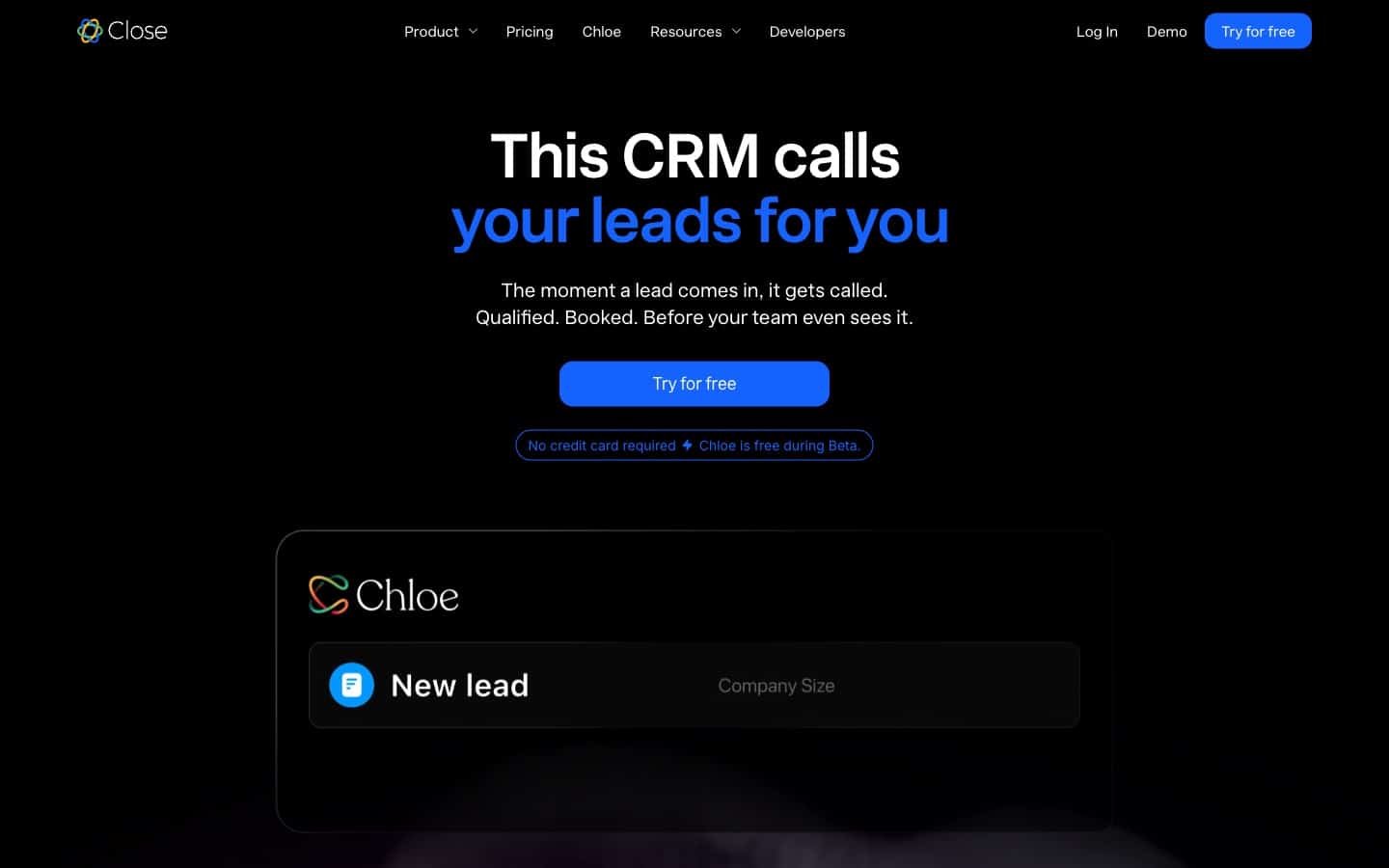
Overview: Close is a sales CRM built around one specific workflow: high-volume inside sales teams that communicate with prospects primarily by phone, SMS, and email. It bakes calling, SMS, and call recording directly into the CRM, so reps do not need to juggle a separate dialer. Close is smaller than Salesforce or HubSpot in brand recognition but has a loyal following among SaaS and inside-sales SMB teams.
Why it made the list
Most sales CRMs treat calling as an afterthought or an add-on integration. Close inverts that: calls and SMS are first-class actions, with power dialer, predictive dialer (Scale tier), call recording, and AI-assisted call transcription built in. For teams where reps make 40+ calls per day, the difference is real: rep activity goes up, and the CRM captures the full conversation history without manual logging.
Key features for sales teams
- Built-in calling and SMS (usage-based fees apply)
- Power Dialer (Growth tier) and Predictive Dialer (Scale tier)
- Email sequences with A/B testing and reply detection
- Chloe AI sales agent for automated follow-up and response drafting
- Visual pipeline with lead and opportunity tracking
- Unlimited leads on all paid plans
Pricing
Solo: $9 per user per month (1 user max, limited features). Essentials: $35 per user per month. Growth: $99 per user per month. Scale: $139 per user per month (all billed annually). Calling and SMS usage is billed separately based on minutes and messages: plan for additional usage costs on top of the seat price.
G2 rating
4.7/5 stars based on 1,000+ reviews. Highly rated for ease of use and customer support. Reviewers consistently highlight the calling integration and automation capabilities.
Best for
Inside sales teams making 40+ outbound calls per rep per day, SaaS SDR and AE teams, and any sales motion where phone is the primary channel. Particularly strong for teams that want to consolidate a dialer and CRM into a single tool.
Not great for
Sales teams focused on longer, multi-stakeholder deals where the sales motion is primarily email, meetings, and proposal-driven (common in construction, enterprise software, and professional services). For those teams, Pipeline CRM or Pipedrive better match the workflow. Also not ideal for teams on tight budgets: the Essentials tier at $35 per seat is meaningfully more than Pipeline CRM Start or Pipedrive Lite.
Dig deeper: compare both tools in our detailed Close vs Pipeline CRM review for teams weighing inside-sales calling depth against multi-stakeholder pipeline management.
7. Monday CRM: Best for teams wanting CRM inside a work-OS platform

Overview: monday CRM is the sales-focused product inside monday.com's broader work-OS platform. Unlike sales-native CRMs that are built around the pipeline, monday CRM is built on a visual board system that doubles as project management, ops tracking, and HR workflows. For teams already running monday.com for other business functions, the CRM is a natural extension.
Why it made the list
Monday's strength is platform consistency: your sales pipeline lives in the same interface as your project management boards, your marketing calendar, and your hiring pipeline. For teams where operations leadership wants one tool across departments, Monday CRM reduces switching costs and makes cross-functional handoffs easier. The platform is also highly flexible, letting teams customize boards heavily for non-standard sales motions.
Key features for sales teams
- Visual pipeline as a monday board with custom columns and views
- AI Sidekick for deal insights, email drafting, and meeting summaries
- Deep monday ecosystem integration (link CRM items to projects, tasks, docs)
- Custom automations up to 25,000 per month on Pro tier
- Native email integration with Gmail and Outlook
- Contact management, lead capture, and deal tracking in one board
Pricing
Basic CRM: $12 per seat per month. Standard CRM: $17 per seat per month. Pro CRM (most popular): $28 per seat per month. Ultimate CRM (Enterprise): custom pricing (all billed annually). Minimum 3 seats on all plans, including Basic. Monthly billing is available at higher rates.
G2 rating
4.7/5 stars based on 900+ reviews. Praised for flexibility and the visual board interface; some reviewers note that adapting boards to sales-specific workflows requires setup effort and that pipeline-specific features (weighted forecasting, velocity reports) lag behind sales-native CRMs.
Best for
Teams already using monday.com for project management, ops, or other business functions, where adding a CRM module avoids the overhead of onboarding reps to a new tool. Also strong for teams with unconventional sales motions that benefit from the flexible board system rather than a predetermined pipeline structure.
Not great for
Pure sales teams that want a purpose-built sales CRM with deep pipeline features out of the box: Monday CRM is a work-OS module first and a sales CRM second. For sales-native depth, Pipeline CRM, Pipedrive, or Close are better fits.
Dig deeper: our Monday CRM vs Pipeline CRM head-to-head comparison walks through where work-OS flexibility helps and where sales-native pipeline depth matters more.
8. Freshsales: Best for teams wanting built-in AI and outreach

Overview: Freshsales is the sales CRM inside Freshworks' customer experience suite. It bundles CRM, built-in phone, email sequences, and Freddy AI lead scoring into a single platform. Freshsales targets SMBs that want modern AI features without the price tag of Salesforce Einstein or HubSpot Enterprise.
Why it made the list
Freshsales punches above its price point on AI features. Freddy AI includes predictive lead scoring, deal insights, and email response prediction on tiers that cost a fraction of what Salesforce or HubSpot charge for comparable AI. Built-in phone and email (no add-on required) also simplify the stack for teams that want calling without a separate dialer. The free tier is unusually generous, with multiple user support and core CRM features.
Key features for sales teams
- Freddy AI: lead scoring, deal insights, contact enrichment
- Built-in phone with call recording and SMS (regional availability varies)
- Email sequences and multi-channel campaigns
- Visual pipeline with drag-and-drop stage management
- Native integration with Freshdesk (support) and Freshmarketer (marketing)
- Free plan for up to 3 users
Pricing
Free: $0 for up to 3 users. Growth: $9 per user per month. Pro: $39 per user per month. Enterprise: $59 per user per month (all billed annually). Pricing is on par with Pipedrive's Lite tier at entry and cheaper than Pipedrive at the mid and top tiers.
G2 rating
4.5/5 stars based on 1,200+ reviews. Praised for the AI features and ease of setup; some reviewers note integration limitations outside the Freshworks ecosystem and concerns about customer support response times at lower tiers.
Best for
SMB sales teams that want AI-powered lead scoring and built-in phone at entry-level pricing, especially teams already using Freshdesk for customer support or considering the broader Freshworks suite.
Not great for
Teams that need the deepest third-party integration ecosystem (Pipedrive's 400+ integrations is larger) or that require the responsive live support standards of the category leaders. Also not ideal for teams hesitant to commit to the Freshworks ecosystem: adopting Freshsales makes sense mostly when Freshdesk or Freshmarketer are in the plan too.
9. Copper: Best for Google Workspace-native teams

Overview: Copper is a CRM designed to live inside Google Workspace. Its native Gmail sidebar, Calendar integration, and Google-recommended partner status make it the natural choice for sales teams that run their day inside Gmail and want to avoid context switching. Copper is best for relationship-driven sales rather than high-volume transactional selling.
Why it made the list
No other CRM has Copper's depth of Google Workspace integration. The Gmail sidebar shows full CRM context on every email without leaving the inbox. Calendar events auto-create CRM activities. Contacts sync bidirectionally. For sales teams where reps spend 80% of their day in Gmail, Copper removes the "switch to the CRM to log this" friction that causes adoption failures elsewhere.
Key features for sales teams
- Native Google Workspace integration (Gmail sidebar, Calendar, Drive, Docs)
- Automatic contact and email capture from Gmail
- Pipeline management with drag-and-drop deal stages (Professional and Business plans only)
- Workflow automation and bulk email (Professional and above)
- Multi-currency support (Business plan)
- Custom reporting and forecasting (Professional and above)
Pricing
Starter: $9 per user per month (limited to 1,000 contacts, does NOT include Sales Opportunities). Basic: $23 per user per month (2,500 contacts, still does NOT include Sales Opportunities). Professional: $59 per user per month (15,000 contacts, Sales Opportunities included). Business: $99 per user per month (unlimited contacts, multi-currency, custom reports) (all billed annually). The effective entry price for a functional sales CRM is $59 per user per month (Professional), since Starter and Basic lack opportunity tracking entirely.
G2 rating
4.5/5 stars based on 1,100+ reviews. Support score: 8.2/10. Praised for the Gmail integration and UX polish; criticized for Google-only lock-in and for pricing that jumps from $23 (Basic) to $59 (Professional) to access the sales features most teams actually need.
Best for
Sales teams that run entirely inside Google Workspace, where Gmail is the primary interface and calendar integration matters for every meeting. Particularly strong for relationship-driven sales like professional services, agencies, and real estate.
Not great for
Teams on Microsoft 365 or Outlook: Copper's Google Workspace dependency is a non-starter. Also not ideal for cost-sensitive teams, since the Starter and Basic tiers (at $9 and $23) do not include Sales Opportunities and are effectively contact-management tools, not sales CRMs. The real entry price is $59 per seat per month on Professional.
Dig deeper: our Copper vs Pipeline CRM alternatives breakdown covers the Google Workspace-only tradeoff and the effective-entry-price math for teams that actually need Sales Opportunities.
10. Nutshell: Best for very small teams at entry-level pricing

Overview: Nutshell is a US-based SMB CRM targeting small sales teams with a clean UI and an approachable price point. Its Foundation plan at $13 per user per month is the cheapest entry tier of any sales CRM in this listicle that still qualifies as a true sales CRM (as opposed to contact managers or free-only tools). Nutshell earned the #10 slot on this list because it serves a real niche: teams of 1 to 3 reps that want a real sales CRM without paying $25+ per user per month.
Why it made the list
For very small teams (1-3 reps) that need a real sales CRM but cannot justify the price of Pipeline CRM, Pipedrive, or HubSpot paid tiers, Nutshell Foundation is often the right answer. 51% of Nutshell's G2 reviewers highlight ease of use as the top benefit. Support is included in every plan, onboarding is fast, and the platform handles the core sales workflow without bloat.
Key features for sales teams
- Visual pipeline with multiple views (board, list, map)
- Email integration with tracking and broadcast campaigns
- Workflow automation (Pro plan and above)
- Quota management and sales reporting
- Zapier integration, QuickBooks sync, and Google Workspace support
- Marketing campaigns available as a paid add-on
Pricing
Foundation: $13 per user per month. Growth: $25 per user per month. Pro: $42 per user per month. Business: $59 per user per month. Enterprise: $79 per user per month (all billed annually). Note: Nutshell is cheaper than Pipeline CRM only at the Foundation tier; Pro and Business both cost more per seat than Pipeline CRM's Develop and Grow plans at comparable feature sets.
G2 rating
4.3/5 stars based on 1,408 verified reviews. Ease of Use: 8.7. Quality of Support: 8.6. Ease of Setup: 8.4. Solid but not category-leading: Pipeline CRM leads Nutshell by 0.6 points on both Support and Setup.
Best for
Very small sales teams (1-3 reps), solopreneurs graduating from spreadsheets, and teams that want a simple sales CRM at the lowest credible entry price. Also reasonable for teams that plan to add Nutshell's Marketing add-on for email campaigns.
Not great for
Growing teams that will quickly outgrow Foundation: the moment you need sales automation or advanced reporting, Nutshell Pro and Business cost more than Pipeline CRM Develop and Grow at equivalent feature depth. Also not ideal for field sales teams, since Nutshell has no Map Views or route planning (a Pipeline CRM differentiator), or for teams needing robust customization on lower tiers (Foundation and Growth cap custom fields and pipeline count).
Dig deeper: our Nutshell vs Pipeline CRM detailed comparison shows the crossover points on pricing at 5, 10, and 25 seats and the support/setup score gaps between the two.
Which sales CRM is best for inside vs. field vs. small-team sales?
The best sales CRM for any given team depends on three variables: whether reps are inside or in the field, team size, and whether you run on Google Workspace or Microsoft 365. Different CRMs excel in different combinations of these dimensions, so the right fit changes when any of them changes.
Best sales CRM for inside sales teams
Inside sales teams prioritize calling infrastructure, email sequences, and rapid deal velocity. Close wins for phone-heavy workflows (40+ calls per rep per day) with built-in power and predictive dialers. Pipeline CRM and HubSpot Sales Hub are strong alternatives for inside teams where email is the dominant channel: both offer robust email sequences, tracking, and deal forecasting without the overhead of a full calling stack.
Best sales CRM for field sales teams
Field sales teams need mobile apps that work offline, map views for route planning, and fast activity logging from a phone or tablet. Pipeline CRM includes Map Views on every plan and has the strongest mobile app among sales-native SMB CRMs (including an offline-capable business card scanner). Pipedrive is the credible alternative for field teams that prefer its visual kanban pipeline and do not need map-based route planning.
Best sales CRM for teams under 10 reps
Teams under 10 reps should prioritize onboarding speed, simple pricing, and responsive support over feature depth. Pipeline CRM, Pipedrive, and Nutshell all deliver these well. Pipeline CRM leads on support (9.2/10 on G2) and setup (9.0/10). Nutshell is the low-cost entry option at $13 per user per month. Pipedrive wins on integration breadth for small teams that plug their CRM into many other tools.
Best sales CRM for teams of 10 to 50 reps
Mid-sized sales teams need stronger forecasting, more customization, and better reporting than very small teams. Pipeline CRM Grow, Pipedrive Premium, and HubSpot Sales Hub Professional all deliver at this size. Pipeline CRM Grow at $49 per user per month (billed annually) includes unlimited custom fields and eSign; Pipedrive Premium at $59 includes lead routing and scoring; HubSpot Professional at $90 plus $1,500 onboarding adds full marketing integration. Choose based on which of those capabilities your team values most.
Best sales CRM for Google Workspace shops
Teams running on Google Workspace (Gmail, Calendar, Drive) get the most value from Copper's native Google sidebar for relationship-driven sales, or Pipeline CRM for teams that want deeper sales-CRM functionality with reliable Gmail two-way sync. For teams where Gmail dependency is absolute, Copper's integration is deeper; for teams that want sales-CRM depth first and Gmail integration second, Pipeline CRM is the better choice.
Best sales CRM for Microsoft 365 and Outlook shops
Copper is a non-starter for Microsoft 365 teams: it is Google-only. Pipeline CRM, Pipedrive, HubSpot, and Salesforce all offer first-class Outlook and Microsoft 365 integrations. Pipeline CRM and Pipedrive have the cleanest Outlook-first workflows for sales-native teams; HubSpot and Salesforce are the picks when Microsoft ecosystem integration is part of a broader enterprise requirement.
What sales CRM features matter most for closing more deals?
Sales CRM features that matter most for closing more deals are the ones that eliminate rep friction and give managers accurate forecasts. Most CRMs advertise dozens of features, but only seven consistently separate the CRMs that reps actually use from the ones that get abandoned.
- Pipeline visualization. A clear kanban pipeline with drag-and-drop stages, weighted forecasting, and deal aging indicators is the single most important feature. Reps need to see the state of every deal in seconds; managers need to see where revenue is stuck.
- Activity tracking with auto-capture. Email and calendar auto-capture (reps do not manually log every email or meeting) is the difference between real activity data and a pile of lies. Pipeline CRM, Pipedrive, HubSpot, and Copper all handle auto-capture well; Salesforce and Zoho require more configuration.
- Deal stages with required fields and exit criteria. Stage-gated required fields (you cannot move a deal to Proposal without a decision-maker contact, for example) drive pipeline hygiene without manager nagging. This is where custom CRMs earn their price over generic contact databases.
- Email integration with two-way sync. Two-way sync with Gmail and Outlook is table stakes. Sequences, tracking, and templates extend it. The test: send an email from outside the CRM and check whether it appears against the right contact and deal automatically.
- Dashboards and leaderboards for rep visibility. Real-time leaderboards for activity, closed revenue, and win rates drive rep behavior better than weekly manager emails. Every CRM in this list offers dashboards; the differences are in ease of customization and real-time refresh.
- Mobile app with Map Views for field reps. Field sales teams need route planning, offline edit, and quick activity logging. Pipeline CRM is the only CRM in this set with Map Views on every plan. Pipedrive and HubSpot have strong mobile apps but no native map-based route planning.
- Calling integration (native or via Aircall/RingCentral). For inside sales teams, integrated calling is essential. Close and Freshsales include it natively. Pipeline CRM, Pipedrive, HubSpot, and Salesforce support it via Aircall, RingCentral, Dialpad, or similar third-party connectors.
- eSign (DocuSign or native). Closing a deal without leaving the CRM requires eSign. Pipeline CRM includes eSign in the Grow plan. Pipedrive offers it in Premium. HubSpot and Salesforce require a DocuSign integration. Nutshell requires a third-party integration on every plan.
How do I choose the right sales CRM for my team?
Choosing the right sales CRM for your team starts with one question: what is the sales motion? A phone-heavy inside sales team, a relationship-driven field team, and an inbound marketing-sourced team all need different CRMs. Match the CRM to the motion, not the other way around.
Use this decision framework:
- Team under 10 reps with transparent pricing priority? → Pipeline CRM (Start tier, $25 per user per month billed annually) or Nutshell Foundation ($13 per user per month) for teams of 1 to 3.
- Team needs marketing and sales unified on one platform? → HubSpot Sales Hub (plan budget for Professional at $90 per seat per month plus the $1,500 onboarding fee).
- Team has 200+ reps with dedicated admins? → Salesforce Sales Cloud (Enterprise tier or higher).
- Team is phone-heavy (40+ calls per rep per day)? → Close (Essentials or Growth tier based on automation needs).
- Team runs entirely inside Google Workspace? → Copper (Professional tier for real sales features) or Pipeline CRM with Gmail integration if you want stronger sales-CRM depth.
- Team does field sales with route-based selling? → Pipeline CRM (Map Views included on all plans) or Pipedrive.
- Team wants visual kanban simplicity above all else? → Pipedrive (market leader on pipeline UX) or Pipeline CRM.
- Team already uses monday.com for ops and PM? → Monday CRM (consolidate tooling) or Pipeline CRM if sales-CRM depth matters more than consolidation.
- Team already in the Zoho One or Freshworks suite? → Zoho CRM or Freshsales respectively: native integration with the rest of the suite is worth more than switching costs.
Two practical tips before you commit:
- Pilot with 3 to 5 reps for 30 days. Pick a mix of your top rep, your average rep, and one skeptic. If all three adopt the CRM in the first two weeks, it is the right fit. If any of them revert to spreadsheets, the CRM will fail at rollout.
- Test the support channel you will actually use. Every vendor claims strong support. Submit two realistic questions during the trial: one easy, one hard. Time the responses. A CRM that takes 48 hours to answer a setup question during the free trial will not improve after you pay.
Frequently asked questions about sales CRM software
What is the best sales CRM for small sales teams in 2026?
The best sales CRM for small sales teams (5 to 50 reps) in 2026 is Pipeline CRM for teams that want pipeline-first simplicity with the highest G2 support rating (9.2/10), and Pipedrive for teams prioritizing visual pipeline UX and the broadest integration ecosystem. Both offer transparent per-user pricing, short onboarding, and strong mobile apps. HubSpot Sales Hub is a credible third option for teams that also need marketing automation.
What's the difference between a sales CRM and a general CRM?
A sales CRM is purpose-built for closing deals: visual pipelines, deal forecasting, activity tracking, and rep productivity tools. A general CRM (sometimes called a customer platform) covers a broader scope including marketing, customer service, and sometimes operations. Pipeline CRM, Pipedrive, Close, and Nutshell are sales-native. HubSpot, Salesforce, and Zoho are general CRMs with strong sales modules inside a larger platform. Sales CRMs typically win on simplicity and rep adoption; general CRMs win when your team needs marketing, sales, and service unified.
How much does a sales CRM cost?
Sales CRM pricing in 2026 ranges from $0 (free tiers from HubSpot, Freshsales, and Zoho) up to $550 per user per month (Salesforce Agentforce 1 Sales). Most SMB-focused sales CRMs land between $25 and $60 per user per month. Pipeline CRM starts at $25 per user per month (billed annually) for the Start plan, $33 for Develop, and $49 for Grow. Pipedrive ranges from $14 (Lite) to $79 (Ultimate). Expect add-on costs for advanced features, and factor mandatory onboarding fees on enterprise tiers (HubSpot Professional adds $1,500; Salesforce requires Premier Success at 30% of license fees for phone support).
Which sales CRM has the best free plan?
HubSpot has the most generous genuinely free CRM tier, supporting unlimited contacts and 2 free Sales Hub users with core sales features. Freshsales offers a free plan for up to 3 users with the full Freshsales interface. Zoho CRM has a free plan for up to 3 users with basic sales features. For teams larger than 3 users, free tiers stop being realistic and paid tiers start around $9 to $14 per user per month (Copper Starter, Pipedrive Lite, Freshsales Growth, Zoho Standard).
Which sales CRM is easiest to set up for a 5-person sales team?
Pipeline CRM and Pipedrive are the easiest to set up for a 5-person sales team, both scoring above 9.0 on G2 Ease of Setup. Pipeline CRM leads at 9.0/10 with US-based live chat support included on every plan. Pipedrive scores 8.7/10 with a strong onboarding flow. Both can be operational for a 5-rep team within 1 to 2 weeks including data migration. Salesforce (7.5/10) is the slowest to set up in this list, typically requiring 6 weeks or more even for small teams.
What's the best sales CRM for field sales teams?
The best sales CRM for field sales teams is Pipeline CRM, which is the only sales CRM in this listicle to include Map Views on every plan for route planning, along with an offline-capable mobile app and a native business card scanner. Pipedrive has a strong mobile app without native map-based routing. For field service businesses that also need time tracking and job costing, a dedicated platform like Workyard may be a better fit than a pure sales CRM.
Do sales CRMs integrate with Gmail and Outlook?
Most sales CRMs integrate with both Gmail and Outlook. Pipeline CRM, Pipedrive, HubSpot, Salesforce, Freshsales, and Close all support two-way email sync for both platforms. Copper is the notable exception: it is Google Workspace-native and does not support Microsoft 365 or Outlook. When evaluating email integration depth, check for two-way sync (emails sent from outside the CRM still appear in the CRM), tracking (open and click notifications), and sequences (automated multi-step email campaigns).
Which sales CRM has the best mobile app for reps on the road?
Pipeline CRM and Pipedrive both have strong mobile apps for sales reps on the road. Pipeline CRM includes Map Views for route planning, offline edit capability, and a business card scanner on all plans. Pipedrive has a polished iOS and Android app with call logging and offline access but no native map-based routing. Salesforce's mobile app is powerful but heavy; HubSpot's mobile app covers the basics but trails sales-native competitors for field use cases. For reps who live in their vehicles, Pipeline CRM is the consistent pick.
Can a sales CRM replace spreadsheet-based pipelines?
Yes, a sales CRM can replace spreadsheet-based pipelines, and for any team of 3 or more reps, it should. Spreadsheets offer visibility on day one but become unreliable within months: data gets inconsistent, version conflicts emerge, activity history is lost, and forecasting becomes guesswork. Pipeline CRM, Pipedrive, and Nutshell are particularly strong at spreadsheet migration, with onboarding flows that import existing spreadsheet data and convert columns to deal fields without manual remapping. Plan for 1 to 2 weeks of transition and expect the team to resist for the first two weeks before adoption solidifies.
Is Pipeline CRM a good Salesforce alternative for SMBs?
Yes, Pipeline CRM is a strong Salesforce alternative for SMB sales teams (5 to 50 reps) that want sales-focused functionality without Salesforce's setup complexity and cost. Salesforce's real entry point for most SMB needs is Pro Suite at $100 per user per month, plus the 30% Premier Success Plan surcharge for phone support. Pipeline CRM Grow at $49 per user per month (billed annually) includes US-based live chat support at no extra fee, scores 9.2/10 on G2 for support (vs Salesforce 8.2), and requires no dedicated administrator to operate. For SMB teams that do not need Salesforce's enterprise-scale features (territory management, multi-entity reporting, AppExchange depth), Pipeline CRM delivers the sales functionality at roughly half the seat cost and far less setup effort. See our CRM comparison hub for detailed side-by-side analysis, or explore our best sales CRM software that integrate with QuickBooks roundup for accounting-focused alternatives.