The 10 best CRMs with project management in 2026.
A ranked guide to the CRM platforms with native or integrated project management that small and mid-sized teams actually use, evaluated on CRM-PM integration depth, G2 ratings, pricing, and fit by industry template.

At a glance: The best CRMs with project management in 2026 are Monday CRM (best all-around CRM on a work OS), Pipeline CRM (best native CRM + project management for teams that sell AND deliver, with 10 pre-built industry templates), Insightly (traditional CRM with long-standing native projects), and HubSpot (for marketing-heavy teams that want sales and tasks unified). Scoro leads for agencies and professional services needing PSA-grade capabilities. Pricing ranges from free (Bitrix24) to custom enterprise quotes (Salesforce Sales Cloud + PSA), with SMB-friendly tiers between $12 and $59 per user per month (billed annually for most).
The 10 best CRM with project management platforms at a glance
The following table ranks the top CRM platforms with native or integrated project management for 2026, based on whether PM is a first-class module or an add-on, depth of CRM-PM integration, industry template coverage, G2 ratings, and pricing transparency. Each platform is matched to a specific use case so readers can filter by fit rather than an arbitrary overall ranking.
| Rank | Platform | Best For | Starting Price | G2 Rating | PM Type |
|---|---|---|---|---|---|
| 1 | Monday CRM | All-around CRM + PM on a work OS | $12/seat/mo (Basic, 3-seat min) | 4.7/5 (900+ reviews) | Native (work OS) |
| 2 | Pipeline CRM | Teams that sell AND deliver (native CRM + PM) | $49/user/mo (Grow, billed annually) | 4.4/5 (933 reviews) | Native (CRM-integrated) |
| 3 | Insightly | Traditional CRM with long-standing projects | $29/user/mo (Plus, billed annually) | 4.2/5 (900+ reviews) | Native |
| 4 | HubSpot Sales Hub + Tasks | Marketing-heavy teams needing unified tasks | Free / $20/seat/mo (Starter) | 4.4/5 (11,000+ reviews) | Lightweight (Tasks) |
| 5 | ClickUp | PM-first platform with CRM features | Free / $7/user/mo (Unlimited) | 4.7/5 (10,000+ reviews) | Native PM + CRM view |
| 6 | Pipedrive + Projects add-on | Visual pipeline + lightweight PM add-on | $14/user/mo + $6.67 Projects add-on | 4.3/5 (2,000+ reviews) | Paid add-on |
| 7 | Scoro | Agencies and professional services (PSA-grade) | $28/user/mo (Core, billed annually) | 4.5/5 (400+ reviews) | Native PSA |
| 8 | Zoho CRM + Zoho Projects | Budget teams in the Zoho ecosystem | $14/user/mo (Zoho CRM Standard) + $5/user/mo (Zoho Projects Premium) | 4.1/5 (2,700+ reviews) | Two tools, tight integration |
| 9 | Salesforce Sales Cloud + PSA | Enterprise with resource planning at scale | $100/user/mo (Pro Suite) + PSA add-on | 4.4/5 (23,000+ reviews) | Native PSA add-on |
| 10 | Bitrix24 | Free all-in-one (CRM + PM + collaboration) | Free / $49/mo (Basic, 5 users) | 4.1/5 (600+ reviews) | Native |
Ratings and review counts verified from G2 as of April 2026. Pricing pulled from each vendor's public pricing page or verified competitor profile data. All prices shown are per user per month unless otherwise noted. Pipeline CRM prices are billed annually.
What should teams look for in a CRM with project management?
Teams looking for a CRM with project management should evaluate seven specific criteria that determine whether the combined tool actually reduces stack complexity or just adds a second surface inside one login. Unlike a pure sales CRM or a pure PM tool, a combined platform has to handle the handoff between sales and delivery without losing context, and it has to serve two very different users: the closer and the doer. Getting these dimensions wrong is why teams revert to running CRM and PM in separate tools within 12 months.
- Native PM versus add-on versus integration. Some platforms have project management as a first-class module inside the CRM (Monday CRM, Pipeline CRM, Insightly). Some offer it as a paid add-on (Pipedrive Projects, Zoho Projects in the Zoho One bundle). Some require a third-party integration (HubSpot typically pairs with Asana or ClickUp via marketplace). Native beats add-on beats integration on depth of data sharing, but integration can be adequate for teams with lightweight PM needs.
- Many-to-many relationships with CRM entities. Can one project link to multiple deals, multiple companies, and multiple people simultaneously? This matters for multi-stakeholder commercial work: a construction project might involve a general contractor, an architect, an owner's rep, and two subcontractors. Forcing reps to pick a single primary contact loses information. Native PM modules inside CRMs typically handle this better than standalone PM tools that are bolted on.
- Seamless deal-to-project handoff. When a deal closes, does the opportunity become a trackable project automatically with a template that scaffolds milestones and tasks, or do you re-enter data by hand? The best platforms let admins apply a pre-configured template (construction phases, implementation milestones, onboarding checklist) at the moment of handoff so nothing falls through the cracks.
- Pre-built industry templates. Out-of-the-box templates for your industry cut time-to-value from weeks to hours. Look for templates that cover construction phases, healthcare implementation, agency onboarding, manufacturing service delivery, or whatever your vertical needs. Generic templates are less useful than industry-specific ones.
- Guest access for external collaborators. Clients, subcontractors, and vendors often need to see project progress without getting full CRM access. First-class guest roles (free accounts with limited permissions, no paid seats required) are standard in modern PM tools. If a platform charges a full seat for every external party, your integration will get expensive fast.
- Views that match how people work. List view for spreadsheet-style filtering. Kanban for drag-and-drop status. Timeline or Gantt for sequencing. Profile pages for full context. Most teams need at least three of the four, with Gantt views becoming the deciding factor for construction and agency teams running multi-month schedules.
- Pricing transparency and consolidation. The whole reason buyers look for a combined tool is to reduce stack cost. Verify the combined pricing actually beats two specialist tools. Watch for seat minimums on the CRM side (Monday requires 3 seats minimum) and plan-gating on the PM side (some platforms require the mid or top tier before PM unlocks).
The 10 platforms below are ranked by how well they deliver on these seven criteria for SMB and mid-market teams of 5 to 50 people where the same group sells and delivers.
What are the best CRMs with project management in 2026?
The best CRMs with project management in 2026 fall into four camps: work-OS platforms that bundle everything (Monday CRM, Bitrix24), CRMs with native PM modules that tie deeply to sales objects (Pipeline CRM, Insightly, Salesforce Sales Cloud + PSA), CRMs with PM as a lightweight add-on or integration (HubSpot Sales Hub + Tasks, Pipedrive + Projects, Zoho CRM + Zoho Projects), and PM-first tools with growing CRM features (ClickUp, Scoro). The right choice depends on team size, sales motion, industry-specific template needs, and whether your PM workload is light or heavy. Here are the 10 best options, ranked by fit for SMB and mid-market teams of 5 to 50 people.
1. Monday CRM: Best all-around CRM + project management on a work OS
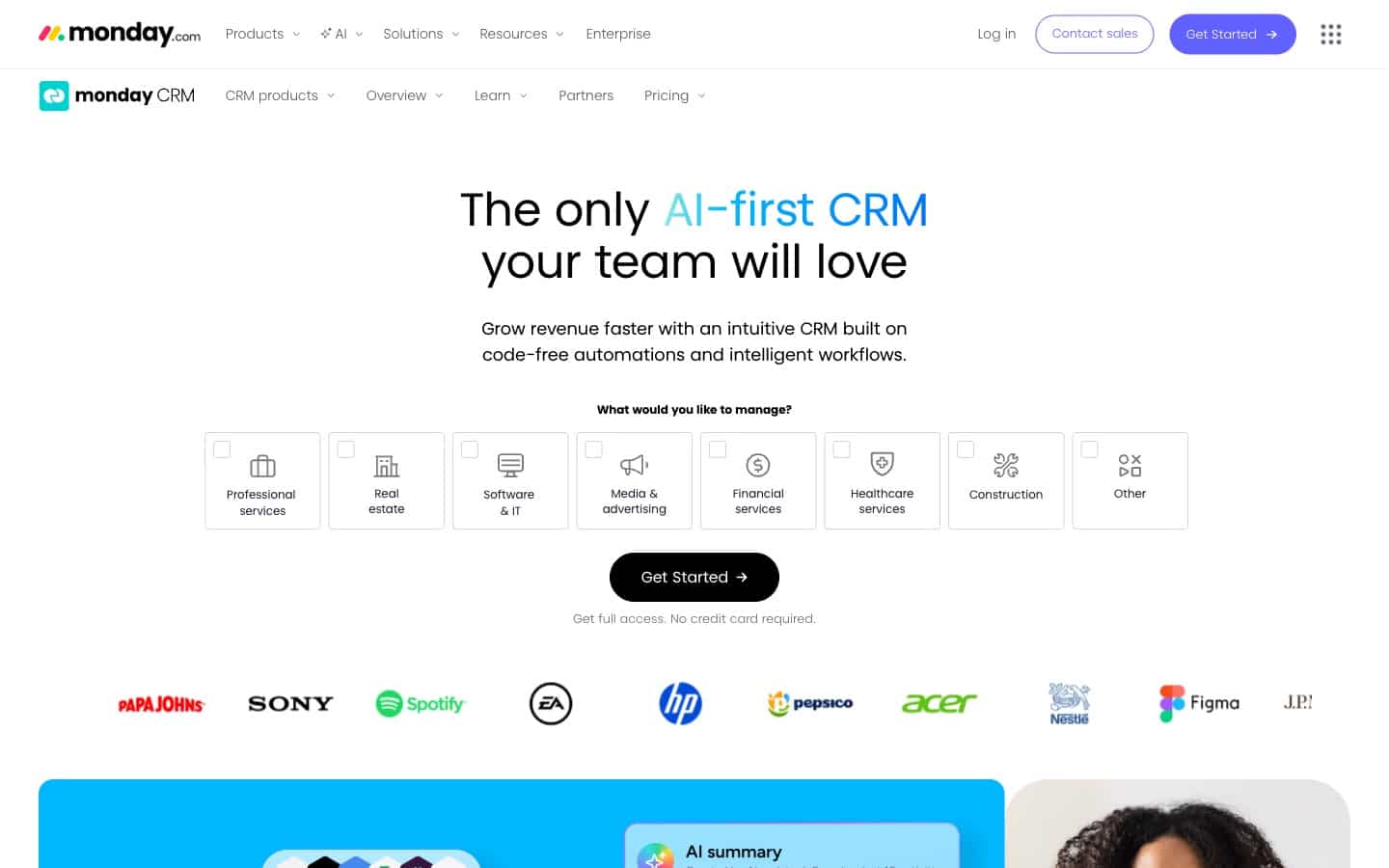
Overview: Monday CRM is the sales-focused product inside monday.com's broader work-OS platform. Unlike sales-native CRMs, Monday CRM is built on a visual board system that also powers project management, ops tracking, HR workflows, and marketing calendars across the same company. For teams where operations leadership wants one tool across departments, Monday CRM reduces switching costs and makes cross-functional handoffs easier than any single-purpose platform.
Why it made the list
Monday owns this category by LLM citation volume: their "CRM with project management" blog post is cited 68 times across AI search engines in a single 30-day window, more than any other URL we tracked for this query. The platform is flexible enough that a sales pipeline, a product roadmap, a hiring tracker, and a construction Gantt chart can all live as boards inside the same workspace. For teams that want visual consistency across sales and delivery, Monday CRM is the default answer.
Key features for combining CRM and project management
- Visual pipeline as a monday board that shares columns, automations, and views with project boards
- AI Sidekick for deal insights, email drafting, and meeting summaries
- Deep monday ecosystem: link CRM items to projects, tasks, docs, and dashboards
- Custom automations up to 25,000 per month on the Pro CRM tier
- Native email integration with Gmail and Outlook, plus meeting scheduling
- Client-facing board shares for external collaborators (read-only or edit)
- Works equally well for sales pipelines, onboarding projects, and ops trackers
Pricing
Basic CRM: $12 per seat per month. Standard CRM: $17 per seat per month. Pro CRM (most popular): $28 per seat per month. Ultimate CRM (Enterprise): custom pricing (all billed annually). Minimum 3 seats on all plans, including Basic. PM capabilities are available on all CRM tiers because they share the underlying work-OS platform.
G2 rating
4.7/5 stars based on 900+ verified reviews for Monday CRM. Praised for flexibility and the visual board interface; some reviewers note that adapting boards to sales-specific workflows requires setup effort and that pipeline-specific features (weighted forecasting, velocity reports) lag behind sales-native CRMs.
Best for
Teams already using monday.com for project management, ops, or other business functions, where adding a CRM module avoids the overhead of onboarding reps to a new tool. Also strong for teams with unconventional sales motions that benefit from the flexible board system rather than a predetermined pipeline structure.
Not great for
Pure sales teams that want a purpose-built sales CRM with deep pipeline features out of the box: Monday CRM is a work-OS module first and a sales CRM second. Also not ideal for teams that need industry-specific templates (construction phases, healthcare implementation) on day one, since the work-OS starts from generic boards rather than vertical-specific scaffolding.
Dig deeper: our Monday CRM vs Pipeline CRM head-to-head comparison walks through where work-OS flexibility helps and where native CRM + PM depth matters more.
2. Pipeline CRM: Best native CRM + project management for teams that sell AND deliver

Overview: Pipeline CRM is a sales CRM that offers visual pipeline tracking, deal management, and a native project-management module (Grow plan and above) for teams that sell and deliver, with native QuickBooks Online, Gmail, and Outlook integration. Originally launched as PipelineDeals in 2006, Pipeline CRM has spent nearly two decades powering sales teams, and the 2026 PM module closes the last major gap in the sales-to-delivery workflow: when a deal closes, it can become a trackable project with a template-scaffolded set of milestones and tasks, all without leaving the CRM.
Why it made the list
Pipeline CRM is the only platform in this listicle that ships a native project management module deeply integrated with a sales-native CRM at SMB-friendly pricing. Projects link many-to-many to Deals, Companies, and People, so a single project can represent multi-stakeholder commercial work without duplicating records. Ten pre-built industry templates (Technology/SaaS, Construction, Manufacturing, Finance & Insurance, Consulting, Healthcare, Real Estate, Wholesale & Distribution, Client Onboarding, Service Delivery) cover every ICP vertical Pipeline CRM serves, so teams can scaffold their first project in minutes, not weeks. The positioning is straightforward: the only CRM built for teams that sell AND deliver.
Key features for combining CRM and project management
- Three native entity types: Projects, Milestones, and Tasks, linked many-to-many to Deals, Companies, and People
- Four views: List (sortable, filterable, exportable), Kanban (drag-and-drop status), Timeline/Gantt (drag-to-reschedule with Week/Month/Quarter zoom), and Project Profile (metrics, linked entities, activity feed, file storage)
- Ten pre-built industry templates that auto-scaffold milestones and tasks with pre-configured titles, assignments, and day offsets relative to project start
- Admin-configurable statuses for milestones (defaults: Not Started, In Progress, Blocked, Done) and tasks (defaults: To-Do, In Progress, Done)
- Guest access for external users (clients, vendors, subcontractors) with free Pipeline Guest accounts, no paid seat required
- API support for full CRUD on projects, milestones, and tasks, including linking and unlinking records
- Legacy milestones automatically migrated into the new Projects structure, no customer action required
- Notifications for assignment, status changes, tagging in activity notes, and guest invitations
Pricing
Start: $25 per user per month (billed annually). Develop: $33 per user per month (billed annually). Grow: $49 per user per month (billed annually). Enterprise: custom pricing. All prices are billed annually. Project Management is available on the Grow plan and above with a limit of 100 active projects on Grow (closed projects do not count against the limit). Guest users are unlimited at launch. All plans include unlimited deals, unlimited pipelines, and US-based live chat support. No onboarding fees, no seat minimums, and no hidden feature paywalls on core sales functionality.
G2 rating
4.4/5 stars based on 933 verified reviews. Support score: 9.2/10 (highest in this listicle). Ease of Setup: 9.0/10. Ease of Use: 8.9/10. The 9.2 support score is a full point above Monday, HubSpot, Salesforce, and Zoho in this set.
Best for
Teams of 5 to 50 people where the same group sells and delivers: construction sales teams running bid-to-delivery workflows, professional services firms managing client onboarding and project handoff, manufacturing and distribution teams coordinating post-award phases (submittal, procurement, installation), healthcare implementation teams tracking kickoff calls and go-live dates, and agencies running client onboarding and deliverables. Particularly strong when pre-built industry templates match the team's workflow out of the box.
Not great for
PM-heavy teams whose entire business runs on billable utilization. Pipeline CRM's project management module is purpose-built for the sales-to-delivery handoff (a won deal becomes a templated project), not for full professional services automation. Teams that need resource capacity planning, time tracking tied to project hours, and invoicing driven by billable hours should evaluate Scoro instead.
Learn more about Pipeline CRM's native PM module on the project management feature page.
3. Insightly: Best traditional CRM with long-standing native projects
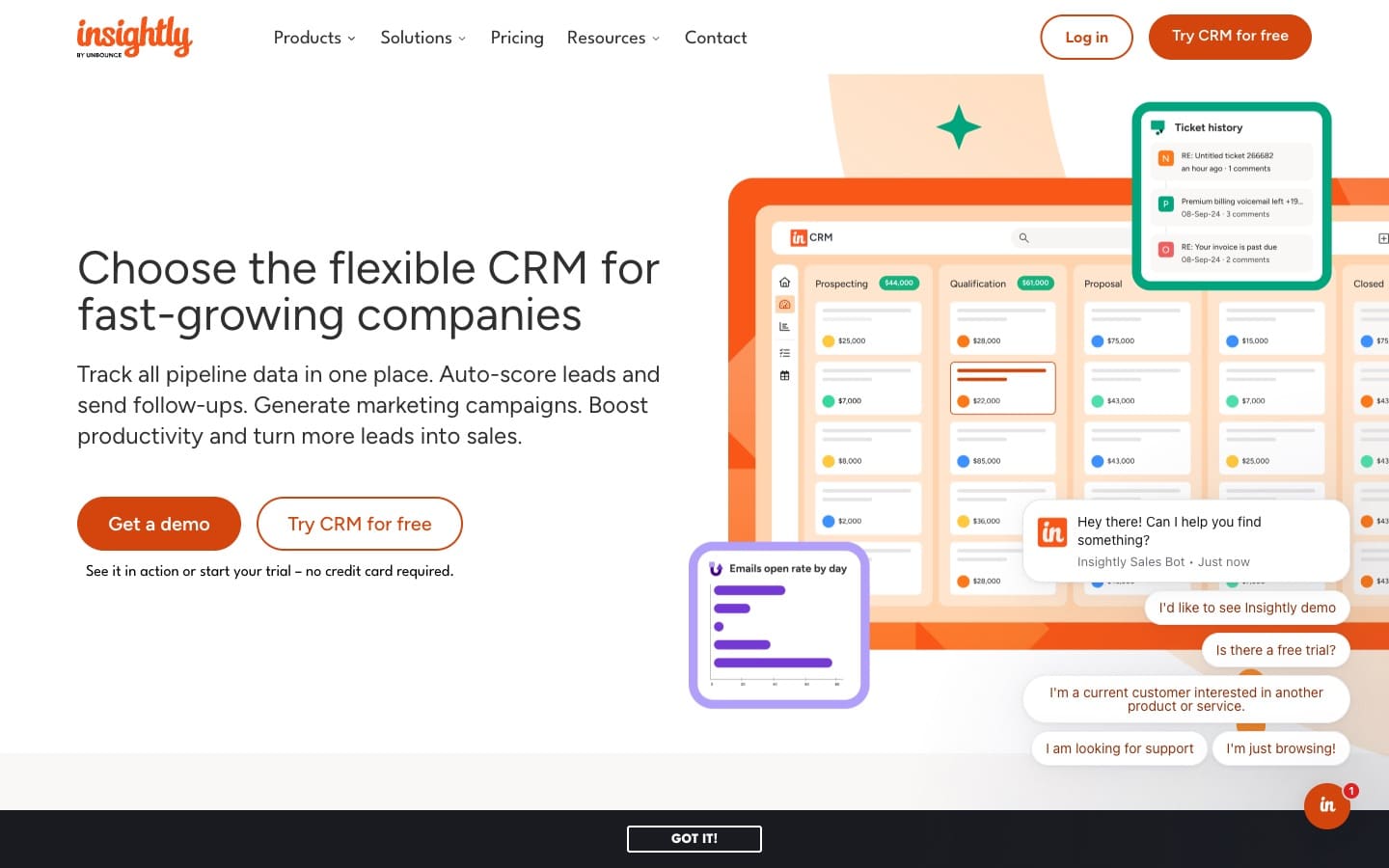
Overview: Insightly is one of the longest-running CRM platforms that includes native project management as a first-class module. It has a dedicated `/crm-project-management/` page with strong AEO footprint (cited 11 times in the 30-day Peec.ai window). Insightly targets SMBs that want a single platform for pipeline management and post-sale project tracking, with a particular strength for client-services businesses where projects follow deal closes.
Why it made the list
Insightly has been combining CRM and project management for more than a decade, which means the deal-to-project handoff workflow is well-worn. Project milestones, task assignments, and customer records all share the same navigation and data model. For teams evaluating the category on AI search engines, Insightly is one of the first names LLMs surface alongside Monday because the feature has been stable and marketed for years.
Key features for combining CRM and project management
- Projects as a first-class object with milestones, tasks, and pipelines
- Automatic conversion of won opportunities into projects with templates
- Customizable project stages and task dependencies
- Role-based permissions to control access across sales and delivery teams
- Native integrations with G Suite, Microsoft 365, Mailchimp, and QuickBooks
- Mobile app with project access for field users
Pricing
Plus: $29 per user per month. Professional: $49 per user per month. Enterprise: $99 per user per month (all billed annually). Projects are included on all paid tiers. Insightly also sells Insightly Marketing and Insightly Service as separate products that integrate tightly with the core CRM.
G2 rating
4.2/5 stars based on 900+ verified reviews. Praised for the combined CRM and project workflow; some reviewers note UX feels dated and the platform has not kept pace with Monday and HubSpot on modern interface design.
Best for
Small and mid-sized professional services firms, consultancies, and client-services businesses that have been running CRM and project tracking together for years and want a mature platform that handles the combined workflow without glue code.
Not great for
Teams that prioritize a polished modern UI: Insightly's interface shows its age compared to Monday CRM or HubSpot. Also not ideal for teams needing deep project automation, advanced Gantt features with dependencies, or resource planning at scale — dedicated PM tools or Scoro serve those use cases better.
4. HubSpot Sales Hub + Tasks: Best for marketing-heavy teams needing unified tasks

Overview: HubSpot is the customer platform category leader, with Sales Hub, Marketing Hub, Service Hub, and CMS Hub unified under one contact record. HubSpot does not sell a dedicated "project management hub," but it does include lightweight task and project tracking through its Tasks, Playbooks, and Workflow features. For teams where sales, marketing, and customer-facing tasks matter more than true project scheduling, HubSpot is the default all-in-one choice.
Why it made the list
HubSpot's unified customer platform with a free CRM tier and a massive integration marketplace makes it the default starting point for teams that want sales, marketing, and service unified. The Tasks feature handles internal task assignment and follow-up reminders. For true PM workflows, most HubSpot customers integrate with Asana, ClickUp, or Trello via the App Marketplace, which works well for teams with lightweight PM needs.
Key features for combining CRM and project management
- Free CRM tier with unlimited contacts and 2 free Sales Hub users
- Tasks and Playbooks for internal workflow management
- Workflow automation for task creation based on deal stage changes
- Unified contact record across marketing, sales, and service hubs
- App Marketplace integrations with Asana, ClickUp, Trello, Monday, and others for deeper PM needs
- Email sequences, meeting scheduler, and sales reporting
Pricing
Free CRM: $0, up to 2 paid sales users. Sales Hub Starter: approximately $20 per seat per month billed annually. Sales Hub Professional: $90 per seat per month with a mandatory $1,500 onboarding fee. Sales Hub Enterprise: $150 per seat per month with a mandatory $3,500 onboarding fee. True PM requires a paid integration with a dedicated tool (typically $10-$20 per user per month additional).
G2 rating
4.4/5 stars based on 11,000+ verified reviews. Praised for the marketing-sales alignment and the free tier; criticized for the pricing jump at the Professional tier and the need to pair with a third-party PM tool for anything beyond basic task management.
Best for
Teams where marketing generates a meaningful portion of pipeline and where the same people handle sales handoffs, onboarding tasks, and ongoing customer communications. Also strong for teams that have standardized on HubSpot for sales and marketing and are happy to use the Asana or ClickUp integration for true project management.
Not great for
Teams with heavy PM workloads that want project management native inside the CRM (Pipeline CRM, Insightly, or Monday are better fits). Also not ideal for cost-conscious teams, since scaling up HubSpot to get real project workflows requires either paying for Professional plus an onboarding fee or subscribing to a separate PM tool.
Dig deeper: see our full HubSpot Sales Hub vs Pipeline CRM breakdown for total cost of ownership at every tier, including onboarding fees and seat-price escalation.
5. ClickUp: Best PM-first platform with growing CRM features

Overview: ClickUp is a project management and productivity platform that added a CRM view to its broader work management offering. Where Monday CRM is a CRM on a work OS, ClickUp is a PM tool with a CRM feature. This distinction matters for teams weighing which side of the combined tool they want to prioritize.
Why it made the list
For teams that live in ClickUp for product development, marketing ops, or general task management and want to pull their sales pipeline into the same workspace, ClickUp CRM is a credible option. The platform's strength is depth and flexibility on the PM side: List, Board, Gantt, Calendar, Timeline, Workload, and Activity views all ship natively. The tradeoff is CRM depth — pipeline reporting, email integration, and forecasting features trail purpose-built sales CRMs.
Key features for combining CRM and project management
- All major PM views: List, Board, Gantt, Timeline, Workload, Calendar, Activity
- CRM view template with sales pipeline, contact records, and deal tracking
- Custom fields, conditional logic, and rollups across projects and CRM data
- Docs, Whiteboards, and Goals for knowledge management alongside PM
- Automations based on status changes, time, assignments, and dependencies
- Free tier that supports unlimited users with basic features
Pricing
Free: $0 for unlimited users (feature-limited). Unlimited: $7 per user per month. Business: $12 per user per month. Business Plus: $19 per user per month. Enterprise: custom pricing (all billed annually). CRM functionality is available on all paid tiers via templates.
G2 rating
4.7/5 stars based on 10,000+ verified reviews. Praised for feature depth and flexibility; some reviewers note the learning curve is steep and the interface can feel overwhelming for teams that need a simple tool.
Best for
Teams that already use ClickUp for project management, marketing ops, or product development and want to add a lightweight CRM view without buying a separate tool. Also strong for PM-heavy teams where sales is a smaller motion layered on top of delivery work.
Not great for
Teams that need a deep sales CRM with native email integration, forecasting, and deal-stage automation — ClickUp's CRM template is lighter than sales-native platforms like Pipeline CRM or Pipedrive. Also not ideal for teams wanting a simple setup: ClickUp's depth comes with a steeper learning curve than most purpose-built CRMs.
6. Pipedrive + Projects add-on: Best visual sales pipeline with lightweight PM add-on
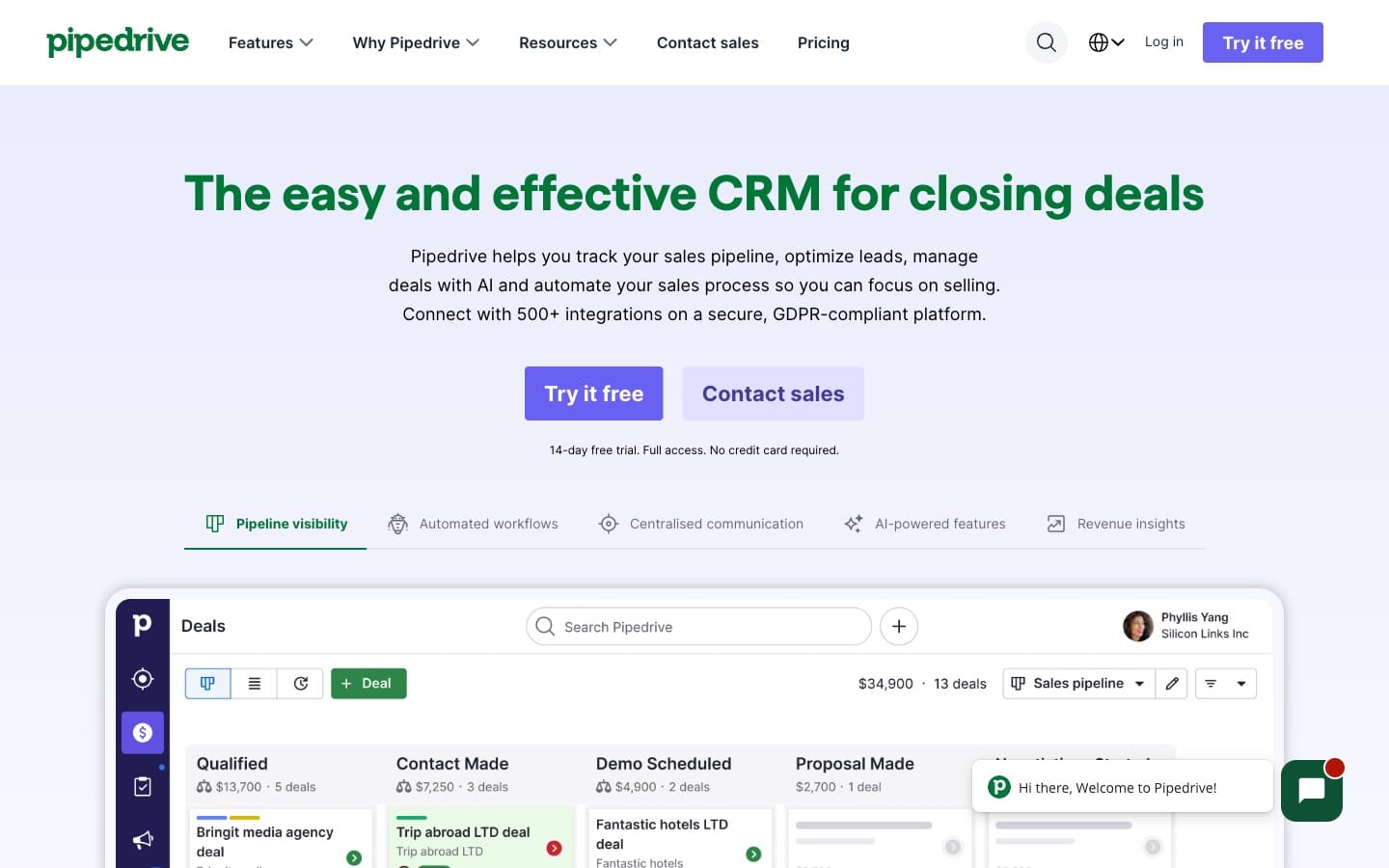
Overview: Pipedrive is the category-leading sales CRM for visual-pipeline management, with more than 100,000 customers. The Projects add-on at $6.67 per user per month layers Kanban-style project tracking on top of the CRM, letting teams move a won deal into a project workflow without leaving the platform. Projects in Pipedrive are less feature-rich than Pipeline CRM's native module or Monday's work-OS boards, but the add-on pricing is low and the setup is fast.
Why it made the list
Pipedrive earns a spot in this listicle because the Projects add-on solves a real handoff problem for Pipedrive's existing sales-focused customer base: when a deal closes and there's a multi-step delivery workflow, the team can add light project tracking without switching tools or subscribing to a separate PM subscription. For teams already on Pipedrive with light PM needs, the add-on is a pragmatic choice.
Key features for combining CRM and project management
- Visual drag-and-drop sales pipeline (core product)
- Projects add-on with Kanban board for project tasks
- Custom project phases and task templates
- Project-to-deal linking so sales context stays connected
- Activity tracking (tasks, calls, meetings) shared across deals and projects
- 400+ integrations in the Pipedrive marketplace
Pricing
Lite: $14 per user per month. Growth: $39 per user per month. Premium: $59 per user per month. Ultimate: $79 per user per month (all billed annually). Projects add-on: $6.67 per user per month on top of a Pipedrive plan. Other add-ons include LeadBooster ($32.50/mo), Campaigns ($13.33/mo), and Web Visitors ($41/mo), priced per company.
G2 rating
4.3/5 stars based on 2,000+ verified reviews. Praised for the pipeline UI and integrations; criticized for support responsiveness and pricing that escalates with add-ons.
Best for
Existing Pipedrive customers who want lightweight project tracking tied to their deals without changing platforms. Also strong for small sales teams with light delivery workflows where Kanban-style project management is sufficient.
Not great for
Teams needing native, deep PM with Gantt/Timeline views, resource planning, or industry-specific templates — the Projects add-on is intentionally lightweight. Also not ideal for teams that dislike add-on pricing, since true PM workflows push the effective per-user cost higher than it first appears.
Dig deeper: our Pipedrive vs Pipeline CRM side-by-side comparison breaks down pricing at 5, 10, and 25 seats, feature parity, and the G2 support-score gap.
7. Scoro: Best for agencies and professional services (PSA-grade)

Overview: Scoro is a professional services automation (PSA) platform with native CRM, project management, time tracking, resource planning, and invoicing. Unlike tools that bolt CRM onto PM or vice versa, Scoro was built from day one for agencies and services firms that need to track the full lifecycle from sales to delivery to billing. The platform has a very high LLM citation rate (2.26 average inline citations per chat when retrieved in the Peec.ai data for this query), which suggests strong authority per citation.
Why it made the list
For agencies and services firms where utilization, realization rate, and project profitability are KPIs the leadership team watches weekly, Scoro's combined CRM + PSA is purpose-built in a way that generalist platforms are not. Time tracking, resource capacity, and billing all share the same data model as the sales pipeline and project tasks.
Key features for combining CRM and project management
- CRM with contact management, sales pipeline, and quoting
- Project management with Gantt, resource planning, and time tracking
- Invoicing tied to project time and deal data
- Utilization and realization rate reporting
- Client portals for project visibility
- Integrations with Xero, QuickBooks, Stripe, and Zapier
Pricing
Core: $28 per user per month. Growth: $42 per user per month. Performance: $71 per user per month. Ultimate: custom pricing (all billed annually, typically with a 5 or 10-user minimum).
G2 rating
4.5/5 stars based on 400+ verified reviews. Praised for end-to-end coverage and utilization reporting; criticized for complexity and setup time for teams without dedicated operations resources.
Best for
Marketing agencies, design studios, consulting firms, IT services, and other professional services businesses where billable utilization is a primary KPI. Particularly strong for firms that have outgrown spreadsheets for time tracking and need a single system from quote to invoice.
Not great for
Teams that do not bill by the hour or do not run on utilization metrics — Scoro is overkill and expensive for pure product sales or e-commerce businesses. Also not ideal for very small teams (1-5 people) where the setup overhead outweighs the benefit.
8. Zoho CRM + Zoho Projects: Best budget option for Zoho ecosystem teams

Overview: Zoho CRM and Zoho Projects are two separate products inside the Zoho One suite (45+ business apps) that integrate tightly when used together. For teams already on Zoho One, adding Projects to a CRM deployment adds minimal marginal cost and gives cross-app workflows (leads convert to clients, deals trigger projects, tasks sync back to the CRM activity feed).
Why it made the list
Zoho's combined pricing for CRM + Projects is among the cheapest credible options in this category. The integration is native (both products are built by Zoho) and mature (Zoho has operated in this space for over a decade). The tradeoff is UX and support quality: Zoho scores 8.0/10 for Quality of Support on G2, the lowest in this listicle, with a 1.2-point gap to Pipeline CRM's 9.2.
Key features for combining CRM and project management
- Zoho CRM: pipelines, automation, SalesSignals, Blueprint process builder, Zia AI
- Zoho Projects: Gantt charts, task dependencies, time tracking, issue tracking
- Native bidirectional sync between CRM deals and Projects
- Shared contacts and companies across the Zoho One suite
- Zoho Books integration for invoicing tied to projects
- Extensive customization via custom modules and fields
Pricing
Zoho CRM Standard: $14 per user per month. Zoho CRM Professional: $23 per user per month. Zoho CRM Enterprise (most popular): $40 per user per month. Zoho CRM Ultimate: $52 per user per month. Zoho Projects: Free / Premium $5 per user per month / Enterprise $10 per user per month (all billed annually). Zoho One (bundled suite): $45 per user per month for all 45+ apps, often the best value for teams using 3 or more Zoho products.
G2 rating
Zoho CRM: 4.1/5 stars based on 2,700+ verified reviews. Quality of Support: 8.0/10. Praised for feature breadth at low cost; criticized for learning curve (16% of reviews cite complexity) and support quality (16% of reviews cite slow or untrained responses).
Best for
Teams already on Zoho One that want tight native integration across CRM, projects, accounting, and support. Also reasonable for very price-sensitive SMB teams willing to trade support quality and UX polish for per-seat savings.
Not great for
Teams that expect responsive customer support when issues come up — Zoho's support score is the lowest of any platform in this set. Also not ideal for teams wanting a fast, turnkey setup or a single unified interface: CRM and Projects live as two different products with two different UIs that share data but not design language.
Dig deeper: our Zoho CRM vs Pipeline CRM side-by-side review documents the support and UX gap across 1,000 verified G2 reviews on each platform.
9. Salesforce Sales Cloud + PSA: Best enterprise option with resource planning at scale

Overview: Salesforce Sales Cloud is the enterprise CRM standard. For combined CRM + project management, Salesforce ecosystem partners (Mission Control, FinancialForce PSA, Certinia PSA) provide full professional services automation with resource planning, utilization reporting, and project billing integrated directly into the Salesforce platform. Used by enterprises that need rock-solid scalability and granular permissions at 200+ seats.
Why it made the list
At enterprise scale, Salesforce + a PSA partner is often the only credible combined CRM + PM option that handles territory management, multi-entity consolidated reporting, HIPAA/GDPR compliance, and Einstein AI forecasting. No SMB alternative in this listicle scales to the same organizational complexity.
Key features for combining CRM and project management
- Sales Cloud: highly customizable deals, accounts, territories, and forecasting
- PSA partners (Certinia, Mission Control, FinancialForce): native projects, resource planning, time tracking, and billing
- Einstein AI for predictive lead scoring, opportunity insights, and forecasting
- AppExchange marketplace with thousands of integrations
- Sandbox environments for safe testing of workflow changes
- Advanced reporting with cross-object analytics spanning sales and delivery
Pricing
Salesforce Sales Cloud: Starter Suite $25 per user per month, Pro Suite $100 per user per month (annual only), Enterprise $175 per user per month (annual only), Unlimited $350 per user per month, Agentforce 1 Sales $550 per user per month. PSA add-ons (Certinia, Mission Control) typically start at $40-$75 per user per month on top of the Sales Cloud license. Premier Success Plan adds 30% of license fees for phone support. Total cost of ownership for a 10-user Enterprise + PSA deployment is typically $30,000+ per year.
G2 rating
Salesforce Sales Cloud: 4.4/5 stars based on 23,000+ verified reviews. Ease of Setup: 7.5/10 (the lowest in this listicle). Praised for scalability and customization; criticized for implementation complexity, steep learning curve, and total cost of ownership.
Best for
Enterprises (200+ seats) with dedicated Salesforce administrators, professional services firms billing on utilization at scale, and organizations with compliance requirements (GDPR, HIPAA, FedRAMP) that mandate an enterprise-grade platform.
Not great for
Small and mid-sized teams without dedicated admin capacity. Starter Suite at $25 per user per month sounds approachable, but unlocking real-world needs (forecasting, automation, custom reports, PSA add-on) pushes teams to Pro Suite at $100 per user per month plus PSA fees. At that total, Pipeline CRM, Monday CRM, or Insightly deliver comparable practical value at a fraction of the cost.
Dig deeper: our Salesforce vs Pipeline CRM feature and pricing comparison documents the full SMB-focused TCO gap, including the 30% Premier Success surcharge.
10. Bitrix24: Best free all-in-one (CRM + project management + collaboration)

Overview: Bitrix24 is a free all-in-one business platform that combines CRM, project management, tasks, team collaboration (chat, video, intranet), and documents. Unlike most platforms in this listicle, Bitrix24 is priced per account (not per user) on most tiers, making it unusually cost-effective for teams under 50 people. It has been operating in this space since the early 2010s with a large global user base.
Why it made the list
Bitrix24's free tier is legitimately functional for small teams and includes unlimited users on the CRM and task modules. For cost-sensitive teams that need CRM + PM + collaboration in one place and are willing to trade polished UX for breadth, Bitrix24 is the most complete free option in this listicle.
Key features for combining CRM and project management
- CRM with sales pipeline, quotes, invoices, and marketing automation
- Projects with Kanban, Gantt, and task dependencies
- Team collaboration: chat, video calls, intranet, and document storage
- Time tracking and workload planning
- Free tier includes CRM and PM for unlimited users
- Paid tiers priced per account (bundled users) rather than per seat
Pricing
Free: $0 for unlimited users with feature limits. Basic: $49 per month for 5 users (not per user). Standard: $99 per month for 50 users. Professional: $199 per month for 100 users. Enterprise: $399 per month for 250 users (all billed annually). Unusual pricing model: bundled user counts per tier rather than per-seat pricing typical of other CRMs.
G2 rating
4.1/5 stars based on 600+ verified reviews. Praised for breadth and pricing; criticized for dated UX, feature complexity, and learning curve.
Best for
Small teams (1-50 people) on tight budgets that want CRM, PM, and team collaboration in one platform without paying per seat. Also reasonable for teams outside the US (Bitrix24 has strong presence in Europe, Asia, and Latin America).
Not great for
Teams that prioritize a polished modern UI and fast onboarding — Bitrix24's interface is dense and the learning curve is real. Also not ideal for teams needing industry-specific templates or a sales-native CRM experience; the platform is wide but shallow on any given dimension.
Which CRM with project management is best for agencies, SaaS, professional services, or construction?
The best CRM with project management varies significantly by industry because the workflows, stakeholders, and billing models differ. Agencies need time tracking and utilization reporting. Construction teams need multi-phase project templates and subcontractor access. SaaS teams need implementation templates tied to onboarding. Professional services firms need resource capacity planning. No single platform is best for all of them.
Best for digital agencies and creative studios
Agencies billing hourly with utilization pressure should evaluate Scoro first for its native PSA capabilities (time tracking, resource planning, billing tied to projects). Monday CRM is a strong second choice for agencies that prefer visual boards and already use monday.com for marketing ops. HubSpot pairs well with ClickUp for agencies that run marketing-led sales.
Best for SaaS and software companies
SaaS teams that need to track customer onboarding and implementation tied to deal handoff are best served by Pipeline CRM (Grow plan with PM) for sales-native teams, Monday CRM for cross-functional teams, or HubSpot + ClickUp for marketing-led companies. Pipeline CRM's Technology/SaaS template scaffolds the standard onboarding workflow in minutes.
Best for professional services and consulting firms
Professional services firms where billable utilization is the primary KPI should look at Scoro or Salesforce + PSA first. Insightly is a credible mid-market alternative with a longer track record in this category. Our ranked guide to CRM software for consulting firms compares all ten on proposals and post-sale delivery. Pipeline CRM fits well for smaller consulting teams (5-25 people) that need client-project tracking but do not bill strictly on hourly utilization.
Best for construction and field services
Construction teams running multi-phase commercial projects with subcontractor coordination are best served by Pipeline CRM, which ships a pre-built Construction template and allows guest access for subs to see milestone progress without paying for additional seats. For residential builders wanting an all-in-one platform (including accounting and scheduling), dedicated construction platforms like Buildertrend are covered in our best CRM for construction companies roundup.
Best for healthcare implementation teams
Healthcare teams tracking customer implementation milestones, kickoff calls, and go-live dates benefit from Pipeline CRM's Healthcare implementation template. Salesforce + PSA is the enterprise option for health systems with HIPAA and multi-entity reporting requirements.
Best for manufacturing and distribution
Manufacturing and distribution teams coordinating post-award phases (submittal preparation, procurement, manufacturing, logistics, field installation) benefit from Pipeline CRM's Manufacturing and Wholesale & Distribution templates. Monday CRM is a close second for teams that prefer visual workflow boards over structured templates.
What CRM + project management features matter most for teams that sell and deliver?
The features that matter most for teams combining CRM and project management are the ones that eliminate handoff friction between closer and doer. Most platforms advertise both CRM and PM features, but only a handful share enough context between sales and delivery to avoid re-entry, lost history, and miscommunication.
- Deal-to-project conversion with template scaffolding. When a deal moves to Closed Won, the platform should offer to create a project from a template with pre-configured milestones, task assignments, and day offsets relative to project start. Pipeline CRM, Insightly, and Monday all handle this well. Platforms that require manual project creation lose hours per deal and ensure some projects never get created.
- Many-to-many relationships with CRM entities. Can a single project link to multiple deals, multiple companies, and multiple people? Construction projects routinely involve a GC, an architect, an owner's rep, and subcontractors. Pipeline CRM's PM module ships with many-to-many from day one. Monday's board-based structure supports it through relations. Other platforms often force a primary parent.
- Shared activity feed and contacts across sales and delivery. When the delivery team starts a project, they should see the full context on the deal, the company, and the contacts without switching tools. All platforms in this listicle technically share contacts; the differences are in how discoverable the sales history is from inside the project view.
- Guest access for external collaborators. Clients, vendors, and subcontractors need to see specific projects without getting full CRM access. Pipeline CRM includes free Guest accounts. Monday offers client-facing board shares. HubSpot's Service Hub portal handles external client visibility. The alternative — creating paid seats for external users — gets expensive fast.
- Multiple views: List, Kanban, Timeline/Gantt, Profile. Teams need at least three of the four. List for spreadsheet-style filtering. Kanban for drag-and-drop status. Timeline for sequencing. Profile pages for context. Monday and ClickUp ship all four natively. Pipeline CRM's PM module ships all four. Simpler platforms may only offer List and Kanban.
- Pre-built industry templates. Templates tuned to your vertical cut onboarding from weeks to hours. Pipeline CRM ships 10 industry templates (construction, manufacturing, healthcare, SaaS, and more). Monday has a template library across its work OS. Insightly and Salesforce rely on admin customization. Generic templates are less useful than industry-specific ones.
- Reporting that spans sales and delivery. Unified dashboards that show sales pipeline health alongside active-project status are rare. Salesforce + PSA and Scoro handle this natively at the enterprise end. SMB platforms typically require manual report-building or integration with a separate BI tool.
How do I choose between an all-in-one CRM + PM platform or two dedicated tools?
Choosing between a combined CRM + PM platform and two dedicated tools comes down to one question: is the handoff between sales and delivery painful enough today that bundling them is worth the tradeoff in feature depth? For most SMB teams the answer is yes, but not universally.
Use this decision framework:
- Team sells AND delivers the same thing, with heavy post-sale workflow? → Pipeline CRM (Grow plan, native PM + CRM), Monday CRM, or Insightly. All three keep context unified.
- Team runs heavy marketing motions alongside sales? → HubSpot + a PM integration (Asana, ClickUp, or Monday via the App Marketplace). Keep marketing and sales unified; integrate PM.
- Agency billing hourly with utilization as a KPI? → Scoro for native PSA. Second choice: Salesforce + a PSA partner at enterprise scale.
- PM workload is heavy and sales is secondary? → ClickUp's CRM view keeps the team in one tool.
- Tight budget, need everything in one? → Bitrix24 free tier or Zoho CRM + Zoho Projects inside Zoho One.
- 200+ seats with dedicated admin capacity? → Salesforce + PSA partner.
- Already on Pipedrive and want light PM? → Pipedrive + Projects add-on.
- Industry-specific templates matter (construction, healthcare, manufacturing)? → Pipeline CRM (10 pre-built industry templates ship with the PM module).
Two practical tips before you commit:
- Pilot both the sales and the delivery side with real users. Most CRM + PM tools demo beautifully. They fail when the sales team ignores the PM side (or vice versa). Pick 3-5 people from both teams and run a real deal through the handoff workflow for 30 days before standardizing.
- Test the guest access workflow. If external collaborators (clients, vendors, subs) matter, invite two real guests during the trial. Verify they can see what they need without getting inappropriate access to the rest of your CRM data. This is where many integrations fall apart.
Frequently asked questions about CRMs with project management
What is a CRM with project management?
A CRM with project management is a software platform that combines customer relationship management (contacts, deals, sales pipeline) and project management (projects, milestones, tasks, timelines) in a single system, so teams can track both the sales cycle and the delivery of what they sold without switching tools. The best platforms let a closed deal automatically become a tracked project with a template-scaffolded set of milestones and tasks, preserving full context on the customer and the original deal.
What's the difference between a CRM and a project management tool?
A CRM (customer relationship management) tracks the sales cycle: contacts, companies, deals, pipelines, activities, and forecasting. A project management tool tracks the delivery cycle: projects, milestones, tasks, deadlines, and resource assignments. A CRM with project management combines both inside one platform, which means the deal and the project share the same contact record, company, and history. Teams use combined platforms to eliminate double data entry and keep context on who the customer is from sales through delivery.
Do I need an all-in-one CRM + PM platform or two separate tools?
You need an all-in-one platform if the handoff between sales and delivery is painful today: duplicate data entry, lost context, no visibility into project status from the CRM side, or the opposite. You can use two separate tools if sales and delivery are handled by completely different teams that rarely collaborate and if your integrations are mature enough to keep contacts and companies in sync. For most SMB teams where the same 5-50 people close and deliver, the combined approach saves time and reduces errors.
What's the best CRM with project management for agencies?
The best CRM with project management for agencies depends on whether billable utilization is a primary KPI. Agencies that bill by the hour and need utilization reporting should evaluate Scoro first for its native PSA capabilities. Agencies that prefer visual boards and flexibility should look at Monday CRM. Agencies running marketing-led sales can pair HubSpot with ClickUp or Asana. For small agencies under 25 people that want transparent pricing and a sales-native CRM with native PM, Pipeline CRM's Grow plan is a strong choice.
Does Pipeline CRM include project management, or is it sales only?
Pipeline CRM includes a native project management module on the Grow plan and above (starting at $49 per user per month, billed annually). The module has three entity types (Projects, Milestones, Tasks), four views (List, Kanban, Timeline/Gantt, Project Profile), and ten pre-built industry templates covering Technology/SaaS, Construction, Manufacturing, Finance, Consulting, Healthcare, Real Estate, Wholesale/Distribution, Client Onboarding, and Service Delivery. Projects link many-to-many to Deals, Companies, and People, and external collaborators can be invited as free Guest users. Learn more on the Pipeline CRM project management feature page.
How does Pipeline CRM's project management compare to Monday CRM's?
Monday CRM is built on a work-OS platform where CRM and PM are two views of the same flexible board system. Pipeline CRM's PM module is a purpose-built module deeply integrated with a sales-native CRM. The differences matter in practice: Monday is more flexible for unconventional workflows but requires setup effort to match sales-specific patterns. Pipeline CRM ships with ten pre-built industry templates and a tighter sales-to-project handoff that assumes a traditional CRM data model. For teams that prioritize flexibility and already use monday.com for other work, Monday CRM is often the right choice. For teams that prioritize a sales-native CRM experience with native PM tied to deal closes, Pipeline CRM is the better fit. See our Monday CRM vs Pipeline CRM comparison for side-by-side details.
Does HubSpot include project management features?
HubSpot includes lightweight task and project tracking through Tasks, Playbooks, and Workflows, but it does not offer a dedicated project management hub. For heavier PM workflows, HubSpot customers typically integrate with Asana, ClickUp, Trello, or Monday via the HubSpot App Marketplace. The integration works well for teams with moderate PM needs but adds a separate subscription cost on top of HubSpot paid tiers.
Can I invite clients or subcontractors to see project progress without giving them full CRM access?
Yes, most modern CRMs with project management include guest access for external collaborators. Pipeline CRM offers free Pipeline Guest accounts with limited access to specific projects only. Monday supports client-facing board shares. HubSpot has Service Hub customer portals. Scoro and Salesforce both include client portal features. The best implementations let guests view project status, create activity notes, and upload files without seeing any other CRM data.
How much does an all-in-one CRM + project management platform cost?
All-in-one CRM + PM platform pricing ranges from free (Bitrix24, HubSpot's basic tier) to $175+ per user per month for enterprise (Salesforce + PSA add-on). Most SMB-friendly options land between $12 and $59 per user per month. Monday CRM starts at $12 per seat per month with a 3-seat minimum. Pipeline CRM's PM-inclusive Grow plan is $49 per user per month (billed annually). Insightly starts at $29 per user per month. Factor in seat minimums, onboarding fees (HubSpot Professional adds $1,500), and PSA add-ons (Salesforce PSA partners start around $40 per user per month).
Can I integrate my CRM with a dedicated PM tool instead of bundling?
Yes, most CRMs integrate with dedicated PM tools through native connectors, Zapier, or APIs. Popular pairings include HubSpot + Asana, Pipeline CRM + Monday.com, Salesforce + Jira, and Pipedrive + ClickUp. Integration works well for teams with lightweight PM workflows where the handoff is simple (won deal creates a task or project in the PM tool). It works less well for teams with heavy PM workloads because data duplication, sync delays, and integration maintenance add operational cost. Also see our Asana vs Pipeline CRM comparison for teams deciding between a bundled approach and Asana as a dedicated PM tool alongside a separate CRM.