If you’ve tried HubSpot, you probably know it’s not the easy-to-use CRM for sales most people expect it to be. What begins as a simple way to manage contacts and deals often becomes hours of setup, confusing menu options, and rising costs as your business grows.
You end up paying for features you don’t need while your team struggles to perform basic tasks, like tracking deals or automating follow-ups. For small or traditional businesses, HubSpot’s all-in-one system often feels like overkill.
If this sounds familiar, it’s time to find a more straightforward solution. Let’s explore some simple HubSpot alternatives that make running your sales pipeline easier.
Why Do So Many Teams Find HubSpot Overwhelming?
Smaller teams often find that because HubSpot tries to do everything, it ends up overcomplicating the basics.
1. Too Many Features, Too Little Simplicity
HubSpot covers everything, from CRM and marketing automation to service management and operations. This sounds great until you actually start using it. The sheer number of tools, menus, and settings can be exhausting, especially if you have a small team and mostly need to manage leads and track deals.
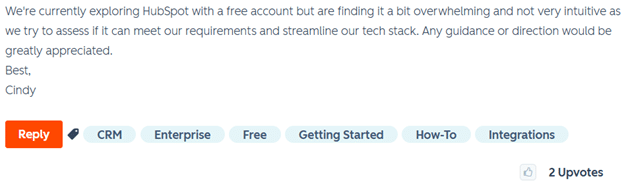
Instead of simplifying your workflow, HubSpot often adds layers of complexity that small businesses don’t really need. One HubSpot Community post described the interface as anything but intuitive, calling the experience “overwhelming.”
2. A Steep Learning Curve for Small Teams
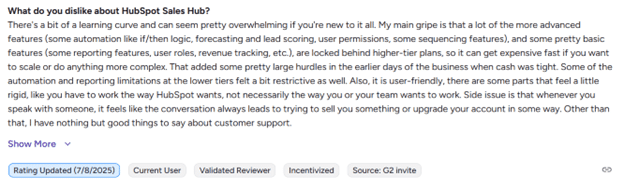
If you’re new to HubSpot, expect to spend time learning how it all works, especially if you don’t have a full-time admin or prior CRM experience. Each “Hub” (Sales, Marketing, Service) has its own setup, automations, and reports to configure.
To get the most out of it, you’ll likely need tutorials, certifications, or even a dedicated HubSpot specialist, which is not ideal for lean teams that want to focus on selling, not setup. G2 reviewers echo this sentiment, noting the platform’s steep learning curve and time-consuming onboarding.
3. Pricing That Scales Faster Than Your Needs
HubSpot’s free tools are great for getting started, but costs climb sharply once your business grows. Features like advanced automation, reporting, and custom integrations are only available on higher plans, which can cost thousands per year.
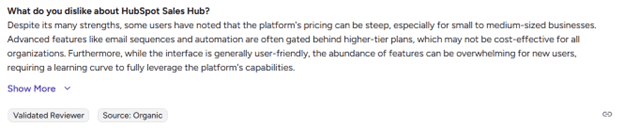
Since pricing scales with contacts and users, expenses keep rising even when your needs stay the same: one more reason small businesses are looking for HubSpot alternatives.
The 5 Best Simple HubSpot Alternatives
Plenty of small and mid-sized businesses are switching to simple HubSpot alternatives that do one thing really well: sales pipeline management. Here are five options worth considering, starting with one designed specifically for growing SMBs.
1. Pipeline CRM: Best for SMBs That Want a Simple, Sales-Focused CRM
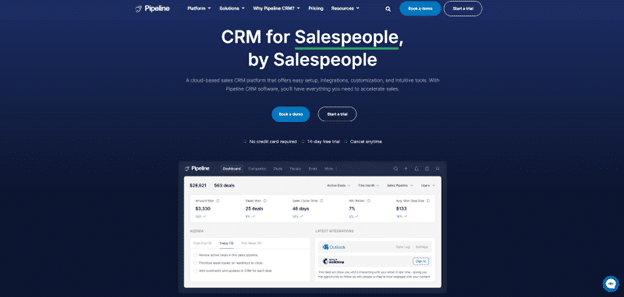
Pipeline CRM gives you everything you need to manage sales in one clean, intuitive platform. Unlike HubSpot, it focuses on what matters most: helping teams track leads, close deals, and automate repetitive tasks without a steep learning curve.
You can easily visualize your pipeline, monitor how deals move through each stage, and see team performance in real time from a single dashboard. With Pipeline CRM integrations that connect to major business tools, you can manage contacts, contracts, and invoices in one place.
Pipeline CRM Key Features
- Customizable sales tools built for professional services like construction, logistics, and consulting.
- Automated workflows for lead management, follow-ups, and data updates.
- Centralized dashboard with team collaboration tools and real-time insights.
- Accurate forecasting and reporting with visual pipeline tracking.
- AI-powered email assistant for quick, personalized outreach.
- CRM Excel templates for simplified data management.
- Automated email verification to detect and block invalid addresses.
Pipeline CRM Pros
- Easy to use, adapt, and customize.
- Reduces customer churn by flagging at-risk clients early.
- Offers high-converting lead forms and AI-driven email automation.
- Exceptional customer support with a 97.6% satisfaction rate.
Pipeline CRM Pricing
- Start: $25 per user per month.
- Develop: $33 per user per month.
- Grow: $49 per user per month.
- Enterprise: custom pricing.
Pipeline CRM G2 Rating
4.4/5 star rating on G2 (940+ reviews).
2. Salesforce: Best for Large Teams That Need a Full All-in-One Platform
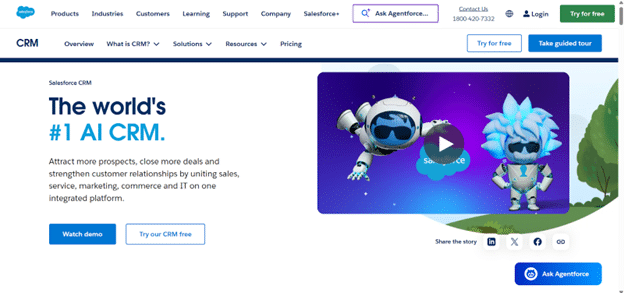
If you’re part of a fast-growing company with multiple departments, Salesforce is a strong HubSpot alternative. It brings sales, service, marketing, and IT together on one connected platform.
With Salesforce’s AI tools, teams can automate tasks, predict outcomes, and receive data-driven recommendations to improve deal velocity. Its extensive customization options let you tailor workflows, dashboards, and reports to your exact process. However, if you’re after simplicity, Salesforce is not the best choice, as that flexibility comes with more setup time and cost.
Salesforce Key Features
- Fully customizable workflows, dashboards, and reports.
- AI-powered insights via Salesforce Einstein for smarter forecasting.
- 360° customer profiles combining sales, service, and marketing data.
- Real-time analytics for tracking team and deal performance.
Salesforce Pros
- Huge integration ecosystem via AppExchange.
- Powerful AI automation and forecasting tools.
Salesforce Cons
- A complex system that requires custom setup and has a steep learning curve.
- Pricing isn’t easily scalable for smaller teams.
Salesforce Pricing
Custom pricing.
Salesforce G2 Rating
4.4/5 star rating on G2 (24,600+ reviews).
3. ActiveCampaign: Best for Businesses Prioritizing Marketing Automation
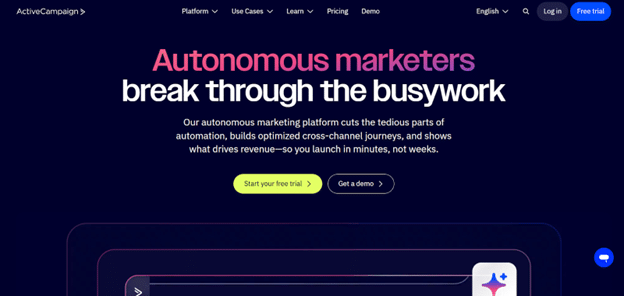
If marketing automation is your top priority and you don’t need a full sales suite, ActiveCampaign is one of the simplest HubSpot alternatives. It helps you send the right message to the right person at the right time, without heavy setup or coding.
You can build automations visually using a drag-and-drop editor, segment audiences, and personalize outreach based on customer behavior. It’s lightweight, easy to learn, and integrates with most CRMs, ecommerce tools, and social platforms.
ActiveCampaign Key Features
- Multi-channel automations for email, SMS, and on-site messaging.
- Visual automation builder (no coding required).
- Contact segmentation and dynamic personalization.
ActiveCampaign Pros
- Affordable, transparent pricing.
- High email deliverability and simple setup.
ActiveCampaign Cons
- Limited CRM and pipeline management capabilities.
- Some integrations require third-party tools like Zapier.
ActiveCampaign Pricing
- Starter: from $15 per month.
- Plus: from $49 per month.
- Pro: from $79 per month.
- Enterprise: from $145 per month.
ActiveCampaign G2 Rating
4.5/5 star rating on G2 (14,400+ reviews).
4. Zendesk Sell: Best for Support-Driven Sales Teams
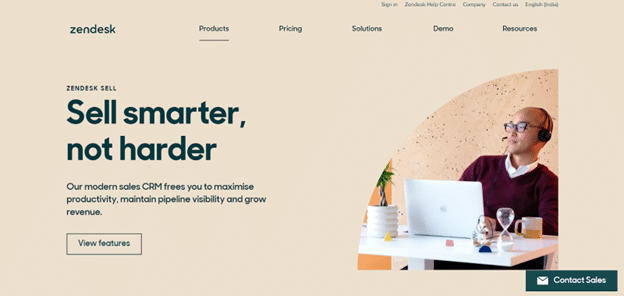
If your team leans heavily on customer service and support, Zendesk Sell is a straightforward option. It combines sales pipeline management with support tools, keeping everything simple and centralized.
Zendesk Sell is easy to learn, even for non-tech-savvy teams. It connects with popular apps for billing, marketing, and automation, all accessible through the Sell marketplace.
Zendesk Sell Key Features
- Automates follow-ups, reminders, and task logging.
- Real-time analytics and customizable reports.
- Centralized customer profiles across interactions.
- Integrates with popular email, billing, and marketing tools.
Zendesk Sell Pros
- Focused feature set without unnecessary complexity.
- Seamless integrations with email and support platforms.
Zendesk Sell Cons
- Limited automation capabilities.
- Customer support could be more consistent.
Zendesk Sell Pricing
- Support Team: $19 per agent per month.
- Suite Team: $55 per agent per month.
- Suite Professional: $115 per agent per month.
- Suite Enterprise: $169 per agent per month.
Zendesk Sell G2 Rating
- 2/5 star rating on G2 (490+ reviews)
5. Monday.com: Best for Visual, Customizable Sales Pipelines

Monday.com CRM stands out for its visual approach to sales pipeline management. With drag-and-drop simplicity, you can customize stages, columns, and views to match your unique sales cycle.
It’s easy to use, flexible, and integrates well with other tools for cross-functional visibility. Dashboards display everything from funnel charts to sales leaderboards, helping teams stay organized and data-driven.
Monday.com Key Features
- Centralized customer communication (emails, calls, and meetings).
- Lead capture and scoring from multiple sources.
- Automation for lead assignment, reminders, and follow-ups.
- Flexible board views for marketing and project management.
Monday.com Pros
- Intuitive, beginner-friendly interface.
- Highly visual dashboards for easy tracking.
Monday Cons
- Some workflow edits can be tricky.
- Date-field customization is limited.
Monday Pricing
- Free plan available.
- Basic: $9 per seat per month.
- Standard: $12 per seat per month.
- Pro: $19 per seat per month.
- Enterprise: Custom pricing
Monday.com G2 Rating
4.6/5 star rating on G2 (1000+ reviews).
What to Look For in an Easy-to-Use CRM for Sales
When choosing a simpler CRM, consider these four things. If you can check these boxes, you can improve your sales pipeline management even with a lightweight CRM.
- Intuitive setup and interface: you should be able to add contacts, track deals, and view your pipeline within minutes.
- Streamlined pipeline management: visual pipelines make it easy to track deals, automate follow-ups, and identify bottlenecks fast.
- Essential integrations: look for built-in email, calendar, and accounting integrations so your team can manage everything in one place.
- Transparent pricing and strong support: clear plans, no hidden costs, and reliable onboarding ensure you get value without frustration.
Simplify Your Sales Pipeline with a CRM That’s Actually Easy to Use
If HubSpot feels too complex for your team, you don’t have to settle for overcomplicated software. The right easy-to-use CRM for sales can give you everything you need: pipeline visibility, automation, and reporting.
Pipeline CRM is built for small and mid-sized businesses that value clarity and results over complexity. It’s simple to set up, fully customizable, and designed to help your team close more deals with less effort.
Try Pipeline CRM free and see how easy managing your sales pipeline can be.
FAQs About Easy-to-Use CRMs for Sales
1. What Makes a CRM Easy to Use?
An easy-to-use CRM for sales should help you close deals faster, not slow you down. Look for clean navigation, quick setup, and a dashboard that makes pipeline tracking effortless. The best tools automate follow-ups, sync with your email and calendar, and require little to no technical onboarding.
2. Can I Migrate My Sales Data From HubSpot to Pipeline CRM?
Yes, Pipeline CRM offers a data migration service that allows you to import your existing CRM data, including contacts, companies and deals, via CSV/Excel or through our migration team. While the free import supports a consolidated single-sheet upload, we can also handle more complex migrations (multiple sheets, custom fields, attachments) via our paid migration service. The process is designed to be smooth and minimise disruption, with onboarding support from our team.
3. Do Lightweight CRMs Like Pipeline CRM Offer Enough Sales Customization?
A good CRM for pipeline management should adapt to your business, not vice versa. With Pipeline CRM, you can customize pipelines, fields, reports, and automations to match your sales process. You’ll get the flexibility of an enterprise platform with the simplicity of a lightweight CRM.
4. Are Easy-To-Use CRMs Still Suitable for Scaling Teams?
Yes, the best easy-to-use CRMs for sales are built to grow with you. You can start with the essentials, like lead tracking, automation, and reporting, and unlock advanced tools as your team expands. With Pipeline CRM, you’ll never have to switch systems as you scale; it’s simple today and powerful tomorrow.